
Brother HL-2270DW Printer Toner Cartridges
Your Brother HL-2270DW uses the DR-2225 / TN-2230 / TN-2250 cartridge series, a dependable monochrome laser system engineered for fast text delivery. We have been supplying replacement consumables for this printer since Jun 2026, supporting users who require consistent black-and-white output. In commercial or busy home office environments, print needs lean heavily toward high-volume execution, making standard cartridges highly uneconomical. Transitioning directly to high-yield options significantly limits manual maintenance steps and keeps documentation workflows moving smoothly. As demonstrated by our 4.8 Google rating, we are committed to providing premium consumable cartridges.



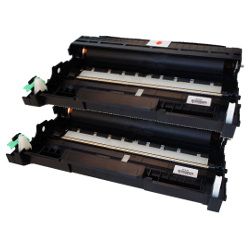
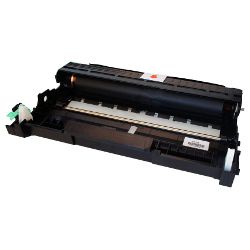
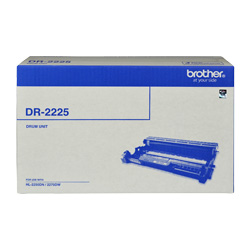
Expected page output and replacement cycles
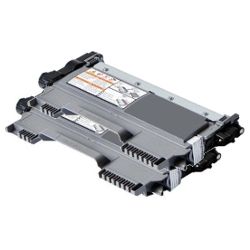
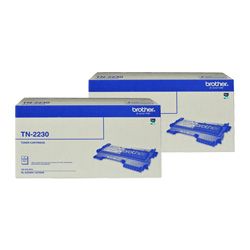
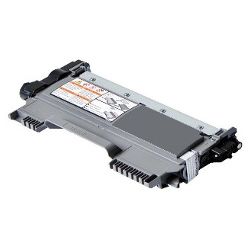
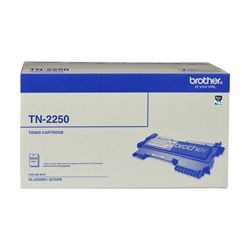
Toner cartridge yields for this monochrome laser printer are measured against the standardized ISO/IEC 19752 testing framework for black toner text coverage. The standard TN-2230 cartridge offers a basic print life, whereas the high-yield TN-2250 variant provides more than double the output, making it the practical choice for managing heavy text documentation demands without constant physical replacements.
| Cartridge Number | Type | Colour | Page Yield | Cost Per Page |
|---|---|---|---|---|
| TN-2230 | Standard | Black | 1,200 | $0.076 |
| TN-2250 | High Yield | Black | 2,600 | $0.060 |
Cost Per Page = Total Cartridge Price ÷ Page Yield (at 5% coverage). Prices based on Genuine cartridges.
Managing your drum unit lifecycle
This laser printing system utilizes a separate toner and drum architecture. While the toner houses the black powder, the DR-2225 drum unit is responsible for transferring that image cleanly onto your paper pages. Experience Tip: If your printer continues to display a "replace drum" warning after inserting a fresh unit, you must manually reset the internal counter by opening the front cover and holding down the "Go" button until all LEDs light up.
Genuine vs compatible cartridges
Under Australian Consumer Law, using compatible cartridges does not void your printer warranty. Choosing our premium compatible toner or drum options delivers a massive reduction in operational printing expenses while maintaining crisp text edge sharpness and robust fade resistance. To understand more about how these alternatives stack up mechanically against factory originals, you can view our detailed genuine vs compatible cartridges comparison guide.
Choosing the right cartridge setup
For heavy text applications or legal document production, investing in multi-pack high-yield toner bundles delivers the ultimate level of workflow longevity. If your print volume is irregular or low, a single high-yield cartridge still prevents the common issue of ink drying out, as toner powder remains stable indefinitely. All our compatible cartridges are backed by a robust money-back guarantee to ensure absolute operational security. Free delivery applies on all orders over $99 (conditions apply), shipped swiftly from our local fulfillment hubs in Perth, Brisbane, Sydney, Melbourne, and Adelaide. To look up supplies for different laser models, view our full Brother toner cartridges index.
Pro Tip
Do not discard your toner cartridge when the "Toner Low" light first flashes. You can often extract several hundred extra text pages by removing the cartridge and gently rocking it side-to-side to redistribute the remaining powder evenly within the internal hopper.
Frequently Asked Questions
Do I need to replace the DR-2225 drum unit every time I change the TN-2250 toner?
No, the drum unit has a significantly longer operational lifespan than an individual toner cartridge. Generally, a single drum unit will endure through three to four high-yield toner cartridge lifecycles before your pages show signs of background speckling or faint vertical lines.
Can I install a high-yield TN-2250 toner if my printer originally came with a standard TN-2230?
Yes, the standard TN-2230 and high-yield TN-2250 cartridges feature the exact same exterior physical dimensions. The high-yield version simply contains a larger volume of usable toner powder internally and slots directly into the same DR-2225 drum carriage.
Why is my printer showing a toner error immediately after installing a new compatible cartridge?
This is typically caused by the physical reset gear on the side of the cartridge not being in the correct starting position. Removing the toner, verifying that the gear mechanism is aligned to the front, and firmly re-seating the cartridge into the drum assembly will re-engage the internal printer sensor.


