
Brother HL-1110 Toner Cartridges
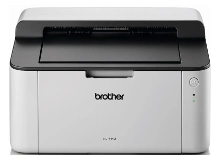
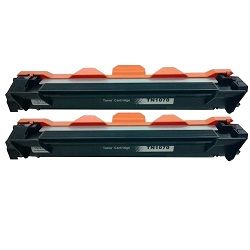
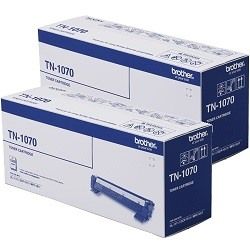
Your Brother HL-1110 uses the TN-1070 toner cartridge series alongside a separate drum unit. We have been supplying consumables for this printer since 10 Feb 2014, helping users navigate this two-stage laser system efficiently. Unlike integrated monochrome systems, this layout requires replacing the black toner multiple times before the physical drum mechanism degrades. This means text-heavy print routines incur significantly lower ongoing costs, provided you do not mistake a routine toner warning for a structural drum failure when the printer alerts you.


What to expect from each cartridge type
Page capacities for this series are calculated using the international ISO/IEC 19752 standard for monochrome laser printers. This specific standard relies on a text-based test page with roughly 5% coverage under temperature-controlled laboratory conditions. In a typical home office or student desk environment, standard documents containing heavy formatting, bold titles or dense tables will consume more powder, causing your actual real-world output to fall slightly below the laboratory benchmark.
| Cartridge Number | Type | Colour | Page Yield | Cost Per Page |
|---|---|---|---|---|
| TN-1070 | Standard | Black | 1,000 | $0.080 |
Cost Per Page = Total Cartridge Price ÷ Page Yield (at 5% coverage). Prices based on Genuine cartridges.
Genuine vs compatible cartridges
Choosing between genuine Brother toner and third-party options comes down to upfront expenses versus brand assurance. Our compatible alternatives offer an incredibly low running cost for day-to-day documentation. Under Australian Consumer Law, using compatible cartridges does not void your printer warranty. Every compatible option we supply is fully backed by a comprehensive product warranty for complete peace of mind.
Managing separate drum and toner components
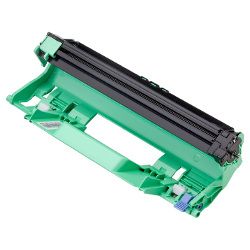
This monochrome system divides the printing mechanics into a TN-1070 toner cartridge and a separate DR-1070 drum unit. While you will change the toner cartridge relatively often, the drum unit handles the physical distribution of text onto paper and lasts for roughly 10,000 pages before requiring a complete swap.
Experience Tip: When replacing the DR-1070 drum unit, you must manually reset the internal printer counter by pressing the power button four times, otherwise the warning light will continue to flash even with the new component installed.
Choosing the right cartridge setup
If your daily routine consists almost entirely of text documents, essays or shipping labels, opting for multi-buy bundles offers the best financial return. Multi-pack bundles lower the investment required per document compared to buying single items on demand. For those cautious about changing from original manufacturer supplies, our premium compatible alternatives include a solid money-back guarantee if they do not perform up to your standard. If you ever need to return an item, check out our straightforward instructions at returns. Free delivery applies on all orders over $99 (conditions apply), and we ship directly from our national network of warehouses in Perth, Brisbane, Sydney, Melbourne and Adelaide to ensure your printer remains online. You can view the full selection of matching supplies on our dedicated Brother toner cartridges catalogue.
Pro Tip
Never shake a toner cartridge or clear a drum unit near open windows or fans, as loose monochrome laser powder is exceptionally fine and floats instantly into surrounding textiles, requiring a completely dry brush or cold water to remove safely.
Frequently Asked Questions
Why is the error light still flashing after installing a brand new TN-1070 toner cartridge?
The Brother HL-1110 separates the toner cartridge from the drum unit, meaning the printer has individual tracking mechanisms for both parts. If the light flashes, ensure you did not accidentally buy a drum instead of a toner, or that you firmly clipped the new toner cartridge into the existing drum frame until it locked into place.
Can I run the drum unit beyond its rated 10,000-page limit?
Yes, the printer will not physically lock you out when the drum reaches its formal page limit. You can reset the counter and keep printing, but you should monitor your text documents closely, as an aging drum will eventually cause permanent vertical black streaks or background grey shadowing across your pages.
Does a compatible TN-1070 cartridge contain the same amount of toner powder as the genuine Brother version?
Yes, both original and compatible TN-1070 cartridges are filled to match the standard 1,000-page yield at 5% coverage. The structural casing is identical in size, fitting perfectly into the DR-1070 drum cradle, though the compatible version uses a modified toner formula that significantly reduces your price per page.


