
HP 56 & HP 57 Ink Cartridges
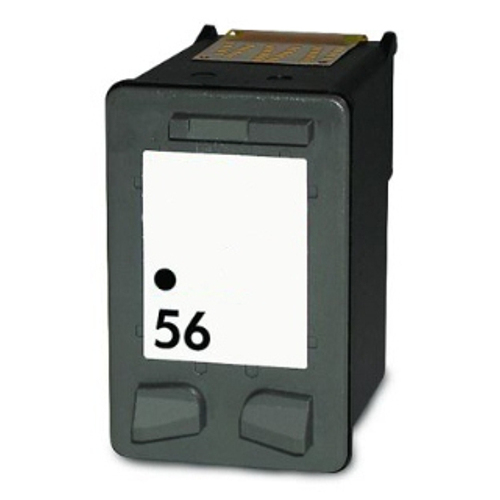
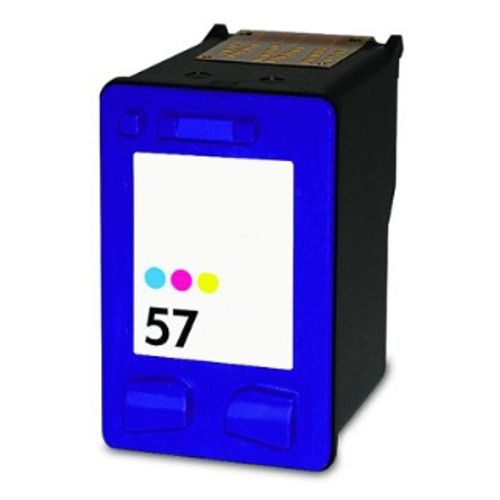
HP 56 black and HP 57 tri-colour ink cartridges supply reliable text and image printing across HP Deskjet, Officejet and Photosmart printers. Both standard cartridges and combined twin packs are available in cost-effective compatible options to keep printing costs low without sacrificing document legibility. Our 4.8 Google Star rating shows that our customers consistently receive high-quality cartridges backed by reliable performance.
Printers Compatible with HP 56 & HP 57 Ink Cartridges


Expected page output and replacement cycles
HP 56 black cartridges yield up to 450 pages, while HP 57 tri-colour cartridges deliver up to 400 pages based on standard 5% ISO/IEC coverage rules. Actual page output varies based on document density, graphic complexity and colour saturation.
| Cartridge Number | Type | Colour | Page Yield | Cost Per Page |
|---|---|---|---|---|
| 56 | Standard | Black | 450 | $0.038 |
| 57 | Standard | Colour | 400 | $0.072 |
Cost Per Page = Total Cartridge Price ÷ Page Yield (at 5% coverage). Prices based on Compatible cartridges.
Compare HP 56 & 57 Ink Cartridge Options
Save with Compatible Cartridges
Compatible cartridges are the lower-cost alternative to genuine ink: a single 56 Black cartridge from $17.07 or a 3-pack 56/57 for $59.81.
Choosing between genuine and compatible options
Using a compatible cartridge does not by itself remove your rights under Australian Consumer Law. However, damage caused by a faulty cartridge may not be covered by the printer manufacturer's warranty. To learn more about how third-party cartridges perform against brand-name options, read our genuine vs compatible cartridges comparison guide.
Best way to stock these cartridges
If you print mostly monochrome documents, purchasing standalone HP 56 black cartridges keeps text output uninterrupted. For mixed photo and graphics work, selecting the 56/57 bundle pack provides balanced replacement for both printhead tanks. All compatible cartridges come backed by a money-back guarantee, supported by our flexible returns policy if product issues arise. Free delivery applies on all orders over $99, dispatched quickly from dispatch centres in Perth, Brisbane, Sydney, Melbourne and Adelaide. Order your HP ink cartridges directly to keep workspace printing running smoothly.
Pro Tip
Because HP 56 and HP 57 cartridges incorporate integrated printheads, replacing an empty cartridge completely refreshes the firing nozzles, ensuring clear text and vibrant colour prints without requiring separate printhead replacements.
Frequently Asked Questions
Why does tri-colour ink run out faster when printing full-colour photos?
The HP 57 tri-colour cartridge houses Cyan, Magenta and Yellow ink in a single physical unit. If your print jobs lean heavily towards one tone, that specific ink chamber empties first, requiring replacement of the entire tri-colour cartridge even if other colours remain.
Can I run my HP printer with only the HP 56 black cartridge installed?
Many HP Deskjet and Officejet models using this series support single-cartridge mode, allowing monochrome printing with only the black cartridge loaded, though printhead access settings vary by model.
How does integrated printhead technology benefit older HP printer models?
HP 56 and HP 57 cartridges feature built-in printheads on the cartridge body. Replacing the cartridge replaces the microscopic spray nozzles, preventing print degradation caused by clogged or aged printhead nozzles over time.
Are C6656AA and C6657AA the same as HP 56 and HP 57?
Yes, C6656AA is HP's official manufacturer part number for the HP 56 black cartridge, and C6657AA is the part number for the HP 57 tri-colour cartridge; both codes refer to the exact same physical items.


