
HP Officejet 4110 Ink Cartridges
Shop ink cartridges for your HP Officejet 4110, which uses the HP 56 and 57 ink cartridges series. The HP Officejet 4110 is a compact all-in-one printer built for basic home office document workflows. Ink Depot has supplied reliable consumables for this printer since Jul 2007. Replacing standard 28 (C8728AA) cartridges with higher-capacity 57 (C6657AA) colour options provides better longevity for mixed text and graphic pages. Our 4.8 Google Star rating shows that our customers consistently receive high-quality cartridges backed by reliable performance.
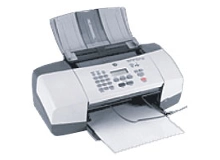


Expected page output and replacement cycles
Page yields for HP 56 (C6656AA) and 57 (C6657AA) cartridges are calculated based on standard 5% page coverage in line with ISO testing standards. Routine text printing consumes black ink faster than multi-colour inks during standard home office tasks.
| Cartridge Number | Type | Colour | Page Yield | Cost Per Page |
|---|---|---|---|---|
| 56 | Standard | Black | 450 | $0.038 |
| 28 | Standard | Colour | 190 | $0.100 |
| 57 | Standard | Colour | 400 | $0.072 |
Cost Per Page = Total Cartridge Price ÷ Page Yield (at 5% coverage). Prices based on Compatible cartridges.
Choosing compatible cartridges
Our compatible replacement cartridges deliver dependable text and photo output while keeping replacement costs manageable. Under Australian Consumer Law, using compatible cartridges does not void your printer warranty. Read our guide comparing genuine vs compatible cartridges to learn more about how alternative ink choices reduce operational expenses without risking printhead performance.
Best way to stock these cartridges
If you print mainly text documents, purchasing the black 56 (C6656AA) cartridge in a multi-pack bundle is the most efficient choice. If you print photos or mixed media graphics, choosing the higher-yield 57 (C6657AA) tri-colour cartridge ensures continuous balanced colour output. All our compatible products come with a 100% money-back guarantee, backed by our clear returns policy. We dispatch directly from local warehouses in Perth, Brisbane, Sydney, Melbourne and Adelaide. Free delivery applies on all orders over $99 when you stock up on HP ink cartridges.
Pro Tip
Always replace depleted tri-colour 57 (C6657AA) cartridges as soon as any single colour channel runs dry, as continuing to print with an empty channel can cause heat damage to the integrated printhead nozzles on that cartridge.
Frequently Asked Questions
Can I use the HP 57 colour cartridge instead of the HP 28 in my HP Officejet 4110?
Yes, both the 57 (C6657AA) and 28 (C8728AA) tri-colour cartridges are physically compatible with the Officejet 4110. The 57 (C6657AA) contains significantly more ink, providing up to 400 pages compared to 190 pages for the standard 28 (C8728AA), making it far more cost-effective for frequent colour printing.
What happens when one colour runs out in the tri-colour HP 57 cartridge?
The HP 57 (C6657AA) combines Cyan, Magenta, and Yellow ink into a single unit. When one primary colour runs empty, print balance will shift, requiring a complete replacement of the tri-colour cartridge even if ink remains in the other chambers.
Are printheads integrated into the HP 56 and 57 ink cartridges?
Yes, the HP 56 (C6656AA) and 57 (C6657AA) series feature thermal printhead nozzles built directly onto the cartridge body. Replacing the cartridge installs a fresh printhead assembly each time, maintaining crisp text output over the lifespan of the printer.


