
HP PSC 1350 Ink Cartridges
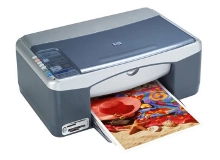
Shop ink cartridges for your HP PSC 1350, which uses the HP 56 and 57 ink cartridge series. Ink Depot has been supplying reliable consumables for this printer since Jan 2003. The HP PSC 1350 is a compact all-in-one printer designed for everyday home printing, copying, and photo scanning. Purchasing 56 (C6656AA) black and 57 (C6657AA) colour cartridges together helps maintain consistent print output. Our 4.8 Google rating reflects a long-standing track record of premium cartridge performance.


Expected Page Output and Replacement Cycles
Page yields for HP 56 (C6656AA) and 57 (C6657AA) cartridges are measured using the ISO/IEC 24711 standard, based on 5% page coverage. Actual yield varies according to print settings, page density, and photo coverage.
| Cartridge Number | Type | Colour | Page Yield | Cost Per Page |
|---|---|---|---|---|
| 56 | Standard | Black | 450 | $0.038 |
| 57 | Standard | Colour | 400 | $0.072 |
Cost Per Page = Total Cartridge Price ÷ Page Yield (at 5% coverage). Prices based on Compatible cartridges.
Choosing Compatible Ink Cartridges
Under Australian Consumer Law, using compatible cartridges does not void your printer warranty. Compatible cartridges offer a cost-effective alternative to standard printing supplies without sacrificing print clarity; learn more in our genuine vs compatible cartridge guide.
Choosing the Right Cartridge Setup
If you print mainly text documents, replacing the standard 56 (C6656AA) black cartridge individually keeps routine printing affordable. If you print photos or mixed media, combining black with the 57 (C6657AA) tri-colour cartridge in a multipack offers the best overall convenience. Compatible options deliver excellent everyday reliability backed by a money back guarantee. Review our returns policy for details. Free delivery applies on all orders over $99, dispatched quickly from our warehouses in Perth, Brisbane, Sydney, Melbourne and Adelaide. Explore our full range of HP ink cartridges.
Pro Tip
The HP 57 (C6657AA) tri-colour cartridge combines cyan, magenta, and yellow into a single unit. When one colour runs out, the whole cartridge must be replaced, so keeping a spare tri-colour unit on hand prevents sudden interruptions during full-colour print jobs.
Frequently Asked Questions
Can I print using only the HP 56 black cartridge if the HP 57 tri-colour cartridge is empty?
Yes, the printer can operate in single-cartridge mode using only the 56 (C6656AA) black cartridge, allowing you to complete text documents while waiting for a replacement colour cartridge.
Why do HP 56 and 57 cartridges include an integrated printhead?
Both the 56 (C6656AA) black and 57 (C6657AA) colour cartridges feature a built-in printhead mechanism. Replacing the cartridge automatically installs a fresh printhead, which helps prevent clogged nozzles and maintains sharp print clarity without requiring separate printhead replacements.
How does colour consumption affect the replacement schedule for HP 57 tri-colour cartridges?
Because cyan, magenta, and yellow inks share a single reservoir in the 57 (C6657AA) cartridge, printing documents or photos heavy in a single colour will deplete that specific ink chamber first, requiring replacement even if other colours remain.


