
HP Officejet 5510 Ink Cartridges
Shop ink cartridges for your HP Officejet 5510, which uses the HP 56 and 57 ink cartridge series. Ink Depot has been supplying reliable consumables for this desktop all-in-one printer since Jan 2004. Buying a 56/57 (C6656AA-C6657AA) bundle pack helps lower per-page expenses for daily document printing. Replacing standard 56 (C6656AA) black cartridges separately ensures crisp text without wasting colour ink. Our 4.8 Google Star rating shows that our customers consistently receive high-quality cartridges backed by reliable performance.
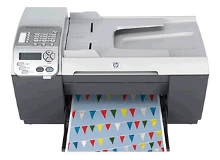


Expected page yield and usage considerations
The HP 56 (C6656AA) black cartridge produces around 450 pages, while the HP 57 (C6657AA) tri-colour cartridge yields roughly 400 pages based on ISO/IEC 24711 testing standards. Real-world page output depends on coverage levels, document density, and print frequency.
| Cartridge Number | Type | Colour | Page Yield | Cost Per Page |
|---|---|---|---|---|
| 56 | Standard | Black | 450 | $0.038 |
| 57 | Standard | Colour | 400 | $0.072 |
Cost Per Page = Total Cartridge Price ÷ Page Yield (at 5% coverage). Prices based on Compatible cartridges.
Why choose compatible HP 56 and 57 cartridges
Compatible cartridges offer an economical alternative to original cartridges without compromising document clarity. Under Australian Consumer Law, using compatible cartridges does not void your printer warranty. Every compatible cartridge supplied by Ink Depot comes backed by a 90-day money-back guarantee for complete peace of mind. Read our genuine vs compatible cartridge guide to evaluate performance and savings across both options.
Selecting your ink setup and ordering online
For routine text printing, replacing the standalone HP 56 (C6656AA) black cartridge offers the most direct way to maintain clear documents. If you frequently print full-colour graphics or photos, pairing it with the HP 57 (C6657AA) tri-colour cartridge or purchasing a combined HP 56/57 (C6656AA-C6657AA) multi-pack reduces overall spending. If cartridges fail to meet performance expectations, full details are available in our returns policy. Free delivery applies on all orders over $99. We dispatch quickly from warehouses in Perth, Brisbane, Sydney, Melbourne, and Adelaide. Browse our full range of HP ink cartridges for reliable daily supply.
Pro Tip
Because the HP 57 (C6657AA) is a tri-colour cartridge containing cyan, magenta, and yellow in a single unit, running out of just one colour requires replacing the whole cartridge. To prevent early colour exhaustion, print draft text in black-only mode whenever full-colour rendering is not strictly required.
Frequently Asked Questions
Can I print in black text if the HP 57 tri-colour cartridge runs out of ink?
Yes, the HP Officejet 5510 can operate using single-cartridge mode with only the HP 56 (C6656AA) black cartridge installed, allowing you to finish text documents while waiting for a colour replacement.
What is the difference between individual colour cartridges and the HP 57 tri-colour unit?
Unlike individual colour cartridge systems where each shade is replaced independently, the HP 57 (C6657AA) houses cyan, magenta, and yellow inside a single physical cartridge with an integrated printhead.
Why does the HP 56 black cartridge print more pages than the HP 57 tri-colour cartridge?
The HP 56 (C6656AA) black cartridge contains a larger volume of pigment-based ink designed specifically for dense text printing, yielding approximately 450 pages compared to 400 pages for the HP 57 (C6657AA) colour cartridge under standard 5% coverage tests.


