
Epson 212 Ink and Epson 212XL Ink Cartridges
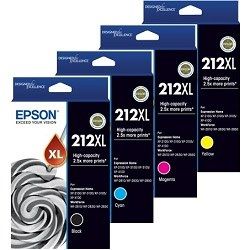
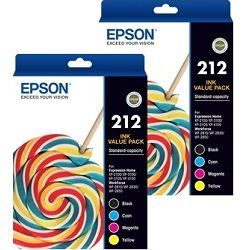
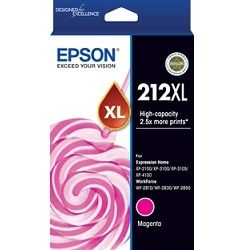
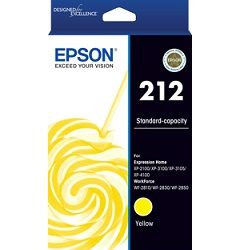
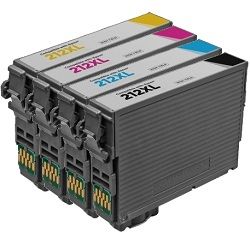
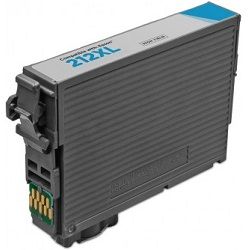
Epson 212 ink and Epson 212XL ink cartridges are designed for selected Expression Home and WorkForce printers, with standard-capacity and high-yield options available to suit different printing needs. The Epson 212XL black cartridge delivers up to 500 pages, while cost-effective compatible alternatives can help reduce overall printing expenses. Our 4.8 Google Star rating shows that our customers consistently receive high-quality cartridges backed by reliable performance.
Printers Compatible with Epson 212 Ink and Epson 212XL Ink Cartridges








Expected page output and replacement cycles
Epson determines the capacity metrics for this series using the international ISO/IEC 24711 inkjet standard. A standard genuine 212 black cartridge delivers 150 pages, whereas upgrading to a 212XL high-yield compatible variant yields 500 pages, more than tripling your output before a physical replacement is required.
| Cartridge Number | Type | Colour | Page Yield | Cost Per Page |
|---|---|---|---|---|
| 212 | Standard | Black | 150 | $0.15 |
| 212 | Standard | Cyan | 130 | $0.13 |
| 212 | Standard | Magenta | 130 | $0.13 |
| 212 | Standard | Yellow | 130 | $0.13 |
| 212XL | High Yield | Black | 500 | $0.093 |
| 212XL | High Yield | Cyan | 350 | $0.087 |
| 212XL | High Yield | Magenta | 350 | $0.087 |
| 212XL | High Yield | Yellow | 350 | $0.087 |
Cost Per Page = Total Cartridge Price ÷ Page Yield (at 5% coverage). Prices based on Genuine cartridges.
Choosing between genuine and compatible options
Under Australian Consumer Law, using compatible cartridges does not void your printer warranty. Premium third-party 212XL replacements mirror the structural design of original Epson tanks, ensuring the internal microchip correctly interfaces with your printer firmware to track fluid levels. To evaluate your choice, view our comprehensive genuine vs compatible blog post.
Managing home office printing costs
Text documents pull heavily from the pigment black tank, while colour graphics deplete the three dye channels simultaneously. Switching from a standard genuine tank to a 212XL compatible multiline pack reduces the entry cost significantly, and compatible orders include a full money-back guarantee should an error occur. Our inventory dispatches directly from local regional fulfilment centres in Perth, Brisbane, Sydney, Melbourne, and Adelaide. Our structural refund processing guidelines are detailed in our returns policy. Free delivery applies on all orders over $99. Explore our complete catalogue of supplies by browsing our main Epson ink cartridges page.
Pro Tip
Epson Expression Home printers will lock out all printing functions if any single colour cartridge is completely exhausted, even if you only intend to print a monochrome text document. Keep an extra 212XL high-yield yellow, cyan, or magenta cartridge on hand to prevent unexpected printing lockouts during critical print runs.
Frequently Asked Questions
Can I run a mix of genuine Epson 212 cartridges and compatible 212XL cartridges at the same time?
Yes, the printer firmware treats each slot independently. The microchip on a premium compatible cartridge communicates seamlessly alongside original Epson chips, allowing you to replace single colours with third-party inks as they run out.
Why does my Epson printer show a "Non-Genuine Cartridge" warning when installing a compatible 212XL?
This is a standard firmware prompt designed by the printer manufacturer. Clicking "Proceed" or "OK" bypasses the alert, engages the level monitor, and allows normal printing functionality without impacting the physical printer components.
Why does my colour ink level drop when I am only printing black text documents?
The printer uses small amounts of cyan, magenta, and yellow ink during regular printhead maintenance cycles to prevent the microscopic nozzles from drying out. Additionally, some paper settings trigger composite black printing, mixing colour inks to deepen text shadows.


