
Epson XP-3105 Ink Cartridges
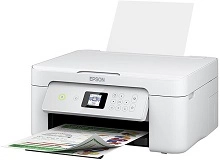
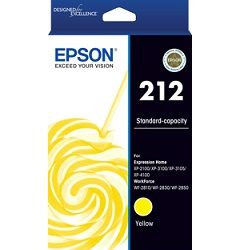
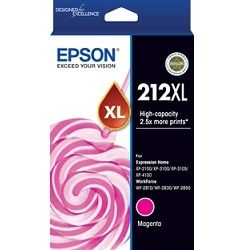
Your Epson Expression Home XP-3105 uses the 212 / 212XL ink cartridge series, featuring a individual 4-colour ink setup where each colour tank replaces independently as it exhausts. Our 4.8 Google rating is built on dependable cartridge performance and uncompromising product quality. Having supplied consumables for this printer model since May 2022, we notice home users frequently exhaust the black cartridge twice as fast as cyan, magenta, or yellow during routine household printing tasks.







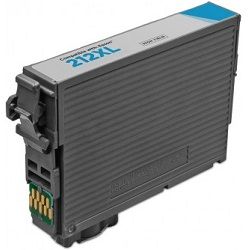
Real-world page capacity and output standards
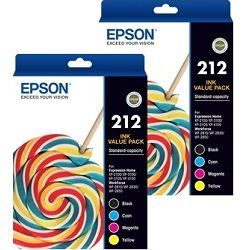
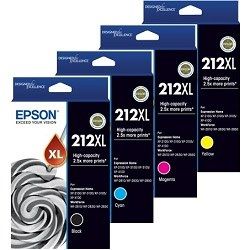
Standard capacity 212 cartridges deliver roughly 150 pages for black and 130 pages for individual colours, whereas high-yield 212XL options boost output up to 500 pages in black and 350 pages per colour. Page yields for these inkjet consumables are determined under ISO/IEC 24711 standard testing guidelines using continuous print runs.
| Cartridge Number | Type | Colour | Page Yield | Cost Per Page |
|---|---|---|---|---|
| 212 | Standard | Black | 150 | $0.15 |
| 212 | Standard | Cyan | 130 | $0.13 |
| 212 | Standard | Magenta | 130 | $0.13 |
| 212 | Standard | Yellow | 130 | $0.13 |
| 212XL | High Yield | Black | 500 | $0.093 |
| 212XL | High Yield | Cyan | 350 | $0.087 |
| 212XL | High Yield | Magenta | 350 | $0.087 |
| 212XL | High Yield | Yellow | 350 | $0.087 |
Cost Per Page = Total Cartridge Price ÷ Page Yield (at 5% coverage). Prices based on Genuine cartridges.
Smart options for replacement ink
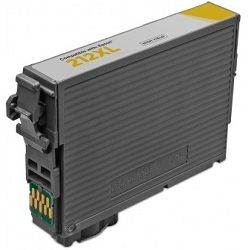
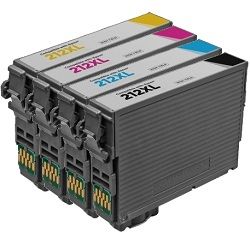
Running single cartridges through an active home setup quickly drives up page costs. Switching to multi-pack bundles or high-yield XL options substantially lowers print expenses while ensuring you hold backup stock. If you need budget flexibility, compatible 212XL cartridges deliver comparable print counts at a fraction of the price and include a complete money-back guarantee. Standard freight applies, though free delivery applies on all orders over $99 across Australia from stock points in Sydney, Melbourne, Brisbane, Perth, and Adelaide. For order inquiries or claims, review our Returns policy, or browse the complete Epson ink cartridges catalogue.
Choosing between genuine and compatible cartridges
Third-party alternatives offer significant cost savings for daily household printing without jeopardising physical hardware integrity. Under Australian Consumer Law, using compatible cartridges does not void your printer warranty. Read our detailed guide on genuine vs compatible cartridges to determine which alternative suits your home printing setup best.
Replacing the C12C934461 maintenance box
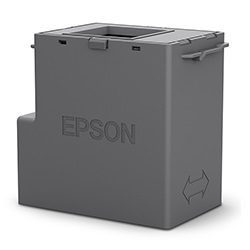
Unlike older entry-level desktop models, the Expression Home XP-3105 utilises an interchangeable C12C934461 maintenance box designed to collect excess ink flushed out during printhead cleaning cycles.
Experience Tip: Always clear leftover print jobs from your computer queue before swapping out a full maintenance box to ensure the internal chip counts reset cleanly on power-up.
Pro Tip
Never mix empty standard-yield cartridges with newly inserted high-yield XL tanks mid-job; replacing all low ink slots together prevents unnecessary printhead cleaning cycles that waste fresh ink.
Frequently Asked Questions
Why does my yellow or magenta cartridge run out when I only print black text?
Epson desktop printers run periodic printhead cleaning cycles using micro-amounts of all four ink channels to prevent printhead nozzles from drying out. Additionally, standard print drivers blend subtle composite colour inks into black text prints to sharpen edges and deepen monochrome tonal contrast.
Can I install a 212XL black cartridge alongside standard 212 colour cartridges?
Yes, standard 212 and high-yield 212XL cartridges share identical physical dimensions and snap into the same cartridge carriage slots. You can mix standard and XL cartridges across different colour slots without causing system compatibility errors.
What happens when the C12C934461 maintenance kit fills up?
When the maintenance box reaches maximum ink capacity, the printer halts all operations to prevent ink overflows inside the casing. Swapping in a replacement C12C934461 maintenance unit immediately restores normal printing without losing existing print settings or alignment data.


