
Epson WF-2810 Ink Cartridges
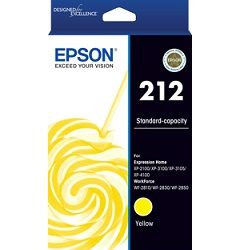
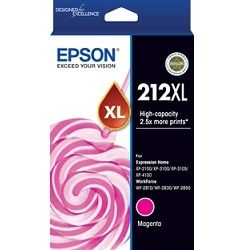
Shop ink cartridges for your Epson WorkForce WF-2810, which uses the Epson 212 and 212XL ink cartridges series. Ink Depot has been supplying consumables for this printer since Oct 2019. The WF-2810 is a compact 4-in-1 inkjet printer built for everyday home office tasks like printing, scanning, and copying. Upgrading from standard 212 black cartridges (C13T02R192) to high-yield 212XL options (C13T02X192) reduces replacement frequency during heavy document workflows. Our 4.8 Google rating reflects a long-standing track record of premium cartridge performance.
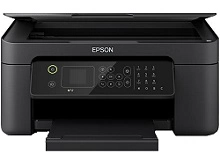
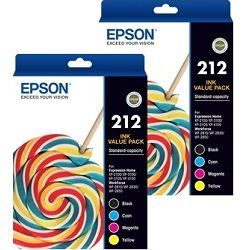
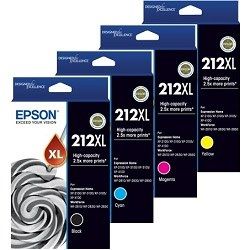


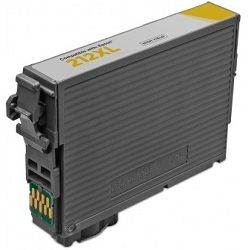





Expected page output and replacement cycles
Standard Epson 212 cartridges suit light printing demands, while 212XL high-yield options provide over double the page capacity for frequent document printing. Epson measures inkjet page yields using standard ISO/IEC 24711 test pages under regular printing conditions.
| Cartridge Number | Type | Colour | Page Yield | Cost Per Page |
|---|---|---|---|---|
| 212 | Standard | Black | 150 | $0.15 |
| 212 | Standard | Cyan | 130 | $0.13 |
| 212 | Standard | Magenta | 130 | $0.13 |
| 212 | Standard | Yellow | 130 | $0.13 |
| 212XL | High Yield | Black | 500 | $0.093 |
| 212XL | High Yield | Cyan | 350 | $0.087 |
| 212XL | High Yield | Magenta | 350 | $0.087 |
| 212XL | High Yield | Yellow | 350 | $0.087 |
Cost Per Page = Total Cartridge Price ÷ Page Yield (at 5% coverage). Prices based on Genuine cartridges.
Choosing between genuine and compatible options
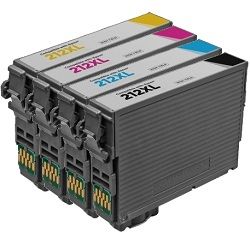
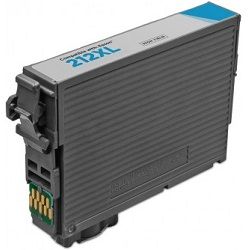
For home office users seeking to lower ongoing expenses, compatible 212XL ink cartridges offer a budget-friendly alternative to genuine Epson consumables. Under Australian Consumer Law, using compatible cartridges does not void your printer warranty. All compatible items supplied by Ink Depot meet strict quality standards to ensure crisp text and consistent colour output. To learn more about how third-party cartridges compare to OEM products, read our detailed guide on genuine vs compatible cartridges.
How to choose the best cartridge options
If you print mainly text documents, purchasing high-yield 212XL Black cartridges or multi-packs offers the lowest printing costs per page. If you print photos or colour graphics, replacing individual colour tanks (Cyan, Magenta, Yellow) as they deplete prevents wasting unused ink. Switching to compatible multipacks provides maximum savings, fully backed by our money-back guarantee under our returns policy. We stock full ranges of Epson ink cartridges dispatched fast from warehouses in Perth, Brisbane, Sydney, Melbourne and Adelaide. Free delivery applies on all orders over $99.
Pro Tip
When purchasing colour ink for the Epson WorkForce WF-2810, buying a 4-colour multipack (CMYK) is substantially more economical than purchasing individual standard cartridges separately, ensuring you always have spare ink on hand when one colour runs out.
Frequently Asked Questions
Can I mix standard Epson 212 cartridges with high-yield 212XL cartridges in the WF-2810?
Yes, you can freely mix standard 212 and high-yield 212XL cartridges across different slots. For instance, you can install a 212XL Black cartridge alongside standard 212 Cyan, Magenta, and Yellow cartridges without any compatibility issues.
What happens if one colour cartridge runs out while printing a black and white document on the Epson WF-2810?
Epson printers require all four ink cartridges (Black, Cyan, Magenta, Yellow) to contain some ink to operate. If a colour cartridge is completely depleted, the printer will prompt for a replacement before printing can continue, even if you are printing a mono text document.
Why do 212XL cartridges physical dimensions match standard 212 cartridges despite holding more ink?
Both standard 212 and 212XL cartridges share the exact same outer shell dimensions to fit the printhead carriage of the WorkForce WF-2810. The 212XL cartridges simply contain a larger internal ink reservoir filled with more ink volume.


