
Epson XP-4100 Ink Cartridges
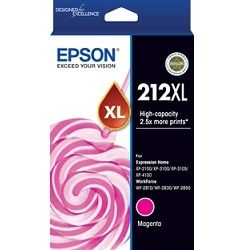
Your Epson Expression Home XP-4100 printer uses the Epson 212 and 212XL ink cartridge series along with C12C934461 maintenance kits. Ink Depot has supplied reliable ink cartridges for this printer since Sep 2019. Designed as a compact home all-in-one printer for daily schoolwork and household documentation, it runs on individual four-colour ink tanks. Replacing standard 212 black cartridges with high-yield 212XL options substantially lowers per-page costs. Our 4.8 Google rating reflects a long-standing track record of premium cartridge performance.








Expected Page Output and Replacement Cycles
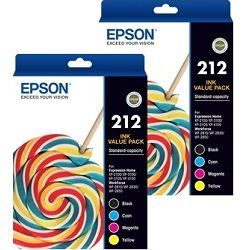
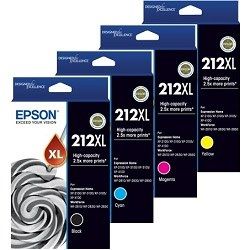
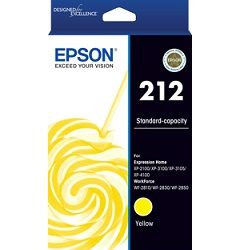
Standard 212 cartridges yield around 150 black and 130 colour pages, while 212XL cartridges offer up to 500 black and 350 colour pages under ISO/IEC 24711 test conditions. High-yield options significantly reduce cartridge swaps for regular home document printing.
| Cartridge Number | Type | Colour | Page Yield | Cost Per Page |
|---|---|---|---|---|
| 212 | Standard | Black | 150 | $0.15 |
| 212 | Standard | Cyan | 130 | $0.13 |
| 212 | Standard | Magenta | 130 | $0.13 |
| 212 | Standard | Yellow | 130 | $0.13 |
| 212XL | High Yield | Black | 500 | $0.093 |
| 212XL | High Yield | Cyan | 350 | $0.087 |
| 212XL | High Yield | Magenta | 350 | $0.087 |
| 212XL | High Yield | Yellow | 350 | $0.087 |
Cost Per Page = Total Cartridge Price ÷ Page Yield (at 5% coverage). Prices based on Genuine cartridges.
Choosing Between Genuine and Compatible Options
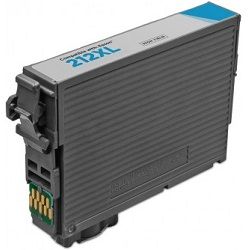
Both genuine Epson ink cartridges and third-party compatible cartridges are available for this printer. Compatible 212XL cartridges deliver higher yield output at a significantly lower purchase price, helping cut day-to-day household printing expenses. Under Australian Consumer Law, using compatible cartridges does not void your printer warranty. Learn more about performance and guarantee differences by reading our detailed guide on genuine and compatible cartridges.
Maintenance Box Replacements
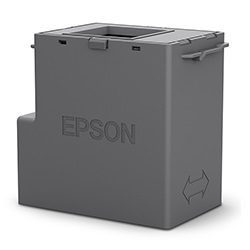
The XP-4100 includes a user-replaceable C12C934461 maintenance box alongside standard ink cartridges. The C12C934461 maintenance box collects excess ink flushed during routine head cleaning, operating as a distinct consumable from the print cartridges.
Best Way to Stock These Cartridges
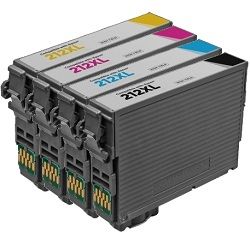
If you print mostly text documents, opting for high-yield 212XL black cartridges provides the best balance of longevity and value. For mixed colour printing, buying multi-packs ensures all four slots stay supplied without individual reordering. All compatible cartridges come backed by a money-back guarantee for complete piece of mind. Review our returns policy for details. Free delivery applies on all orders over $99, shipped quickly from our distribution centers in Perth, Brisbane, Sydney, Melbourne, and Adelaide. Browse our complete range of Epson ink cartridges today.
Pro Tip
Because the XP-4100 uses individual ink tanks, you only need to replace the specific colour that has depleted rather than discarding an entire multi-colour cartridge.
Frequently Asked Questions
Can I mix standard 212 and high-yield 212XL cartridges in the same printer?
Yes. The XP-4100 accepts standard 212 and high-yield 212XL cartridges interchangeably across all four colour slots. You can run a 212XL black cartridge alongside standard 212 colour cartridges without compatibility issues.
What happens when the C12C934461 maintenance box becomes full?
When the maintenance box reaches capacity, the printer pauses printing until a fresh C12C934461 unit is installed. Keeping a spare maintenance box on hand prevents unexpected downtime during print jobs.
Why does colour ink level drop even when printing mostly black text?
Epson printers utilize small amounts of colour ink during routine printhead maintenance and startup cycles to keep nozzles clear. Additionally, default print driver settings often mix subtle colour tones into composite black prints on standard paper settings.


