
Epson WF-2830 Ink Cartridges
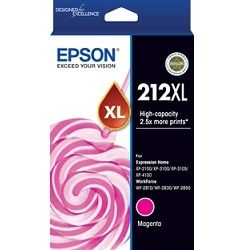
Shop ink cartridges for your Epson WorkForce WF-2830, which uses the Epson 212 and 212XL ink cartridges series along with C12C934461 maintenance kits. Ink Depot has been supplying reliable supplies for this printer since Sep 2019. Designed for compact home offices needing crisp document printing and automatic two-sided performance, this desktop multi-function printer relies on individual inks for consistent clarity. Upgrading from standard 212 black cartridges to high-yield 212XL (C13T02X192) options significantly lowers cost per page during routine printing. Our 4.8 Google rating reflects a long-standing track record of premium cartridge performance.








Expected page output and replacement cycles
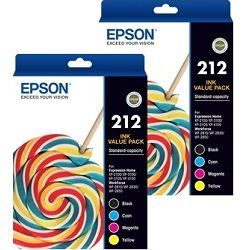
Standard ISO page yields for Epson 212 inks are determined using ISO/IEC 24711 standard test patterns under continuous printing conditions. High-yield 212XL cartridges contain greater ink volume, extending output capacity and reducing cost per page for high-frequency document printing.
| Cartridge Number | Type | Colour | Page Yield | Cost Per Page |
|---|---|---|---|---|
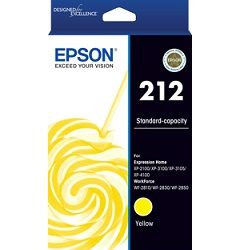
| 212 | Standard | Black | 150 | $0.15 |
| 212 | Standard | Cyan | 130 | $0.13 |
| 212 | Standard | Magenta | 130 | $0.13 |
| 212 | Standard | Yellow | 130 | $0.13 |
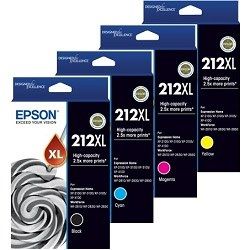
| 212XL | High Yield | Black | 500 | $0.093 |
| 212XL | High Yield | Cyan | 350 | $0.087 |
| 212XL | High Yield | Magenta | 350 | $0.087 |
| 212XL | High Yield | Yellow | 350 | $0.087 |
Cost Per Page = Total Cartridge Price ÷ Page Yield (at 5% coverage). Prices based on Genuine cartridges.
Choosing between genuine and compatible options
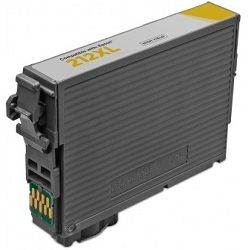
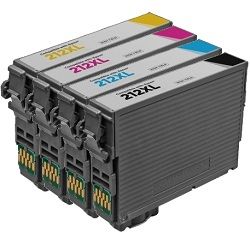
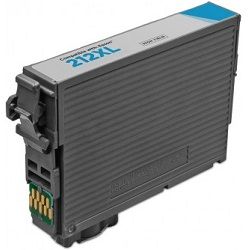
We supply both genuine Epson cartridges and premium compatible replacements. Under Australian Consumer Law, using compatible cartridges does not void your printer warranty. Compatible 212XL cartridges provide an economical alternative for routine printing while maintaining reliable colour output. Learn more about the differences in our guide on genuine vs compatible cartridges.
Maintenance Box and Replacement Supplies
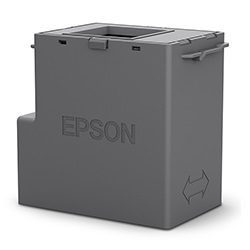
The Epson WorkForce WF-2830 utilises a dedicated C12C934461 maintenance kit to manage surplus ink during automatic printhead conditioning cycles. Experience Tip: The C12C934461 maintenance box is a separate consumable part that collects excess waste ink, typically lasting through multiple cartridge replacement cycles before requiring substitution.
Best way to stock these cartridges
If your daily workload consists primarily of standard text documents, selecting high-yield 212XL black cartridges yields maximum efficiency. For colour-heavy documents, four-pack bundles reduce per-cartridge replacement costs. Compatible options carry a full money-back guarantee should any performance issue occur, backed by our clear returns policy. Stock up on Epson ink cartridges with fast dispatch from our national distribution warehouses in Perth, Brisbane, Sydney, Melbourne, and Adelaide. Free delivery applies on all orders over $99.
Pro Tip
Check individual colour levels before ordering bundles; because cyan, magenta, and yellow deplete at different rates depending on graphics printed, keeping an extra 212XL black cartridge on hand prevents workflow interruptions when printing monochrome documents.
Frequently Asked Questions
Can I mix standard 212 and high-yield 212XL cartridges in the WorkForce WF-2830?
Yes, standard 212 and 212XL cartridges share the exact physical dimensions and slot design. You can run a 212XL black cartridge alongside standard 212 colour cartridges without issue.
What happens if one colour cartridge runs out during a black text print job?
The Epson WorkForce WF-2830 requires all four ink cartridges to contain ink to function. If any colour cartridge becomes depleted, the printer pauses until a replacement cartridge is installed.
How does the C12C934461 maintenance kit differ from an ink cartridge?
While ink cartridges supply ink for printing onto paper, the C12C934461 maintenance kit is a dedicated waste ink collector that absorbs surplus ink during internal head cleaning operations.


