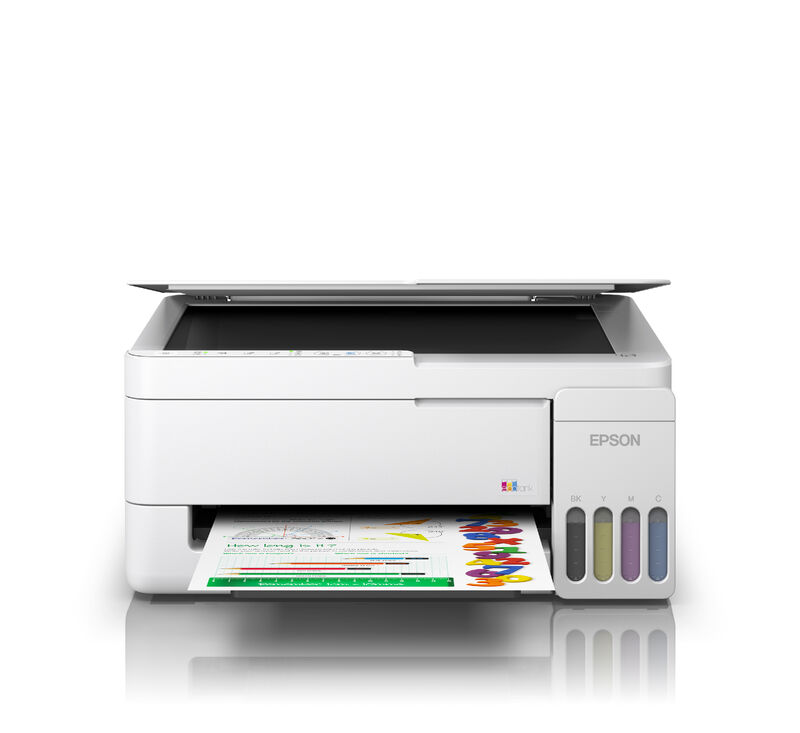
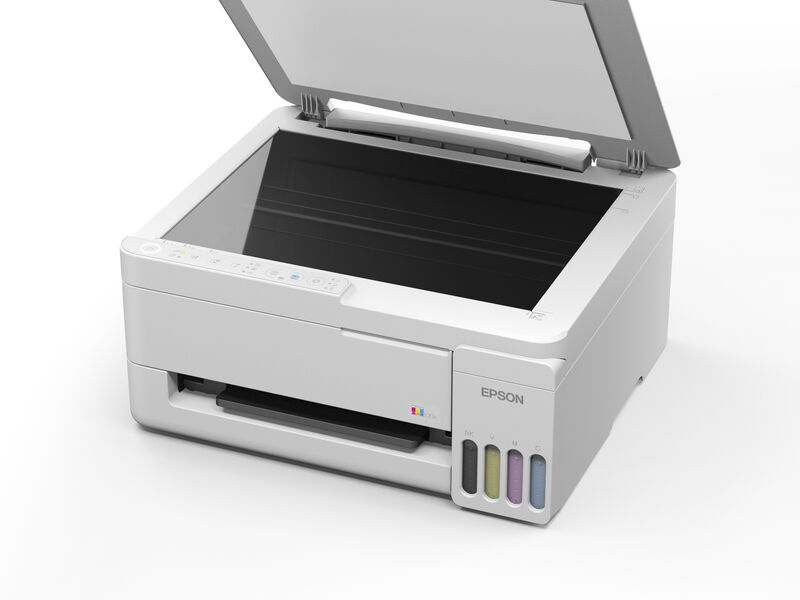
Epson EcoTank ET-2910 Multifunction Colour InkJet Wireless Printer

In Stock
$423.36(incl GST)
Buy instantly with Apple Pay or Google Pay — no account needed


ManufacturerEpson
ModelEcoTank ET-2910
TechnologyPrinters, Epson Printers
AttributesMultifunction Colour InkJet Wireless Printer
Manufacture TypeGenuine

Epson EcoTank ET-2910 Multifunction Colour InkJet Wireless Printer

Find out the Epson EcoTank ET-2910 Printer specifications and price below.

  • This is a InkJet Printer. The discounted list price of this printer is $423.36 including GST and avail free shipping Australia wide. Also Earn 423 Loyalty Points which can be redeemed against your next purchase.
  • has print, copy, scan functions.
  • can print up to A4 paper size.
  • has print speed of 11ppm in black and white, and has print speed of 6ppm in colour.
  • supports USB, Wi-Fi connectivity.
  • has 100 Sheets of paper feed capacity.
  • has 50 Sheets automatic document feeder (ADF) option.
  • uses T522 Series cartridges.
  • has 1 Year Return to Base warranty.

NOTE: For a detailed specification and drivers, please refer to the EcoTank ET-2910 page from Epson Australia's website at url https://www.epson.com.au/products/printers-for-home/ecotank/ET-2910, or click on the 'Specifications' tab below.

  • Epson is a synonym for high quality printers and is one of the worlds biggest printer producers. Epson produces inkjet and laser printers as well as wireless and multi-function devices for the home and office.

Printer
Product NameEcoTank ET-2910
Product CodeC11CL62501
Printing Technology4-Colour (CMYK), drop-on demand MicroPiezo® inkjet technology / PrecisionCore printhead
Maximum Print Resolution5760 x 1440 dpi
Iso Print SpeedBlack: 11 ISO ppm (*1)
Colour: 6 Iso Ppm (*1)
Borderless Printing4x6in, 100x148 mm, 3.5x5in
Minimum Ink Droplet SizeAs small as 3.3 picoliters
Ink
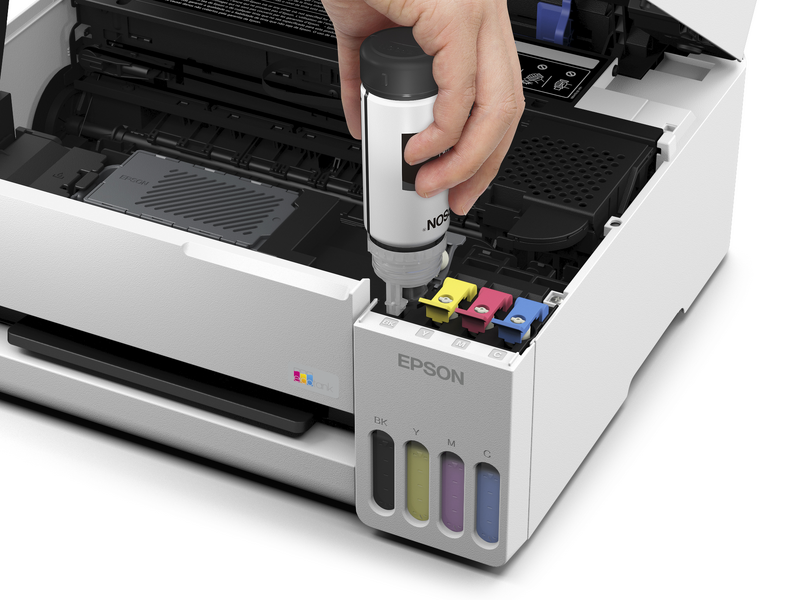
Ink TypeEcoTank ink bottles
Ink PaletteCyan, Magenta, Yellow, Black
Ink Configuration4 individual ink bottles
Bundled Ink522 Black, Cyan, Magenta, Yellow 
(ISO Yield, Epson Methodology - Black: 3,600, Colour: 6,500) (*2)
Replacement Ink522 Black, Cyan, Magenta, Yellow 
(ISO Yield, Epson Methodology - Black: 4,700, Colour: 7,500) (*2)
General
Operating SystemsWindows® 11 (64-bit) or later 
Windows® 10 (32-bit, 64-bit) 
Windows® 8, 8.1 (32-bit, 64-bit) 
Windows® 7 (32-bit, 64-bit) 
Mac® OS X® 10.9.5 or later, Mac® OS 11 or later (*3), ChromeOS™
Server SystemsWindows Server® 2008, 2008 R2, 2012, 2012 R2 or later (*4)
TemperatureOperating: 10°to 35℃ 
Storage: -20°to 40℃
HumidityOperating: 20 - 80% relative humidity 
Storage: 5 - 85% relative humidity (no condensation)
DimensionsPrinting: 361 mm x 564 mm x 206 mm (W x D x H) 
Storage: 361 mm x 317 mm x 162 mm (W x D x H)
Weight4.1 kg
Copy
Iso Copy SpeedBlack: 8.7 ISO ppm (*5) 
Colour: 4.3 ISO ppm (*5)
Copy Quantity20 (PC-free)
Maximum Copy SizeA4
Scan
Scanner TypeColour flatbed
Automatic Document Feeder (Adf) Capacity-
Photoelectric DeviceCIS photo sensor
Optical (Hardware) Resolution1,200 x 2,400 dpi
Maximum Resolution9,600 dpi interpolated
Colour Bit Depth48-bit colour input / 24-bit colour output
Scan FeaturesMopria® Scan, scan to PC, scan to email
Connectivity
Standard ConnectivityHi-Speed USB 
Wi-Fi® 4 IEEI 802.11b/g/k/n/r/v (2.4GHz) 
Wi-Fi Direct® (*6)
Mobile Printing Solutions
Epson Connect SolutionsEpson Smart Panel app (iOS®, Android®), Epson Remote Print
OtherApple® AirPrint®, Mopria® Print Service
Paper Handling
Paper Sizes3.5in x 5in, 4in x 6in, 5in x 7in, 8in x 10in, 8.5in x 11in, 8.5in x 14in, A4, A6, half letter, legal, executive
Pc-Free Paper SupportPlain (letter, 8.5in x 14in, A4), Photo (4in x 6in, 5in x 7in, 8in x 10in, letter, A4)
Maximum Paper Sizes8.5in x 14in
Paper TypesPlain Paper, Bright White, Photo Paper Glossy, Premium Photo Paper Glossy, Premium Photo Paper Semi Gloss, Ultra Premium Photo Paper Glossy, Presentation Paper Matte, Premium Presentation Paper Matte, Premium Presentation Paper Matte Double-Sided, Envelope
Envelope TypesNo. 10
Input Paper Capacity100 sheets (rear feed)
Printer Details
Display-
Printer LanguageESC/P-R
Software IncludedEpson printer driver, Epson ScanSmart®, Epson Photo+: Internet access is required to install OS X drivers and software.
Duty CycleUp to 500 pages recommended / max 3,000 pages per month (*7)
Power
Rated VoltageAC 100 - 240V Universal (Automatic)
Rated Frequency50 - 60 Hz
Power ConsumptionApprox. 12 W ISO 24712 (Standalone copy printing) 
Approx. 0.1 W (Power off)
Warranty
Standard12 months return to base
BonusAdditional 12 months return to base warranty upon registration8
WhatS In The Box
IncludedEpson EcoTank ET-2910 
Power cord 
Initial ink bottles: 1 x 522 Black, 1 x 522 Cyan, 1 x 522 Magenta & 1 x 522 Yellow
Usage ConditionsEpson products are designed and manufactured to be highly reliable and last a long time when used according to their specifications. With any system, product or device used in situations where human life may be involved or at risk, Epson advises that you should take all necessary steps to ensure the suitability of your Epson product for inclusion in your system, and recommends that you include fail-safe procedures and redundancy support or backup equipment in your system, to maintain the maximum safety margin and optimum system reliability. Examples include but are not limited to - do not interfere with any electrical components within the device, do not use items supplied with the product for purposes other than as intended by Epson (e.g. power cords, inks, CDs, plastic wrapping), do not make modifications to the product and avoid the use of third party consumables. Consult Epson if you have any questions or concerns.
Notes:(*1) Black and colour print speeds are measured in accordance with ISO/IEC 24734. Actual print times will vary based on system configuration, software, and page complexity. For more information, visit www.epson.com/iso-print-speeds 
(*2) Included ink bottle yields based on the ISO/IEC 24712 pattern with Epsons methodology. Actual ink yields will vary considerably for reasons including images printed, print settings, temperature and humidity. Yields may be lower when printing infrequently or predominantly with one ink colour. All ink colours are used for printing and printer maintenance, and all colours must be available for printing so an additional black (K) bottle may be required to reach stated colour (C, M, Y) yields. For more information, visit www.epson.com/inkinfo 
(*3) Some applications and/or functions may not be supported under Mac OS X. 
(*4) Only printing and scanning are supported under Windows Server OS. 
(*5) Black and colour copy speeds are determined in accordance with ISO/IEC 29183. Actual copy times will vary based on system configuration and page complexity. For more information, visit www.epson.com/iso-copy-speeds 
(*6) Wi-Fi CERTIFIED™; level of performance subject to the range of the router being used. Wi-Fi Direct may require printer software.nbsp;
(*7) Maximum Monthly duty cycle is the highest duty a user could expect in a month. It is not recommended that the device be run at this duty for a near constant operation. For best device performance, run the device at the recommended monthly page volume. Excessive use by continually using the product over the recommended monthly page volume may result in a breach of warranty.nbsp;
(*8) For an additional 12 months warranty (total of 24 months), register online at www.epson.com.au/registrations within 12 months of purchase (excluding Factory Seconds, or Refurbished EcoTank models).

When will my Epson EcoTank ET-2910 Multifunction Colour InkJet Wireless Printer be delivered?

We deliver Australia wide and have shipping distribution centres available to dispatch orders from all major cities including Melbourne, Sydney, Brisbane, Perth and Adelaide. With so many locations, the Epson EcoTank ET-2910 Multifunction Colour InkJet Wireless Printer along with any other items in your order will be delivered to your door normally within 1-2 business days. Same-day dispatch is often available to orders placed before 1pm. Delivery to rural locations may require extra time.

How much to deliver Epson EcoTank ET-2910 Multifunction Colour InkJet Wireless Printer?

We offer FREE delivery to our customers for orders over $99* in value. If your order does not exceed $99, we will only charge a small flat fee of $7.95 to deliver your order. Check our shipping page for more information.

What About my Epson EcoTank ET-2910 Multifunction Colour InkJet Wireless Printer quality?

Ink Depot stands by the quality of its products and has a reputation for supplying its customers with 5 star service. We will provide a full refund on any unsatisfactory product returned within 90 days of purchase*.


What payment methods do you support?

Our facilities accept payments by Visa, Mastercard, American Express, MasterPass, PayPal and Direct Bank Transfer. If you would like to pay with cheque, please notify us before sending.

 visa cardsAmerican ExpressPaypalGoogle PayDirect Deposit 


There are three things you need to know about ALL card payments at Ink Depot:

  • there are no additional surcharges or fees
  • we do not keep record of your card details on our servers at all - ever!
  • card payments are processed on CommWeb or PayPal's secure servers - they are specialist financial services and utilise the best possible security for online shopping payments which includes sophisticated fraud detection systems to ensure your card details are not being misused. We do not compromise when it comes to the security of your card information.

Delivery information that you need to know

Orders are often dispatched within a few hours of being placed. We usually ship all orders within 24 hours of payment, unless the items are out of stock. Whilst 98% of the products advertised are held in stock, there may be an occasional item which needs to be specially ordered in from a manufacturer.

Delivery times may vary depending on the shipping method selected and the delivery address of your location. Delivery can be as quick as a few hours depending on your location. Major cities will often receive by the next business day but we recommend allowing 1-2 business days for delivery. Other regional areas may take slightly longer to receive. However, we use many different courier services which allow us to use the best possible delivery method for your location. If you have a preferred courier service, let us know and we will accommodate you where possible.

By default, we ask that orders are signed for. We understand that this is not always convenient but we do this to protect the goods you have ordered and it provides confirmation to us that the order has been received. If you are in a situation where you know that no one will be available to sign for the order, we offer an 'Authority to Leave' (ATL) service for orders below $250 in value. In these cases, the couriers will leave your consignment on your front door step unless you have specified an alternative location in the delivery instructions when placing your order. Ink Depot is unable to take responsibility for the order once it has been left by the courier in these situations as the goods are left at the customers own risk. A signature is not required for goods sent to PO Boxes but there may be delivery restrictions due to size and weight of the parcel. If the parcel cannot be sent to a PO Box due to its size, we will make contact with you and advise the next best possible option.

Save Up to 70% with Premium Compatibles

Reduce your cost per page immediately using our premium compatible cartridges, each backed by an unconditional money-back guarantee.

Rapid Dispatch from 5 Australian Hubs

Orders ship directly from our localised warehouses in Sydney, Melbourne, Brisbane, Adelaide, and Perth for minimal downtime.

90-Day Risk-Free Returns

Shop with confidence under Australian Consumer Law with our streamlined, fuss-free 90 days return policy for all shelf-stored consumables.

Want to keep in touch?

We'll send you exclusive offers, discounts, and early access to new products.