
HP 27 & 28 Ink Cartridges
Replacing HP 27 black and HP 28 tri-colour cartridges is simple with reliable compatible options engineered for legacy Deskjet, Officejet, and PSC printers. Designed to fit seamlessly into integrated printhead slots, these budget-friendly cartridges keep daily document printing cost-effective without sacrificing clarity. Our 4.8 Google Star rating shows that our customers consistently receive high-quality cartridges backed by reliable performance.
Printers Compatible with HP 27 & 28 Ink Cartridges


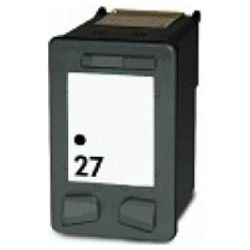

Expected page output and replacement cycles
Page yield ratings follow the ISO/IEC 24711 standard, based on 5% page coverage. The HP 27 black cartridge yields up to 220 pages, while the HP 28 tri-colour cartridge produces up to 190 pages under standard office conditions.
| Cartridge Number | Type | Colour | Page Yield | Cost Per Page |
|---|---|---|---|---|
| 27 | Standard | Black | 220 | $0.091 |
| 28 | Standard | Colour | 190 | $0.100 |
Cost Per Page = Total Cartridge Price ÷ Page Yield (at 5% coverage). Prices based on Compatible cartridges.
What to know about compatible cartridges
Compatible HP 27 (C8727AA) and 28 (C8728AA) cartridges feature built-in printheads to ensure clean ink disbursement with every installation. Under Australian Consumer Law, using compatible cartridges does not void your printer warranty. Learn more by reading our guide on genuine vs compatible cartridges.
Choosing the right cartridge setup
If your printing consists mainly of black text, stock extra HP 27 cartridges since monochrome documents deplete faster than three-colour combinations. All compatible cartridges are backed by a 90-day money-back guarantee for complete peace of mind. Free delivery applies on all orders over $99, dispatched quickly from our Australian distribution network across Sydney, Melbourne, Brisbane, Perth, and Adelaide. Browse our full range of HP ink cartridges or check our simple returns policy if you need to make an exchange.
Pro Tip
Because the printhead is integrated directly into the HP 27 and 28 cartridges, running the nozzle check or printhead cleaning routine immediately after installing a new cartridge resolves any minor streaks caused by settled ink during transit.
Frequently Asked Questions
Why does the HP 28 tri-colour cartridge show low ink even if I rarely print in colour?
The HP 28 tri-colour cartridge uses cyan, magenta, and yellow ink simultaneously to compose neutral greys and back shadow tones in mixed documents. Printing dark images or heavy text with shadow effects drains colour channels alongside black.
Can I run my printer with only the HP 27 black cartridge installed?
Most Deskjet and Officejet models using this series require both the HP 27 black and HP 28 tri-colour cartridges physically seated in the carriage to complete the electrical circuit, even if you select black-and-white printing mode in your driver.
How do I prevent the printhead on these cartridges from drying out between uses?
Since the print nozzles are built into the C8727AA and C8728AA cartridges themselves, always turn off your printer using its dedicated power button rather than a power board switch. This allows the printer to dock and cap the printheads securely, preventing ambient air exposure.


