
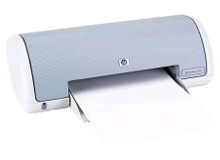
HP Deskjet 3535 Ink Cartridges
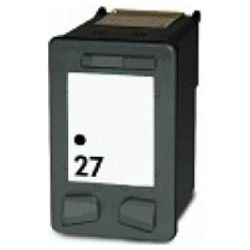
Your HP Deskjet 3535 uses the HP 27 and 28 ink cartridge series. Ink Depot has been supplying reliable consumables for this printer since Jul 2007. Designed as a compact desktop inkjet printer for everyday home documents and schoolwork, it relies on a two-cartridge setup combining dedicated black with a tri-colour unit. Installing a compatible 27 (C8727AA) black cartridge handles general monochrome printing duties efficiently, while a 28 (C8728AA) tri-colour cartridge supplies cyan, magenta and yellow for occasional graphics. Our 4.8 Google rating reflects a long-standing track record of premium cartridge performance.

Expected page output and replacement cycles
Page yields for HP 27 and 28 cartridges are measured in accordance with ISO/IEC standard testing for inkjet consumables based on standard five-percent page coverage. Because the tri-colour cartridge houses three inks in a single casing, replacing it becomes necessary once any single colour depletes.
| Cartridge Number | Type | Colour | Page Yield | Cost Per Page |
|---|---|---|---|---|
| 27 | Standard | Black | 220 | $0.091 |
| 28 | Standard | Colour | 190 | $0.100 |
Cost Per Page = Total Cartridge Price ÷ Page Yield (at 5% coverage). Prices based on Compatible cartridges.
Choosing compatible HP cartridges
Under Australian Consumer Law, using compatible cartridges does not void your printer warranty. Installing high-quality compatible HP 27 and 28 cartridges delivers clear text documents and colour prints at a fraction of original running costs. Read our detailed guide on genuine vs compatible cartridges to learn more about performance and savings.
Selecting cartridges and delivery options
If your print jobs consist mainly of standard text, stocking extra 27 (C8727AA) black cartridges prevents unexpected downtime. Replacing the 28 (C8728AA) tri-colour cartridge is only necessary when colour printing frequency increases. All compatible cartridges come backed by a money-back guarantee for complete peace of mind, supported by our clear returns policy. We dispatch directly from fast-fulfillment warehouses in Perth, Brisbane, Sydney, Melbourne and Adelaide. Free delivery applies on all orders over $99. Order your budget-friendly HP ink cartridges today for quick dispatch.
Smart printing tip
When ordering replacement 28 (C8728AA) tri-colour cartridges, plan your colour printing around major projects, as the three colour chambers deplete at different rates depending on image tint balance.
Frequently Asked Questions
Does replacing the HP 28 tri-colour cartridge also renew the printing nozzles?
Yes. HP 27 and 28 cartridges feature integrated printhead nozzles built directly onto the cartridge body, meaning every fresh cartridge replacement installs a brand-new firing mechanism for optimal print clarity.
What happens when one colour runs out in the HP 28 tri-colour cartridge?
Because cyan, magenta and yellow share a single physical shell in the 28 (C8728AA) cartridge, the entire cartridge must be replaced once any single ink reservoir drops below operational levels, even if the remaining two colours still retain ink.
Can I print black text documents using only an HP 27 black cartridge if the HP 28 colour cartridge is empty?
Most HP Deskjet 3535 drivers permit single-cartridge printing mode using only the 27 (C8727AA) black cartridge, allowing routine monochrome documents to print uninterrupted while a replacement colour cartridge is sourced.


