
HP Deskjet 3550 Ink Cartridges
Your HP Deskjet 3550 uses the HP 27 and 28 ink cartridge series. Ink Depot has been supplying reliable consumables for this printer since Jul 2007. Built as a compact entry-level inkjet printer for light household duties, it runs on a two-cartridge system. Because routine document printing consumes text ink quickly, the 27 (C8727AA) black cartridge tends to require replacement earlier than the 28 (C8728AA) tri-colour cartridge. Our 4.8 Google rating reflects a long-standing track record of premium cartridge performance.
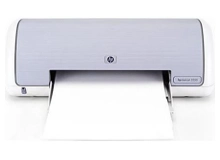
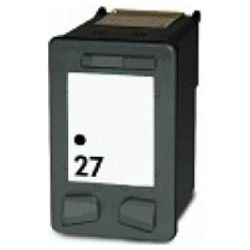

Expected output from 27 and 28 cartridges
Page yields for HP 27 and 28 cartridges are calculated using ISO/IEC 24711 testing standards under continuous printing conditions. Real-world page coverage varies depending on document density, font bolding, and colour graphics.
| Cartridge Number | Type | Colour | Page Yield | Cost Per Page |
|---|---|---|---|---|
| 27 | Standard | Black | 220 | $0.091 |
| 28 | Standard | Colour | 190 | $0.100 |
Cost Per Page = Total Cartridge Price ÷ Page Yield (at 5% coverage). Prices based on Compatible cartridges.
Why switch to compatible HP cartridges
Using high-grade compatible options offers significant savings without sacrificing everyday print readability. Under Australian Consumer Law, using compatible cartridges does not void your printer warranty. Both the 27 (C8727AA) black and 28 (C8728AA) colour cartridges feature integrated printheads, ensuring clean drop ejection with every replacement. You can learn more about genuine vs compatible cartridges before making your choice.
How to order for your household
If you print mainly text documents, keeping a spare 27 (C8727AA) black cartridge on hand avoids running out mid-task. If you print photos or colour charts, monitor your 28 (C8728AA) tri-colour cartridge balance to prevent early colour fading. All compatible supplies carry a 100% money-back guarantee under our returns policy. We dispatch directly from distribution hubs across Perth, Brisbane, Sydney, Melbourne, and Adelaide. Free delivery applies on all orders over $99 when ordering your HP ink cartridges today.
Pro Tip for HP Deskjet 3550 Cartridges
Because the HP 28 (C8728AA) tri-colour cartridge contains cyan, magenta, and yellow in a single chamber, depletion of any single primary colour requires replacing the whole unit-so reserve colour printing for final drafts to maximise overall yield.
Frequently Asked Questions
How do 27 and 28 ink cartridges work in the HP Deskjet 3550?
This printer utilizes a dual-cartridge design where the 27 (C8727AA) handles black text and the 28 (C8728AA) manages cyan, magenta, and yellow ink. Replacing either cartridge also installs a fresh printhead built directly onto the cartridge base.
What happens if one colour runs out in the 28 colour cartridge?
When any single colour section inside the 28 (C8728AA) tri-colour cartridge empties, print balance suffers. Replacing the unit restores complete full-colour output across all print jobs.
Can I install two black 27 cartridges or two 28 colour cartridges together?
No, the HP Deskjet 3550 requires exactly one 27 (C8727AA) black cartridge in the left carriage slot and one 28 (C8728AA) tri-colour cartridge in the right carriage slot to operate correctly.


