
Epson 812, 812XL & 812XXL Ink Cartridges
Epson 812, 812XL and 812XXL ink cartridges offer versatile capacity choices ranging from standard capacity to ultra-high-yield 812XXL Black for heavy office printing. Genuine cartridges and cost-effective compatibles are both available individually or in value bundle packs. Our 4.8 Google Star rating shows that our customers consistently receive high-quality cartridges backed by reliable performance. Order replacement inks to keep your WorkForce printer running smoothly.
Printers Compatible with Epson 812, 812XL & 812XXL Ink Cartridges


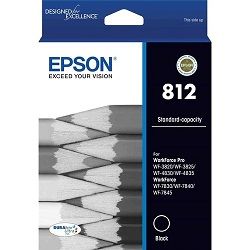
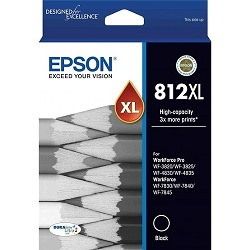

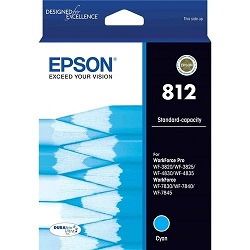
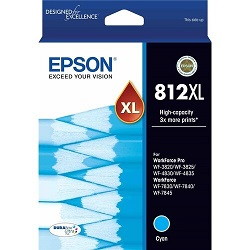
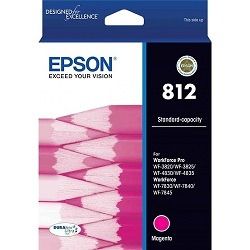


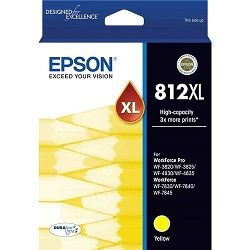


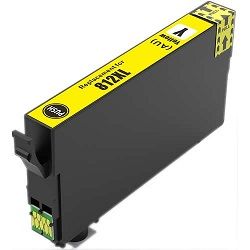
Choose Between Epson 812 & 812XL Ink Cartridges
Replace the Complete Colour Set
If it's time to replace the whole set, the 4-Pack 812 Genuine (from $114.76) covers every colour in one order and qualifies for free delivery.
Print More with XL Cartridges
If you print often, the 4-Pack 812XL Genuine (from $191.57) gives the same colour coverage with more pages per cartridge and also qualifies for free delivery.
Replace Just One Colour
Running low on a single colour? A single Genuine 812 Cyan cartridge (from $29.45) replaces just that one.
Save with Compatible Cartridges
Watching the budget? Compatible cartridges provide a lower-cost alternative to genuine ink, with options from $24.97 for a single 812XL Cyan cartridge or 5-pack 812XL for $125.11 (free delivery).
Stock Up for Frequent Printing
Printing at higher volumes? A larger pack means fewer reorders - the 10-Pack 812XL Compatible (from $247.67) provides a lower-cost compatible alternative for frequent printing, while the 2-Pack 812XXL Genuine (from $138.22) is the equivalent option if you'd rather stick with official ink. Both packs qualify for free delivery.
Understanding page yield options for Epson 812 series
Epson measures page yield for 812 series cartridges using ISO/IEC 24711 standard test pages at 5% page coverage. Actual page output varies based on document coverage, paper type, and cleaning cycles. High-yield 812XL and ultra-high-yield 812XXL options deliver substantially lower running costs per page than standard 812 cartridges.
| Cartridge Number | Type | Colour | Page Yield | Cost Per Page |
|---|---|---|---|---|
| 812 | Standard | Black | 350 | $0.089 |
| 812 | Standard | Cyan | 300 | $0.098 |
| 812 | Standard | Magenta | 300 | $0.098 |
| 812 | Standard | Yellow | 300 | $0.098 |
| 812XL | High Yield | Black | 1,100 | $0.046 |
| 812XL | High Yield | Cyan | 1,100 | $0.044 |
| 812XL | High Yield | Magenta | 1,100 | $0.044 |
| 812XL | High Yield | Yellow | 1,100 | $0.044 |
| 812XXL | Extra High Yield | Black | 2,200 | $0.032 |
Cost Per Page = Total Cartridge Price ÷ Page Yield (at 5% coverage). Prices based on Genuine cartridges.
Choosing between genuine and compatible Epson cartridges
Selecting cartridges depends on your print demands. Genuine Epson cartridges ensure manufacturer colour fidelity, while compatible cartridges provide identical page yields at a lower price point. Under Australian Consumer Law, using compatible cartridges does not void your printer warranty. Read our genuine vs compatible guide to evaluate options.
Managing replacement options and fast delivery
If you print mostly monochrome documents, pairing an ultra-high-yield 812XXL Black with standard or XL colour cartridges cuts page costs while reducing cartridge swaps. Compatible cartridges come with a money-back guarantee for complete peace of mind. Check our returns policy for details. Free delivery applies on all orders over $99. All orders ship fast from our national network of warehouses in Perth, Brisbane, Sydney, Melbourne and Adelaide. Browse our full range of Epson ink cartridges today.
Pro Tip for Epson 812 ink users
The 812XXL cartridge is available in Black only and yields 2,200 pages-over six times the standard 812 Black cartridge. If your business prints heavy text documents, install an 812XXL Black alongside 812XL colour cartridges to avoid uneven replacement schedules and significantly lower monochrome cost per page.
Frequently Asked Questions
Can I mix 812 standard, 812XL, and 812XXL cartridges in the same printer?
Yes, all 812 series cartridges share identical physical slot dimensions. You can freely combine a standard 812 Cyan with an 812XL Magenta and an 812XXL Black cartridge without error messages or mechanical compatibility issues.
Why is 812XXL only manufactured in Black?
Epson designed the 812XXL cartridge specifically for high-volume text printing in office environments. Because office print jobs consume far more black ink than colour, the extra-large 2,200-page chamber is reserved for Black to balance overall consumable lifespan across the set.
Does printing in Black only deplete my colour 812 cartridges?
Yes, Epson WorkForce printers use a small amount of ink from all cartridges during routine printhead self-cleaning cycles to prevent nozzle clogging. Keeping colour cartridges installed-even when printing grayscale documents-is required for the printer to operate.
Is 812XL the same as 812 XL?
Yes, 812XL and 812 XL refer to the exact same high-yield Epson ink cartridge. The space is simply a formatting variation used by different retailers and search queries.


