
Brother TN2430 & Brother TN2450 Toner Cartridges
Brother TN-2430 and TN-2450 toner cartridges come in two capacities. TN-2430 is the standard-yield option, and TN-2450 is the higher-yield cartridge for busier office printing. Genuine Brother cartridges and bundle packs cover both codes. Compatibles are offered as TN-2450 only, so choosing compatible also moves you to the larger cartridge. Our 4.8 Google Star rating shows that our customers consistently receive high-quality cartridges backed by reliable performance.
Printers Compatible with Brother TN2430 & Brother TN2450 Toner Cartridges


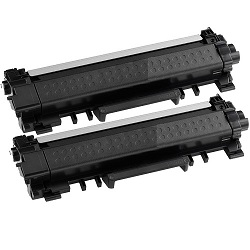


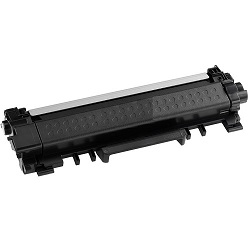


Page Output From Each TN-2430 and TN-2450 Cartridge
Genuine Brother toner yields are rated under ISO/IEC 19752, the standard for monochrome laser toner cartridges. TN-2430 is rated at 1,200 pages and TN-2450 at 3,000 pages. Our compatible TN-2450 is listed at the same 3,000 pages as the genuine cartridge.
| Cartridge Number | Type | Colour | Page Yield | Cost Per Page |
|---|---|---|---|---|
| TN-2430 | Standard | Black | 1,200 | $0.080 |
| TN-2450 | High Yield | Black | 3,000 | $0.056 |
Cost Per Page = Total Cartridge Price ÷ Page Yield (at 5% coverage). Prices based on Genuine cartridges.
Brother TN2430 & TN2450 Singles, High Yield Cartridges & Multipacks
Multipacks for Higher Print Volumes
The 2-Pack TN2430 Genuine (from $187.64) means fewer orders to place down the line and qualifies for free delivery.
Print More with Higher-Yield Cartridges
Stretch the time between orders with the 2-Pack TN2450 Genuine (from $328.51), which offers a higher page yield and also qualifies for free delivery.
Only Need One Cartridge?
Only need one for now? A single Genuine TN2430 Black cartridge (from $95.73) covers you without buying the multipack.
Save with Compatible Cartridges
Spend less with compatible cartridges - a single TN2450 Black cartridge from $44.95 or a 2-pack TN2450 for $80.90.
What to Know About Compatible TN-2450 Cartridges
Every compatible cartridge in this series is made as a TN-2450. That means it matches the 3,000-page rating of the genuine TN-2450 rather than the smaller TN-2430. Compatible is therefore the practical route for offices that want the larger cartridge without buying genuine. Using a compatible cartridge does not by itself remove your rights under Australian Consumer Law. However, damage caused by a faulty cartridge may not be covered by the printer manufacturer's warranty. Our genuine vs compatible cartridge guide compares the two options in more detail.
Brother Printers That Take TN-2430 and TN-2450
Both cartridge sizes suit the Brother HL-L2350DW, HL-L2375DW, HL-L2395DW, MFC-L2710DW, MFC-L2713DW, MFC-L2730DW and MFC-L2750DW. You can therefore choose either capacity at each replacement, depending on how much the printer is used.
Choosing the Right Cartridge Size
For occasional letters and invoices, TN-2430 provides the 1,200-page genuine option. For daily office printing, TN-2450 lifts the rating to 3,000 pages per cartridge, in both genuine and compatible versions. Compatible cartridges come with a money back guarantee if they do not work, as set out in our returns policy. Free delivery applies on all orders over $99. Orders ship from our warehouses in Perth, Brisbane, Sydney, Melbourne and Adelaide. See the full range of Brother toner cartridges.
Pro Tip
Check the cost-per-page column in the table above before choosing the genuine TN-2430 for its lower upfront price. It is rated at only 1,200 pages, so it costs more per page than either the genuine or the compatible TN-2450.
Frequently Asked Questions
Can I switch between TN-2430 and TN-2450 in the same printer?
Yes. TN-2430 and TN-2450 suit the same Brother HL-L and MFC-L printers listed on this page, so you can choose either size each time you replace the toner. The difference is capacity: TN-2430 is rated at 1,200 pages and TN-2450 at 3,000 pages.
Is there a compatible TN-2430 cartridge?
The compatible cartridges in this range are TN-2450 only. They fit the same printers as TN-2430 and are listed at 3,000 pages. Choosing compatible therefore means stepping up to the larger capacity rather than matching the 1,200-page TN-2430.
Why might a cartridge print fewer pages than its rated yield?
The 1,200-page and 3,000-page figures are measured under ISO/IEC 19752 using a standard test page. Documents with heavy black areas, such as logos, shaded tables or scanned pages, use more toner per page than that test page. Real output on those jobs will be lower than the rating.
Are TN-2430 and TN-2450 the same as TN2430 and TN2450?
Yes. TN-2430 and TN2430 are the same cartridge, and so are TN-2450 and TN2450. The hyphen is only a formatting difference, and both forms are used interchangeably by retailers and in printer listings.


