
Brother HL-L2375DW Toner Cartridges
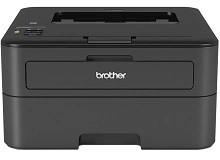
Shop toner cartridges for your Brother HL-L2375DW, which uses the Brother TN-2430 and TN-2450 toner cartridge series along with DR-2425 drum units. Ink Depot has been supplying reliable consumables for this printer since Nov 2017. A compact monochrome laser printer engineered for fast document output in small offices, the HL-L2375DW depletes black toner quickly during routine paperwork. Our 4.8 Google rating reflects a long-standing track record of premium cartridge performance. Upgrading from standard-yield TN-2430 cartridges to high-yield TN-2450 options lowers running costs substantially.




Expected Output and Replacement Cycles
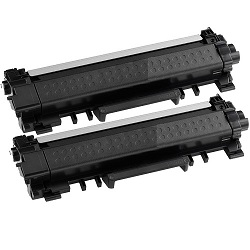
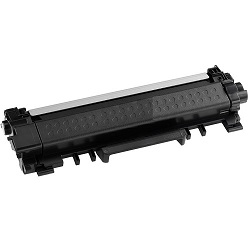
Standard yields are calculated according to ISO/IEC 19752 testing standards for monochrome laser toner. High-yield TN-2450 cartridges deliver up to 3,000 printed pages compared to 1,200 pages from standard-yield TN-2430 cartridges, offering lower cost per page during heavy document runs.
| Cartridge Number | Type | Colour | Page Yield | Cost Per Page |
|---|---|---|---|---|
| TN-2430 | Standard | Black | 1,200 | $0.080 |
| TN-2450 | High Yield | Black | 3,000 | $0.056 |
Cost Per Page = Total Cartridge Price ÷ Page Yield (at 5% coverage). Prices based on Genuine cartridges.
Choosing Between Genuine and Compatible Options
Compatible TN-2450 toner cartridges provide an economical alternative to original Brother supplies without compromising document print clarity. Under Australian Consumer Law, using compatible cartridges does not void your printer warranty. To better understand how third-party cartridges perform against original equipment, read our genuine vs compatible cartridge guide.
DR-2425 Drum Unit Lifecycles
Unlike integrated cartridges, this printer uses a separate DR-2425 drum unit to transfer toner onto paper. The DR-2425 drum unit is rated for approximately 12,000 pages, meaning it typically outlasts three to four high-yield TN-2450 toner replacements before needing replacement.
Selecting the Right Toner Setup for Your Printing Needs
For high-volume text documents, high-yield TN-2450 cartridges or bundle packs offer the most economical cost per page. All compatible toners sold at Ink Depot are backed by a 100% money-back guarantee, allowing you to buy with confidence. View our full returns policy for complete warranty coverage details. Free delivery applies on all orders over $99. We ship directly from strategically located warehouses in Perth, Brisbane, Sydney, Melbourne and Adelaide for fast order fulfilment. Explore our complete range of Brother toner cartridges to stock your office today.
Consumable Management Insight
Replace toner cartridges as soon as low-toner alerts appear, but monitor drum counter warnings separately since the DR-2425 drum unit operates on its own 12,000-page schedule independently of toner levels.
Frequently Asked Questions
How do I know whether to order a TN-2430 or TN-2450 toner cartridge?
Both cartridge models fit the Brother HL-L2375DW printer slot identically. The TN-2430 is a standard-yield cartridge containing toner for up to 1,200 pages, whereas the TN-2450 is a high-yield cartridge containing toner for up to 3,000 pages. High-yield TN-2450 cartridges offer superior value for active office environments.
Do I need to replace the DR-2425 drum unit every time I change toner?
No, the DR-2425 drum unit is designed to last through roughly 12,000 printed pages. In most home and small office setups, you will replace three to four TN-2450 toner cartridges before the drum unit reaches the end of its operational lifecycle.
Can I run compatible TN-2450 toners alongside an original Brother DR-2425 drum unit?
Yes, compatible TN-2450 cartridges work seamlessly inside genuine Brother DR-2425 drum units. The physical locking mechanism and electronic chip interface align perfectly, delivering clear text output without triggering error flags.


