
HP Envy Pro 6420 Ink Cartridges
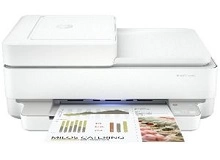
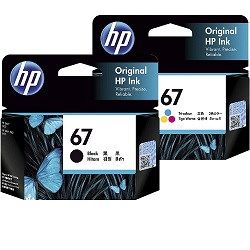
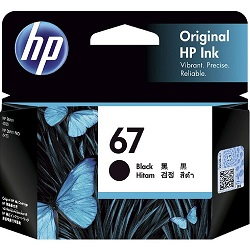
Shop ink cartridges for your HP Envy Pro 6420, which uses the HP 67, 67XL, and 67XXL ink cartridge series. The HP Envy Pro 6420 is a compact wireless all-in-one printer designed for home office document scanning, copying, and everyday family printing. Ink Depot has been supplying reliable consumables for this printer since Apr 2020. Our 4.8 Google rating reflects a long-standing track record of premium cartridge performance. Switching from standard 67 (3YM56AA) black cartridges to high-yield 67XL (3YM57AA) or extra high-yield 67XXL (3YM59AA) options significantly reduces per-page replacement frequency during heavy text document printing.


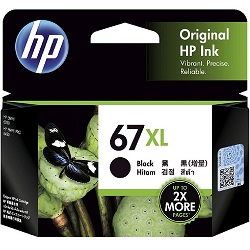

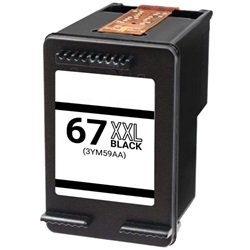
Expected page output and replacement cycles
Page yields for HP 67 series cartridges are measured in accordance with ISO/IEC 24711 standards for continuous A4 printing. Actual yield varies depending on page coverage, document density, and print frequency. High-yield 67XL and 67XXL options provide higher ink volume to lower cost per page for routine printing.
| Cartridge Number | Type | Colour | Page Yield | Cost Per Page |
|---|---|---|---|---|
| 67 | Standard | Black | 120 | $0.27 |
| 67 | Standard | Colour | 100 | $0.33 |
| 67XL | High Yield | Black | 240 | $0.21 |
| 67XL | High Yield | Colour | 200 | $0.26 |
Cost Per Page = Total Cartridge Price ÷ Page Yield (at 5% coverage). Prices based on Genuine cartridges.
Choosing between genuine and compatible options
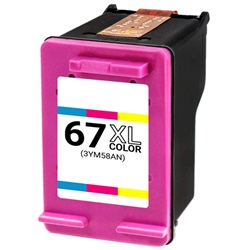
We supply both genuine HP cartridges and high-quality compatible alternatives for your printer. Under Australian Consumer Law, using compatible cartridges does not void your printer warranty. Compatible 67XL (3YM58AA) colour and 67XXL (3YM59AA) black cartridges offer significant savings while maintaining crisp output. Learn more about the differences in our genuine vs compatible cartridge guide.
Best way to stock these cartridges
If you print mostly text documents, upgrading to high-yield 67XL (3YM57AA) or 67XXL (3YM59AA) black cartridges yields lower running costs. For mixed colour printing, high-yield tri-colour cartridges prevent frequent swap-outs. Compatible cartridges are backed by a money-back guarantee if they do not perform as expected. View our returns policy for full coverage details. We dispatch fast from warehouses in Perth, Brisbane, Sydney, Melbourne, and Adelaide. Free delivery applies on all orders over $99. Explore our complete range of HP ink cartridges.
Pro Tip
Pro Tip: Because the HP 67 series tri-colour cartridge combines cyan, magenta, and yellow into a single unit, replacing it when any one colour runs dry ensures balanced colour accuracy across all your photos and graphics.
Frequently Asked Questions
Can I install a high-yield 67XL or 67XXL cartridge in the HP Envy Pro 6420 if it came with standard 67 cartridges?
Yes, 67XL and 67XXL cartridges share the exact same physical dimensions and slot design as standard HP 67 cartridges; they simply contain more ink inside.
How does the integrated printhead in HP 67 cartridges benefit print quality over time?
HP 67 cartridges feature an integrated printhead built directly into the cartridge unit, meaning every replacement cartridge installs a fresh firing mechanism to maintain sharp print text and crisp colours.
Why does my HP Envy Pro 6420 report low colour ink even when I mostly print black text documents?
The printer occasionally uses small amounts of tri-colour ink during routine maintenance cycles and composite black processing to prevent nozzle clogging and keep printheads ready.


