
Canon PIXMA PRO-10S Ink Cartridges
Your Canon PIXMA PRO-10S uses the PGI-72 cartridge series, operating on an advanced 10-ink pigment-based delivery system that isolates specialised professional tones from the standard graphic palette. We have been supplying replacement consumables for this printer since Jun 2015, supporting professional photographers and studio artists who require stable, gallery-grade exhibition printing. Our 4.8 Google rating is built on dependable cartridge performance and uncompromised structural quality. Because this professional printer configuration employs independent high-stability ink wells, you only need to change the specific ink tank that runs dry, preventing the unnecessary waste common to simpler printing platforms.


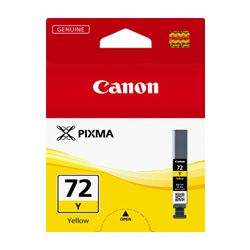
Photographic vs specialised ink replacement lifecycles
Anticipating how long these cartridges last in real-world application requires assessing your typical creative production and media choices. The heavy-duty PGI-72MB Matte Black and PGI-72PB Photo Black cartridges are deployed selectively depending on whether you feed matte fine art stock or glossy luster papers, while the unique PGI-72CO Chroma Optimiser clear coat applies an even surface gloss to eliminate bronzing. Because these channels function independently, an artist managing high-contrast monochrome portfolios or black-and-white portraiture will drain the dedicated Grey and Photo Black reservoirs rapidly, while the vibrant Red or Yellow chambers remain relatively untouched. Document and photo print yields for this studio-ready inkjet family are verified under the international ISO/IEC 24711 standard, establishing an objective criteria for tracking volume performance over standard testing patterns.
| Cartridge Number | Type | Colour | Page Yield | Cost Per Page |
|---|---|---|---|---|
| PGI-72MB | Standard | Black | 202 | $0.10 |
| PGI-72PB | Standard | Photo Black | 44 | $0.47 |
| PGI-72C | Standard | Cyan | 73 | $0.28 |
| PGI-72PC | Standard | Cyan | 89 | $0.23 |
| PGI-72M | Standard | Magenta | 73 | $0.28 |
| PGI-72PM | Standard | Magenta | 69 | $0.30 |
| PGI-72Y | Standard | Yellow | 85 | $0.24 |
| PGI-72GY | Standard | Yellow | 144 | $0.14 |
| PGI-72CO | Standard | Chroma optimizer | 31 | $0.67 |
| PGI-72R | Standard | Red | 144 | $0.15 |
Cost Per Page = Total Cartridge Price ÷ Page Yield (at 5% coverage). Prices based on Genuine cartridges.
High-fidelity genuine cartridge performance
Utilising original factory replacement cartridges provides the vital foundational path for maintaining consistent colour calibration, print longevity, and smooth tonal gradations over time. Studio workstations depend on original pigment formulations because the chemical structure of factory inks prevents metamerism and guards against fading when prints are displayed under gallery lighting conditions. Every genuine cartridge is engineered to interact perfectly with the printer's fine printhead nozzles, ensuring micro-fine droplet placement without causing ink build-up or structural clogs. To inspect real-world formula stability metrics and cartridge engineering components, you can view our informational summary page on our genuine vs compatible cartridges blog post.
Best way to stock these cartridges
Securing value-packed multi-pack bundles represents the most cost-effective approach to prevent unexpected interruptions during critical portfolio reviews, exhibition deadlines, or commercial client print runs. If your creative setup handles predominantly monochrome fine art prints or heavy matte production, maintaining a spare standalone Matte Black or Grey cartridge alongside your main bundle creates a more efficient and stress-free studio routine. Every genuine ink tank we ship is backed by full manufacturer reliability standards, ensuring your total peace of mind. Review our full return parameters on our dedicated returns policy page. Free delivery applies on all orders over $99, with shipments leaving daily from local distribution hubs situated in Perth, Brisbane, Sydney, Melbourne, and Adelaide. Browse broader purchase paths by checking our main Canon ink cartridges catalog page.
Pro Tip
The Canon PIXMA PRO-10S relies on high-density LUCIA pigment inks, which contain solid colour particles suspended in liquid. Because the printer may sit idle between major gallery projects, these heavy pigment particles can gradually settle at the bottom of the tank; gently shaking a new PGI-72 cartridge horizontally for a few seconds before breaking the protective seal helps redistribute the particles evenly for flawless colour consistency from the first print.
Frequently Asked Questions
What is the purpose of the PGI-72CO Chroma Optimiser cartridge in this printer?
The Chroma Optimiser is a clear, colourless ink coat applied over the printed areas on glossy or semi-gloss papers. It flattens the surface layer to eliminate the uneven gloss look (known as bronzing) caused by different pigment ink densities, resulting in a smooth, uniform reflection and deeper black tones.
How does the printer decide when to use Photo Black versus Matte Black ink?
The selection is automatically controlled by your chosen printer driver settings and media type. When you select glossy, luster, or semi-gloss photographic paper, the machine activates the PGI-72PB Photo Black cartridge; when you select fine art matte paper or canvas, it switches to the PGI-72MB Matte Black to ensure maximum ink absorption and deep, rich contrast.
Why are the page yields for some PGI-72 cartridges significantly lower than standard desktop printers?
The yields listed for the PIXMA PRO-10S are calculated based on high-density, full-bleed colour photographic prints rather than simple text documents. Because printing a borderless photo covers the paper surface completely with high concentrations of pigment ink, it consumes significantly more volume per sheet than standard office text printing.


