
HP OfficeJet Pro 8210 8216 Ink Cartridges
Your HP OfficeJet Pro 8210 and 8216 printers use the HP 955 ink cartridge series. Designed as reliable single-function office colour inkjets, these models handle high-volume business documentation efficiently. Upgrading from standard 955 (L0S60AA) black ink to high-yield 955XL (L0S72AA) cartridges drastically reduces replacement frequency during busy print runs. Ink Depot has been supplying reliable consumables for this printer since Aug 2016. Our 4.8 Google rating reflects a long-standing track record of premium cartridge performance.
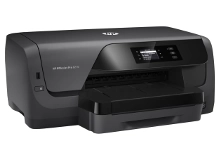
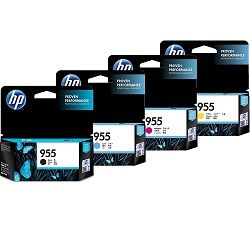


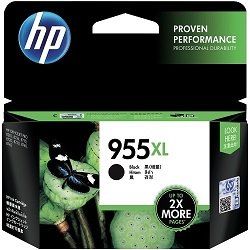


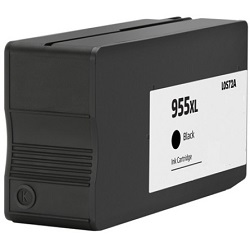


Expected page output and replacement cycles
Page yields for the HP 955 series are measured using ISO/IEC 24711 standard testing guidelines for inkjet printers. Actual yield depends on page coverage, print density, and document type, with high-yield XL options delivering significantly lower ongoing running costs for office environments.
| Cartridge Number | Type | Colour | Page Yield | Cost Per Page |
|---|---|---|---|---|
| 955 | Standard | Black | 1,000 | $0.052 |
| 955 | Standard | Cyan | 700 | $0.056 |
| 955 | Standard | Magenta | 700 | $0.056 |
| 955 | Standard | Yellow | 700 | $0.056 |
| 955XL | High Yield | Black | 2,000 | $0.043 |
| 955XL | High Yield | Cyan | 1,600 | $0.042 |
| 955XL | High Yield | Magenta | 1,600 | $0.042 |
| 955XL | High Yield | Yellow | 1,600 | $0.042 |
Cost Per Page = Total Cartridge Price ÷ Page Yield (at 5% coverage). Prices based on Genuine cartridges.
Choosing between genuine and compatible options
Choosing compatible HP 955XL cartridges is a practical way to lower office printing expenses without compromising text sharpness or colour output. Under Australian Consumer Law, using compatible cartridges does not void your printer warranty. Read our comprehensive genuine vs compatible cartridge guide to determine which option best fits your budget.
Selecting the best cartridge configuration
If you print mainly text documents, choosing high-yield 955XL (L0S72AA) black ink offers maximum productivity. If you print colour graphics or presentations, value bundle packs ensure balanced ink consumption across all four colours. Compatible cartridges offer maximum savings and come with a 100% money-back guarantee. Standard returns policy conditions apply to all purchases. Free delivery applies on all orders over $99. We dispatch quickly from warehouses in Sydney, Melbourne, Brisbane, Perth and Adelaide to keep your workplace running seamlessly. View our full range of HP ink cartridges today.
Pro Tip
When replacing individual colour cartridges in HP OfficeJet Pro printers, always install the new cartridge while the printer is turned on. This allows the internal chip reader to correctly initialise the ink levels and update status monitors instantly.
Frequently Asked Questions
Do the HP OfficeJet Pro 8210 and 8216 use the exact same ink cartridges?
Yes, both the OfficeJet Pro 8210 and 8216 share identical internal printing mechanisms and take the same HP 955, 955XL, and 959XL cartridge series.
Can I install a high-yield HP 955XL cartridge if my printer previously had a standard HP 955?
Yes, standard 955 and high-yield 955XL cartridges have identical exterior dimensions and fit into the exact same ink slots. The XL version simply holds a larger volume of ink.
Do I need to replace all four HP 955 cartridges at once if one colour runs out?
No, the HP 8210 and 8216 use individual ink cartridges for each colour channel (Black, Cyan, Magenta, Yellow). You only need to replace the specific colour that is depleted.
Why does my OfficeJet Pro printer prompt a chip error after installing a new cartridge?
OfficeJet Pro printers regularly receive automated firmware updates from HP that can disrupt non-genuine chip recognition. Ensure your compatible cartridges feature updated smart chips or disable automatic firmware updates to prevent operational interruptions.


