
HP DeskJet 4122e Ink Cartridges
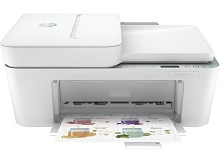
Your HP DeskJet 4122e uses the 67, 67XL, 67XXL ink cartridge series, operating on a practical two-cartridge system that splits your printing between one dedicated black ink and a single multi-colour block. Ink Depot has been supplying consumables for this printer since Sep 2023, supporting everyday domestic setups with reliable replacement alternatives. In a typical home or student environment, managing print budgets relies closely on monitoring colour depletion patterns, as a single exhausted shade inside the tri-colour assembly requires swapping the entire colour unit. Our 4.8 Google Star rating shows that our customers consistently receive high-quality cartridges backed by reliable performance.



What to expect from each cartridge type
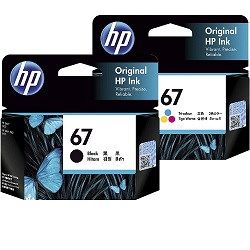
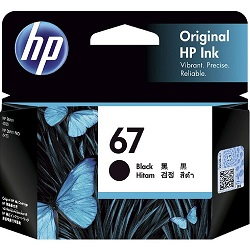
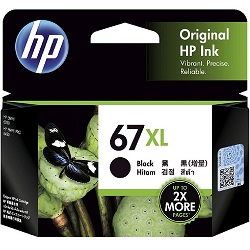
Home printing requirements fluctuate depending on assignments or personal records, which alters how long your supplies last. Page yield measurements for these domestic ink jet cartridges follow the industry-standard ISO/IEC 24711 protocols based on standard five per cent document coverage. The standard-capacity HP 67 black delivers roughly 120 pages and the tri-colour yields 100 pages, while stepping up to the 67XL high-capacity versions expands production to approximately 240 black and 200 colour pages respectively.
| Cartridge Number | Type | Colour | Page Yield | Cost Per Page |
|---|---|---|---|---|
| 67 | Standard | Black | 120 | $0.27 |
| 67 | Standard | Colour | 100 | $0.33 |
| 67XL | High Yield | Black | 240 | $0.21 |
| 67XL | High Yield | Colour | 200 | $0.26 |
Cost Per Page = Total Cartridge Price ÷ Page Yield (at 5% coverage). Prices based on Genuine cartridges.
Genuine vs compatible cartridges
Original manufacturer cartridges provide factory-calibrated colour balances for photo paper printouts, while compatible alternatives provide a budget-friendly option for daily documentation. Under Australian Consumer Law, using compatible cartridges does not void your printer warranty. Third-party compatible choices supplied to our clients fit the exact physical parameters of your desktop configuration, ensuring continuous protection for your printer investment while delivering significant decreases in ongoing price per text page. You can review our detailed performance benchmarks in our full genuine vs compatible cartridges comparison guide.
Choosing the right cartridge setup
If you print mainly text documents like school essays or shipping invoices, selecting a high-yield black cartridge or opting for value-focused bundle packs lowers your long-term running costs. Home users looking for maximum cost-per-page relief can safely rely on high-capacity compatibles, which feature a complete money-back guarantee if they fail to perform flawlessly. Free delivery applies on all orders over $99, with orders distributed across our major fulfilment warehouses in Perth, Brisbane, Sydney, Melbourne, and Adelaide for immediate transit. Explore the entire collection on our central HP ink cartridges portal and inspect item criteria on our Returns policy page.
Pro Tip
The HP 67 tri-colour design houses all three primary dye shades within a single physical cartridge structure, which means that executing heavy printing of a single colour tone will deplete that shared tank rapidly and necessitate a full unit replacement despite remaining ink in the other internal colour cells.
Frequently Asked Questions
Can I install a 67XL cartridge if my printer originally came with standard HP 67 inks?
Yes, the outer plastic casing of the 67XL high-yield cartridge has identical physical dimensions to the standard 67 cartridge. The main difference rests internally, where the XL version holds a larger volume of ink to deliver more than double the page output.
Why does my tri-colour cartridge show as empty when I have rarely printed any colour?
Even if you only print black-and-white documents, the printer draws a small measure of colour ink from the tri-colour tank during automatic printhead cleaning cycles to prevent the microscopic spray nozzles from clogging with dried residue.
How should I resolve a cartridge recognition error after renewing my ink?
Remove the problem cartridge and use a lint-free cloth lightly moistened with distilled water to clean the copper contact chips on the back of the casing. Re-insert the unit firmly until it clicks, then cycle the main power to clear the warning screen.


