
Epson Artisan 1430 Ink Cartridges
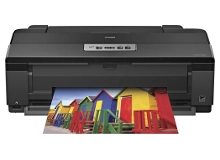
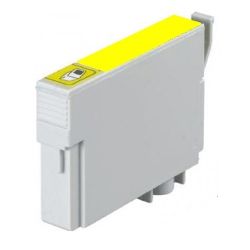
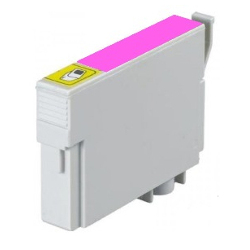
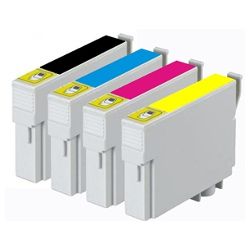
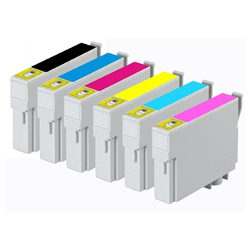
Your Epson Artisan 1430 printer uses the 81N cartridge series. We have been supplying replacement consumables for this printer since Jun 2015, helping photographers, graphic artists, and design studios maintain highly accurate large-format color output. This advanced wide-format photo printer features a six-color individual ink setup—including specialised light cyan and light magenta options alongside standard cyan, magenta, yellow, and black—ensuring ultra-smooth tonal transitions and professional-grade print rendering. Our 4.8 Google Star rating shows that our customers consistently receive high-quality cartridges backed by reliable performance.


Expected Page Output and Replacement Cycles
The estimated sheet yields for this professional-grade photographic series are outlined using standardised industry testing protocols. True longevity inside a creative studio or studio environment will shift heavily based on document dimensions, color saturation levels, borderless layout styles, and the specific variety of premium photo media used. Production work featuring solid color fills, dark gallery portraits, or full-coverage poster prints will naturally accelerate ink consumption compared to standard document drafts.
| Cartridge Number | Type | Colour | Page Yield | Cost Per Page |
|---|---|---|---|---|
| 81N | High Yield | Black | 480 | $0.019 |
| 81N | High Yield | Cyan | 855 | $0.011 |
| 81N | High Yield | Light Cyan | 855 | $0.011 |
| 81N | High Yield | Magenta | 855 | $0.011 |
| 81N | High Yield | Light Magenta | 855 | $0.011 |
| 81N | High Yield | Yellow | 855 | $0.015 |
Cost Per Page = Total Cartridge Price ÷ Page Yield (at 5% coverage). Prices based on Compatible cartridges.
Managing Studio Overhead and Printing Costs
Maintaining a professional-grade photo setup requires a practical strategy to manage supply expenses without sacrificing visual impact. Under Australian Consumer Law, using premium compatible ink cartridges does not void your original hardware warranty. Choosing high-quality third-party 81N replacements offers studios an exceptional method for producing large proofing layouts and everyday prints while lowering overall running costs. To understand how these alternatives align with manufacturer standards, explore our genuine versus compatible cartridges blog post.
Procurement Advice and Logistics
For creative design teams and busy home studios handling large print jobs, choosing bundled multi-packs over individual cartridges prevents sudden workflow pauses. Establishing an on-site inventory buffer ensures you never run out of critical light shades in the middle of an important presentation. Every compatible replacement includes a comprehensive money-back guarantee for added confidence. Free delivery applies on all orders over $99, shipped quickly from our physical fulfillment centers in Perth, Brisbane, Sydney, Melbourne, and Adelaide. For comprehensive context on returns, see our complete Returns policy. Browse our complete range of Epson ink cartridges to keep your creative printing.
Pro Tip
When replacing an 81N cartridge, always let the printer run its automated ink charging routine completely without switching off the power button. Interrupting this process can create trapped air pocket bubbles inside the printhead micro-nozzles, leading to broken fine lines or uneven color banding on your next large-format photo run.
Frequently Asked Questions
Why does this printer require light cyan and light magenta cartridges in addition to standard colors?
The Epson Artisan 1430 uses a specialised six-color Claria high-definition ink system designed for gallery-quality photo printing. The inclusion of light cyan and light magenta allows the printhead to render incredibly soft skin tones, complex highlights, and grain-free sky gradients that standard four-color printing setups cannot replicate.
Can I continue printing black text documents if one of the six color cartridges runs empty?
No. This creative imaging engine is engineered to prevent printhead damage caused by running dry. The microchips on all six 81N cartridges must register active ink levels to initiate a print cycle; if any single color runs out, the printer will pause operations until a replacement cartridge is installed.
What causes stubborn white lines to appear across photo prints when the ink levels show full?
Fine white lines or banding typically indicate that tiny dust particles or dried ink have partially blocked the microscopic printhead nozzles. Running a nozzle check pattern followed by a printhead cleaning cycle through the printer utility software will clear the blockage and restore perfect ink flow across your media.


