
Canon PIXMA Pro9000 Ink Cartridges
Your Canon PIXMA Pro9000 uses the Canon CLI-8 and PGI-5 ink cartridges. Designed for high-gloss A3+ photo printing, this 8-colour system relies on specialty shades like CLI-8PC Photo Cyan and CLI-8PM Photo Magenta, which deplete faster during portrait and sky rendering. Ink Depot has supplied reliable consumables for this printer since Jul 2007. Our 4.8 Google rating reflects a long-standing track record of premium cartridge performance.
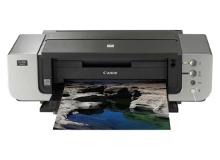






Expected Page Output for 8-Colour Photo Printing
Page yields for Canon CLI-8 dye cartridges are measured under ISO/IEC 24711 test standards for document printing, but high-coverage A3+ photographic prints consume ink at a significantly higher rate. Light tone cartridges like Photo Cyan and Photo Magenta deplete most frequently during photo output.
| Cartridge Number | Type | Colour | Page Yield | Cost Per Page |
|---|---|---|---|---|
| CLI-8BK | Standard | Black | 65 | $0.46 |
| CLI-8C | Standard | Cyan | 62 | $0.49 |
| CLI-8PC | Standard | Cyan | 32 | $0.94 |
| CLI-8PM | Standard | Magenta | 24 | $1.33 |
| CLI-8M | Standard | Magenta | 53 | $0.57 |
| CLI-8Y | Standard | Yellow | 40 | $0.75 |
| CLI-8R | Standard | Red | 50 | $0.60 |
| CLI-8G | Standard | Green | 52 | $0.26 |
Cost Per Page = Total Cartridge Price ÷ Page Yield (at 5% coverage). Prices based on Genuine cartridges.
Managing High-Volume Photo Stock
Photo printing requires balanced stock across all eight individual channels, as a single exhausted cartridge halts print jobs. Value multipacks or keeping extra CLI-8PC Photo Cyan and CLI-8PM Photo Magenta on hand prevents project delays. Standard orders ship fast from our local warehouses in Perth, Brisbane, Sydney, Melbourne, and Adelaide. Free delivery applies on all orders over $99. Explore our full range of Canon ink cartridges, and shop with confidence backed by our easy Returns policy.
Choosing Between Genuine and Compatible CLI-8 Tanks
Photographers producing archival gallery prints often prefer genuine Canon ChromaLife100 inks for maximum lightfastness. However, for proofing, everyday photo prints, and studio draft work, compatible CLI-8 cartridges offer substantial cost savings without compromising clarity. Every compatible cartridge is backed by a 100% money-back guarantee. Read our guide comparing genuine vs compatible cartridges to determine the best choice for your studio workflow. Under Australian Consumer Law, using compatible cartridges does not void your printer warranty.
Studio Pro Tip
When replacing individual CLI-8 tanks on an 8-colour printer, avoid opening sealed replacement cartridges until immediately prior to installation. Dye-based photo inks are sensitive to prolonged atmospheric exposure once unsealed, which can cause subtle viscosity shifts and affect micro-droplet placement accuracy on glossy papers.
Frequently Asked Questions
Why do CLI-8 Photo Cyan and Photo Magenta cartridges run out faster than standard Cyan and Magenta?
Photographic output relies heavily on light shades to build smooth gradients, skin tones, and bright sky backgrounds. The printer fires higher volumes of CLI-8PC and CLI-8PM micro-droplets to achieve seamless tonal transitions without visible grain.
Can I install a single compatible CLI-8 cartridge alongside genuine Canon CLI-8 cartridges?
Yes, compatible CLI-8 individual tanks can be mixed with genuine Canon cartridges in the same printhead without ink coagulation or printing errors, making it easy to replace individual colours as they deplete.
What happens if one ink channel empties during a large A3+ photo print?
The PIXMA Pro9000 monitors ink levels opto-electronically and via chip count. If a cartridge empties mid-print, the printer pauses to prevent dry-firing and printhead damage, allowing you to swap in a fresh CLI-8 cartridge and resume without ruining the media sheet.


