
Canon Pixma Pro-1 Ink Cartridges
Shop ink cartridges for your Canon Pixma Pro-1, which uses the Canon PGI-29 ink cartridges series. Ink Depot has been supplying reliable consumables for this printer since Feb 2012. Designed as an A3+ fine-art photo printer, it produces archival gallery prints using a 12-colour pigment system. Our 4.8 Google rating reflects a long-standing track record of premium cartridge performance. Intensive photo output drains PGI-29CO Chroma Optimizer faster than standard colours, making complete multipacks ideal for smooth workflow.

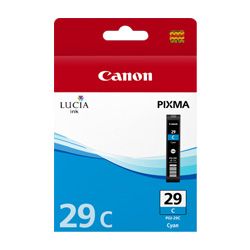
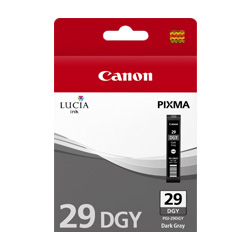

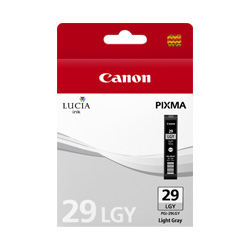

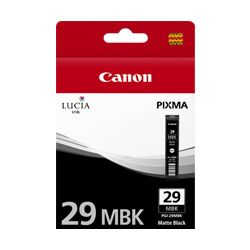
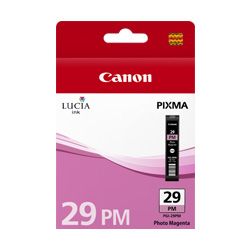
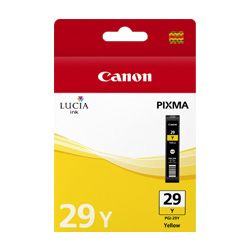
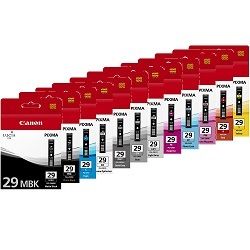

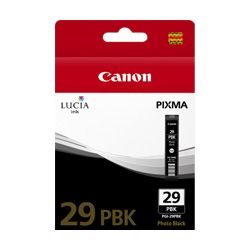

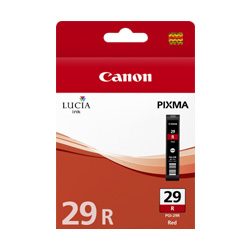
Page Yield Expectancy and Print System Dynamics
Page yield for PGI-29 cartridges is measured under ISO/IEC 29103 standards for photo printing. In a 12-ink pigment setup, consumption varies widely based on image tone; dark monochrome prints consume 29DGY, 29GY, and 29MBK inks faster, while glossy media consumes significant Chroma Optimizer.
| Cartridge Number | Type | Colour | Page Yield | Cost Per Page |
|---|---|---|---|---|
| PGI-29MBK | Standard | Black | 505 | $0.082 |
| PGI-29PBK | Standard | Photo Black | 111 | $0.40 |
| PGI-29PC | Standard | Cyan | 400 | $0.10 |
| PGI-29C | Standard | Cyan | 230 | $0.18 |
| PGI-29M | Standard | Magenta | 281 | $0.15 |
| PGI-29PM | Standard | Magenta | 228 | $0.18 |
| PGI-29DGY | Standard | Yellow | 119 | $0.35 |
| PGI-29GY | Standard | Yellow | 179 | $0.23 |
| PGI-29Y | Standard | Yellow | 290 | $0.14 |
| PGI-29LGY | Standard | Yellow | 352 | $0.12 |
| PGI-29CO | Standard | Chroma optimizer | 90 | $0.41 |
| PGI-29R | Standard | Red | 454 | $0.091 |
Cost Per Page = Total Cartridge Price ÷ Page Yield (at 5% coverage). Prices based on Genuine cartridges.
Choosing Your Cartridges and Stocking Options
For high-volume photo printing, ordering multi-cartridge bundles offers the best practical setup, as individual PGI-29 inks deplete at uneven rates depending on colour balance. Purchasing full sets ensures you hold replacement stock for high-turnover channels like 29CO Chroma Optimizer or 29PBK Photo Black. Every item is covered by our comprehensive returns policy. Free delivery applies on all orders over $99, with fast dispatch directly from our warehouses in Perth, Brisbane, Sydney, Melbourne and Adelaide. Browse our complete range of Canon ink cartridges today.
Pro Tip: Managing 12-Ink Pigment Replacements
Always keep a spare PGI-29CO Chroma Optimizer cartridge on hand; glossy photo printing applies clear coat over the entire surface of the page, leading to a much higher depletion rate than individual colour pigment inks.
Frequently Asked Questions
Why do grey and light grey PGI-29 cartridges deplete at different rates?
Dark grey (29DGY), grey (29GY), and light grey (29LGY) cartridges are drawn unevenly depending on the tonal range of your prints. Monochromatic prints rely heavily on grey tones for shadow transitions, while lighter photos consume more 29LGY.
What is the purpose of the PGI-29CO Chroma Optimizer cartridge?
Chroma Optimizer is a clear resin coat applied over pigment inks on glossy and semi-gloss papers. It regulates surface height to eliminate bronzing and gloss differential, ensuring uniform reflection across fine-art photo prints.
Should I replace PGI-29 cartridges as a full set or individually?
Because the 12-ink Lucia system consumes specific pigments based on artwork balance, individual replacement is standard practice. However, stocking full bundle sets reduces per-cartridge delivery overheads and guarantees immediate replacements when high-usage inks run out.


