
Brother HL-L3240CDW Toner Cartridges
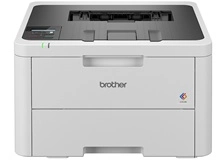
Shop toner cartridges for your Brother HL-L3240CDW, which uses the Brother TN258 and TN258XL toner cartridge series along with DR258CL drum units, BU229CL transfer belt units, and WT229CL waste toner bottles. The HL-L3240CDW is a compact digital colour LED printer engineered for quiet, reliable office output. Upgrading from standard TN258 cartridges to high-yield TN258XL options lowers cost per page during routine document runs. Ink Depot has been supplying reliable consumables for this printer since Jan 2024. Our 4.8 Google rating reflects a long-standing track record of premium cartridge performance.






Expected Page Output and Cartridge Yield
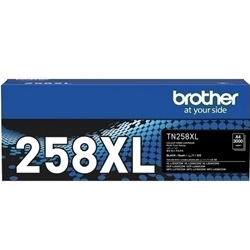
Page yields for Brother TN258 and TN258XL toner cartridges are measured in accordance with ISO/IEC 19798 testing standards at 5% page coverage. High-yield TN258XL cartridges deliver substantially more prints per unit, extending replacement intervals and reducing cost per page during high-volume document printing.
| Cartridge Number | Type | Colour | Page Yield | Cost Per Page |
|---|---|---|---|---|
| TN258BK | Standard | Black | 1,000 | $0.15 |
| TN258C | Standard | Cyan | 1,000 | $0.17 |
| TN258M | Standard | Magenta | 1,000 | $0.17 |
| TN258Y | Standard | Yellow | 1,000 | $0.17 |
| TN258XLBK | High Yield | Black | 3,000 | $0.065 |
| TN258XLC | High Yield | Cyan | 2,300 | $0.090 |
| TN258XLM | High Yield | Magenta | 2,300 | $0.090 |
| TN258XLY | High Yield | Yellow | 2,300 | $0.090 |
Cost Per Page = Total Cartridge Price ÷ Page Yield (at 5% coverage). Prices based on Genuine cartridges.
Choosing Between Genuine and Compatible Options
We supply both genuine Brother toner cartridges and premium compatible replacements for the HL-L3240CDW. Compatible cartridges provide a cost-effective alternative for general office printing without compromising print clarity. Under Australian Consumer Law, using compatible cartridges does not void your printer warranty. Read our detailed guide comparing genuine vs compatible cartridges to determine the best choice for your printing environment.
Drum Units, Transfer Belts, and Waste Toner Bottles
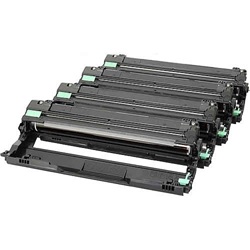
In addition to toner cartridges, the Brother HL-L3240CDW relies on independent long-life components to process prints. The DR258CL drum unit transfers toner to the page, while the BU229CL transfer belt unit and WT229CL waste toner bottle manage internal colour layering and surplus powder collection. Experience Tip: Both the BU229CL transfer belt unit and WT229CL waste toner bottle are rated for up to 50,000 pages, easily lasting through multiple toner cartridge replacement cycles.
Stocking and Delivery Options for Your Office
If your workload consists primarily of black text documents, pairing a high-yield TN258XLBK black cartridge with standard TN258 colour toners provides a practical balance between cost and colour availability. If you choose compatible cartridges for maximum savings, they are fully covered by our money back guarantee. Free delivery applies on all orders over $99. We dispatch quickly from nationwide warehouses located in Perth, Brisbane, Sydney, Melbourne, and Adelaide. Browse our full range of Brother toner cartridges to stock up today, and review our returns policy for total order confidence.
Consumable Purchasing Tip
Keep an extra high-yield TN258XLBK black toner cartridge on hand in the office, as colour LED printers will halt all print jobs when the black toner is fully depleted, regardless of how much toner remains in the colour cartridges.
Frequently Asked Questions
Can I mix genuine Brother toner cartridges with compatible cartridges in the HL-L3240CDW?
Yes, you can run genuine Brother cartridges alongside compatible TN258 or TN258XL cartridges in the same printer without issue. The printer reads each cartridge slot independently, so replacing individual colours as they run out will not disrupt workflow.
Do I need to replace the DR258CL drum unit every time I change the toner cartridge?
No, the drum unit and toner cartridges are separate components. A single DR258CL drum unit lasts through several toner cartridge replacements. You only need to replace the drum unit when the printer alerts you that its operational lifespan has finished.
Can I install a high-yield TN258XL cartridge if my printer originally came with standard TN258 toner?
Yes, TN258XL high-yield cartridges share the exact physical dimensions as standard TN258 cartridges and fit into the same drum unit slots. The XL designation simply indicates a larger internal toner supply, not a larger physical cartridge size.


