
HP 980 Ink Cartridges
The HP 980 cartridge series provides high-volume pigment printing for HP OfficeJet Enterprise devices, featuring standard 10,000-page black and 6,600-page colour yields alongside budget-friendly compatible options. Our 4.8 Google Star rating shows that our customers consistently receive high-quality cartridges backed by reliable performance.
Printers Compatible with HP 980 Ink Cartridges


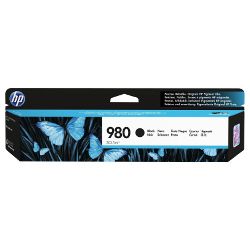

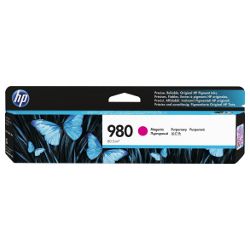
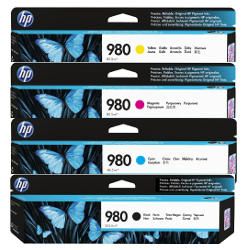

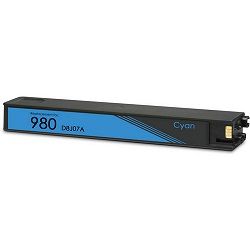


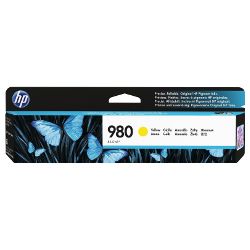
Expected page output and replacement cycles
HP rates 980 black cartridges (D8J10A) at 10,000 pages and colour cartridges (D8J07A, D8J08A, D8J09A) at 6,600 pages based on ISO/IEC 24711 standard testing (5% coverage). High-volume document environments printing full-page graphics will see proportional reductions in total page output.
| Cartridge Number | Type | Colour | Page Yield | Cost Per Page |
|---|---|---|---|---|
| 980 | Standard | Black | 10,000 | $0.021 |
| 980 | Standard | Cyan | 6,600 | $0.021 |
| 980 | Standard | Magenta | 6,600 | $0.021 |
| 980 | Standard | Yellow | 6,600 | $0.026 |
Cost Per Page = Total Cartridge Price ÷ Page Yield (at 5% coverage). Prices based on Genuine cartridges.
What to know about compatible cartridges
Compatible 980 cartridges lower running costs significantly from 2.1 cents per page to under 0.8 cents per page on colour tanks. These third-party cartridges use identical physical casing shapes and contact chips to ensure seamless printer recognition. Under Australian Consumer Law, using compatible cartridges does not void your printer warranty. Learn how third-party cartridges match OEM benchmarks in our genuine vs compatible guide.
How most users manage replacements
High-volume office printing depletes black ink roughly 1.5 times faster than individual cyan, magenta, or yellow tanks. Staggering orders or purchasing multi-packs prevents downtime when single colours deplete unexpectedly during large runs. Compatible options include a full money-back guarantee if performance falls short. Free delivery applies on all orders over $99, dispatched quickly from our warehouses in Perth, Brisbane, Sydney, Melbourne, and Adelaide. View our full range of HP ink cartridges or review our Returns policy for hassle-free exchanges.
Pro Tip
HP OfficeJet Enterprise PageWide printheads span the entire width of the page; replacing cartridges before they dry out completely prevents microscopic nozzle clogs and costly cleaning cycles.
Frequently Asked Questions
Why does my OfficeJet Enterprise show an ink depletion message when ink is still visible inside the 980 cartridge?
HP 980 cartridges retain a small internal reserve to prevent air bubbles from entering the permanent PageWide printhead during high-speed printing. Running the cartridge completely dry damages the print engine's ink delivery channels.
Can I mix genuine HP 980 cartridges with compatible 980 cartridges in the same printer?
Yes, individual cartridge slots operate independently. You can run a genuine D8J10A black cartridge alongside compatible D8J07A cyan or D8J08A magenta cartridges without triggering firmware errors or print degradation.
Why do cyan, magenta, and yellow cartridges deplete at different rates even when printing balanced documents?
Composite greys and background shading use varying amounts of cyan, magenta, and yellow ink. Office logos and digital stamps frequently draw heavier on cyan and magenta, causing uneven depletion across the three colour tanks.


