
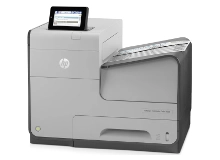
HP OfficeJet Enterprise Colour X555d X555x Ink Cartridges
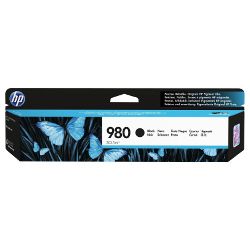
Your HP OfficeJet Enterprise Colour X555d and X555x printers use the HP 980 ink cartridge series. Ink Depot has supplied high-yield consumables for these high-speed enterprise desktop printers since Jun 2015. Our 4.8 Google rating proves it: we consistently supply premium cartridges backed by rock-solid reliability. Replacing the 980 (D8J10A) black cartridge yields up to 10,000 pages, keeping busy workgroups printing routine office documents without constant cartridge changes.


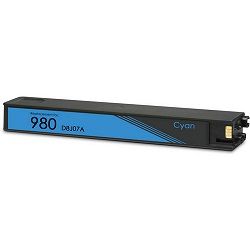


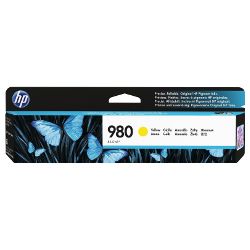
Expected Output and Page Yield Standards
Page yields for HP 980 ink cartridges are measured under ISO/IEC 24711 testing standards for continuous inkjet printing. High-capacity cartridges maintain steady ink flow across large print jobs, ensuring predictable page output for high-volume office environments before replacement is required.
| Cartridge Number | Type | Colour | Page Yield | Cost Per Page |
|---|---|---|---|---|
| 980 | Standard | Black | 10,000 | $0.021 |
| 980 | Standard | Cyan | 6,600 | $0.021 |
| 980 | Standard | Magenta | 6,600 | $0.021 |
| 980 | Standard | Yellow | 6,600 | $0.026 |
Cost Per Page = Total Cartridge Price ÷ Page Yield (at 5% coverage). Prices based on Genuine cartridges.
Choosing Between Genuine and Compatible HP 980 Cartridges
Selecting compatible HP 980 cartridges allows high-volume offices to reduce printing expenses while maintaining sharp text and vibrant colour documentation. Under Australian Consumer Law, using compatible cartridges does not void your printer warranty. To learn more about how third-party options perform against original supplies, read our genuine vs compatible cartridge guide.
Managing Replacements for High-Volume Printing
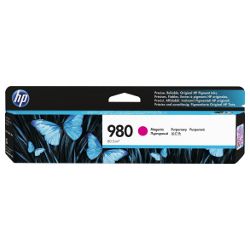
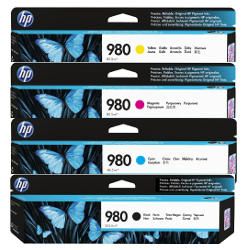
If you print mainly text documents, purchasing high-yield black 980 (D8J10A) cartridges minimises per-page costs. If you print colour graphics, combining full sets of cyan 980 (D8J07A), magenta 980 (D8J08A), and yellow 980 (D8J09A) ensures equal depletion across all channels. Choosing compatibles lowers ongoing overheads, backed by our money-back guarantee under our returns policy. We dispatch directly from warehouses in Perth, Brisbane, Sydney, Melbourne, and Adelaide. Free delivery applies on all orders over $99. Explore our complete range of HP ink cartridges for all models.
Pro Tip
When replacing HP 980 cartridges in enterprise environments, install full ink multipacks together during major print runs to avoid staggered replacement downtime across individual colour cartridges.
Frequently Asked Questions
Do the HP OfficeJet Enterprise Colour X555d and X555x printers use the same ink cartridges?
Yes, both the X555d and X555x models in this enterprise series share the identical HP 980 ink cartridge series, meaning cyan, magenta, yellow, and black cartridges fit both printers interchangeably.
How do HP 980 ink cartridges achieve high page yields in office environments?
HP 980 cartridges use high-density pigment ink formulations designed specifically for high-speed printheads, yielding up to 10,000 pages for black and 6,600 pages per colour cartridge under standard testing.
Can compatible HP 980 cartridges be mixed with genuine HP cartridges in the same printer?
Yes, you can operate compatible HP 980 cartridges alongside original HP cartridges without technical conflicts, as each slot functions independently.
Why does colour ink deplete even when printing predominantly black text?
Enterprise inkjets perform micro-maintenance cycles to keep all printhead nozzles clear, which consumes tiny amounts of cyan, magenta, and yellow ink even during monochrome print jobs.


