
HP 924 Ink and HP 924e Ink Cartridges
The HP 924 standard ink and 924e high-yield ink cartridges keep your HP OfficeJet Pro 8120 or 8130 operating efficiently. Available in individual CMYK colours or multi-cartridge packs, these genuine consumables deliver sharp text and vibrant colour prints. Our 4.8 Google Star rating shows that our customers consistently receive high-quality cartridges backed by reliable performance.
Printers Compatible with HP 924 Ink and HP 924e Ink Cartridges


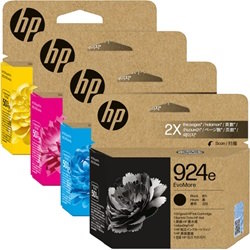
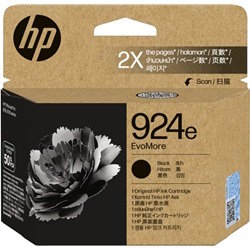
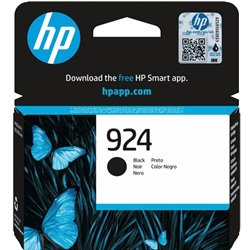
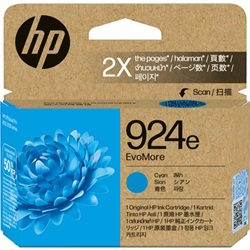
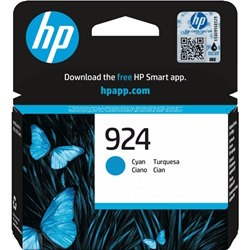
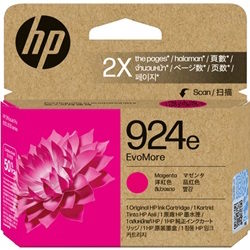
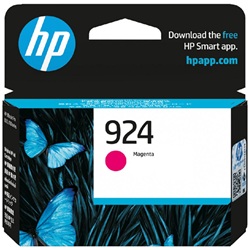
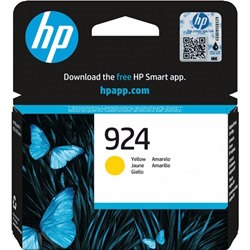
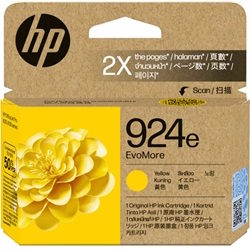
HP 924 & 924E Singles, High Yield Cartridges & Multipacks
Replace the Complete Colour Set
If it's time to replace the whole set, the 4-Pack 924 Genuine (from $107.83) covers every colour in one order and qualifies for free delivery.
Print More with Higher-Yield Cartridges
If you print often, the 4-Pack 924E Genuine (from $217.72) gives the same colour coverage with more pages per cartridge and also qualifies for free delivery.
Replace Just One Colour
When just one colour needs replacing, a single Genuine 924 Cyan cartridge (from $21.71) is all that's required.
Bulk Cartridge Options
Printing at higher volumes? A larger pack means fewer reorders - the 8-Pack 924E Genuine (from $431.00) is the equivalent option if you'd rather stick with official ink. The genuine pack qualifies for free delivery.
Real-world print yields for HP 924 and 924e
Standard HP 924 black cartridges yield 500 pages, while high-yield 924e black cartridges double output to 1,000 pages. Colour tanks (cyan, magenta, yellow) output 400 pages in standard and 800 pages in 924e high-yield variants. Page yields are measured using the ISO/IEC 24711 standard for continuous inkjet printing.
| Cartridge Number | Type | Colour | Page Yield | Cost Per Page |
|---|---|---|---|---|
| 924 | Standard | Black | 500 | $0.090 |
| 924 | Standard | Cyan | 400 | $0.054 |
| 924 | Standard | Magenta | 400 | $0.054 |
| 924 | Standard | Yellow | 400 | $0.054 |
| 924e | High Yield | Black | 1,000 | $0.091 |
| 924e | High Yield | Cyan | 800 | $0.055 |
| 924e | High Yield | Magenta | 800 | $0.055 |
| 924e | High Yield | Yellow | 800 | $0.055 |
Cost Per Page = Total Cartridge Price ÷ Page Yield (at 5% coverage). Prices based on Genuine cartridges.
Managing replacements for office workloads
If you print mostly black text documents, choosing 924e high-yield black cartridges cuts your cost-per-page while matching the output of two standard 924 black units. If you print heavy colour graphics, selecting 8-pack or 4-pack bundles provides total replacement sets in one delivery, avoiding individual drop-shipments when single colours run out unevenly.
Free delivery applies on all orders over $99. All items ship directly from local warehouses in Perth, Brisbane, Sydney, Melbourne, and Adelaide. Browse our full range of HP ink cartridges or review our straightforward returns policy if you need to exchange an un-opened item.
Ink Depot Expert Tip
HP 924e high-yield colour cartridges double the print output of standard 924 cartridges without increasing physical cartridge size. They fit the exact same physical housing in your OfficeJet Pro printer, meaning you can mix standard black with high-yield colour cartridges depending on your specific printing needs.
Frequently Asked Questions
Can I mix standard HP 924 and high-yield HP 924e cartridges in the same printer?
Yes. HP 924 and 924e cartridges share identical external dimensions and fit into the exact same printhead slots. You can install a 924e high-yield black cartridge alongside standard 924 colour cartridges without causing system errors or mechanical issues.
Why do colour cartridges deplete at different rates during document printing?
OfficeJet Pro printers draw varying ratios of cyan, magenta, and yellow depending on document background elements, logos, and tinted text. Even if you predominantly print monochrome text, small amounts of colour ink are used during automatic printhead maintenance cycles to prevent nozzle clogging.
What happens if one colour cartridge runs completely empty?
HP OfficeJet Pro 8120 and 8130 printers require all four ink slots (Black, Cyan, Magenta, Yellow) to contain usable ink to execute print jobs. If a single colour cartridge empties completely, the printer will stop printing to protect the thermal printhead from overheating due to dry firing.


