
HP OfficeJet Pro 8120 Ink Cartridges
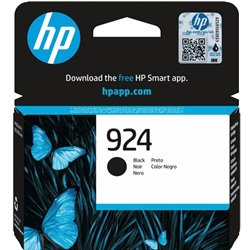
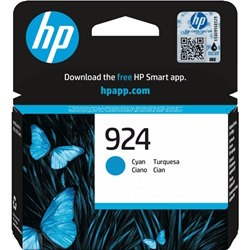
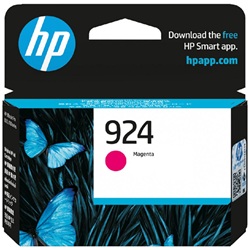
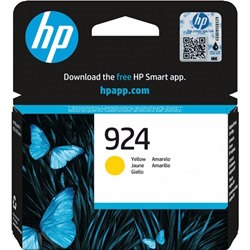
Your HP OfficeJet Pro 8120 uses the 924 and 924e cartridge series, a four-ink system comprising individual black, cyan, magenta, and yellow tanks. Designed for the small office environment, this printer allows for independent replacement of each colour, which is highly efficient for users who print documents with heavy branding or specific colour accents. Because the black cartridge is consumed faster during standard document production, the 924e high-yield black is frequently paired with standard colour tanks to balance out replacement cycles and maintain workflow continuity without frequent interruptions.


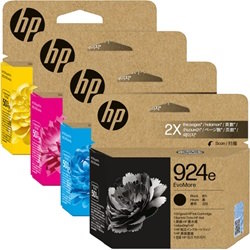
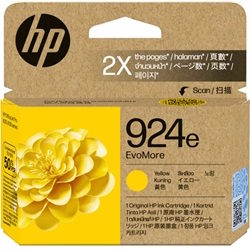
Choosing the right cartridge setup
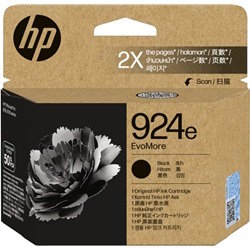
Managing your supplies depends largely on your weekly print volume. If you primarily print text-heavy documents or invoices, investing in the 924e high-yield black ink is the most effective way to reduce the frequency of cartridge swaps. For users who print sporadically, the standard 924 cartridges offer a lower initial cost. If you find yourself replacing all colours at once, bundle packs are available to streamline your ordering process. All genuine HP supplies are covered by our standard returns policy.
Free delivery applies on all orders over $99. We ensure fast dispatch from our local warehouses in Perth, Brisbane, Sydney, Melbourne, and Adelaide to get your HP ink cartridges to you quickly.
Expected page output and replacement cycles
Page yields for the 924 series are calculated based on the ISO/IEC 24711 standard, which utilises a continuous printing process on A4 paper with approximately 5% coverage. In a real-world small office setting, your actual mileage will vary based on document complexity and the frequency of printer cleaning cycles. The 924e series provides roughly double the capacity of standard tanks, making it the preferred choice for those looking to minimise downtime.
| Cartridge Number | Type | Colour | Page Yield | Cost Per Page |
|---|---|---|---|---|
| 924 | Standard | Black | 500 | $0.090 |
| 924 | Standard | Cyan | 400 | $0.054 |
| 924 | Standard | Magenta | 400 | $0.054 |
| 924 | Standard | Yellow | 400 | $0.054 |
| 924e | High Yield | Black | 1,000 | $0.091 |
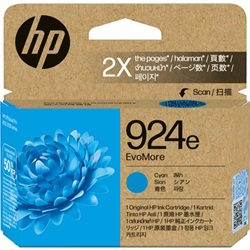
| 924e | High Yield | Cyan | 800 | $0.055 |
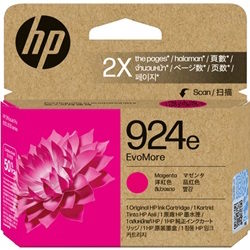
| 924e | High Yield | Magenta | 800 | $0.055 |
| 924e | High Yield | Yellow | 800 | $0.055 |
Cost Per Page = Total Cartridge Price ÷ Page Yield (at 5% coverage). Prices based on Genuine cartridges.
Pro Tip
When the printer indicates a "Low Ink" warning, you can usually continue printing for some time. However, it is vital to have the replacement 924 cartridge ready, as the OfficeJet Pro 8120 will eventually stop printing to prevent air from entering the printhead, which can cause permanent blockage.
Frequently Asked Questions
Can I use a 924e high-yield black cartridge alongside standard 924 colour cartridges?
Yes, the 924 and 924e cartridges are completely interchangeable within the same slots. The 924e versions have the same physical dimensions but contain more ink, allowing you to mix and match standard and high-yield tanks based on which colours you use most.
Why does my yellow or cyan ink run out even though I mostly print in black?
Even if you select "Black and White" in your settings, the printer uses small amounts of colour ink for routine maintenance tasks and to keep the printhead nozzles primed. This prevents the ink from drying out and ensures the longevity of the printer.
What is the difference between the 924 and 924e series numbers?
The 'e' suffix generally denotes the high-yield version of the cartridge. For the OfficeJet Pro 8120, the 924e cartridges offer a higher page count compared to the standard 924 variants, providing better value for users with a higher number of prints.


