
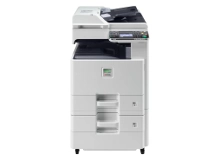
Kyocera FS-C8020MFP & FS-C8025MFP Toner Cartridges
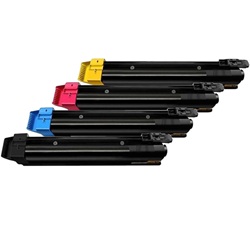
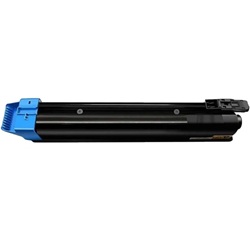
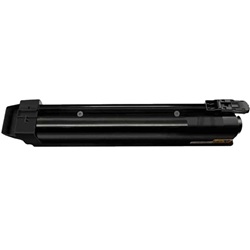
The Kyocera FS-C8020MFP and FS-C8025MFP use the Kyocera TK-899 toner series. Designed for productive workplace printing, these A3 colour multifunction printers use separate black, cyan, magenta, and yellow cartridges to produce crisp documents and clear presentation graphics. Workplaces handling regular text-heavy printing may use black toner faster than the colour cartridges, so keeping spare black toner or a complete toner set available can help minimise unexpected printing interruptions. Ink Depot has supplied consumables for these printer models since Jan 2008 and is rated 4.8 by customers on Google.

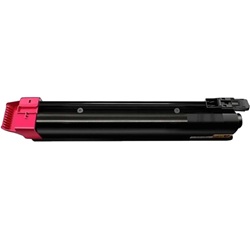
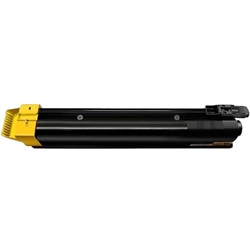


Expected page output and replacement cycles
Designed for demanding workflows, the TK-899 black toner delivers approximately 12,000 pages, whereas each colour unit handles roughly 6,000 pages at standard office coverage. Kyocera determines these page yields using the ISO/IEC 19798 standard, which simulates typical office document printing.
| Cartridge Number | Type | Colour | Page Yield | Cost Per Page |
|---|---|---|---|---|
| TK-899K | Standard | Black | 12,000 | $0.011 |
| TK-899C | Standard | Cyan | 6,000 | $0.024 |
| TK-899M | Standard | Magenta | 6,000 | $0.024 |
| TK-899Y | Standard | Yellow | 6,000 | $0.024 |
Cost Per Page = Total Cartridge Price ÷ Page Yield (at 5% coverage). Prices based on Genuine cartridges.
Choosing between genuine and compatible options
Opting for compatible alternatives helps reduce ongoing expenses without sacrificing print reliability. Under Australian Consumer Law, using compatible cartridges does not void your printer warranty. Read more about performance differences in our genuine vs compatible cartridges guide.
How most users manage replacements
If you print mainly text documents, keep a spare black toner on hand to prevent workflow interruptions. If you print heavy colour graphics, full set bundles offer the best value. Free delivery applies on all orders over $99. We dispatch daily from warehouses located in Perth, Brisbane, Sydney, Melbourne, and Adelaide. Review our returns policy for peace of mind. Explore our full range of Kyocera toner cartridges today.
Pro Tip
Always let the printer complete its internal calibration cycle after installing a new toner unit to ensure accurate toner level detection and prevent streak marks on duplex jobs.
Frequently Asked Questions
How does the TK-899 system handle toner distribution across the four colours?
The device pulls toner independently for each colour channel, meaning text-heavy documents will preserve cyan, magenta, and yellow supplies while rapidly depleting the TK-899K black cartridge.
Will third-party TK-899 cartridges trigger error messages on the control panel?
Quality-tested compatible units communicate directly with the printer firmware, recognising chip levels accurately without locking out functions.
Can I mix genuine and compatible TK-899 cartridges within the same printer?
Yes, the printing system accepts mixed sets seamlessly, allowing you to transition to high-value alternatives gradually as individual colours run empty.


