
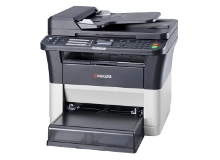
Kyocera FS-1325MFP Toner Cartridges
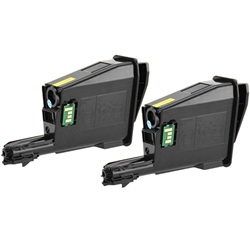
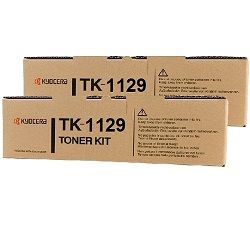
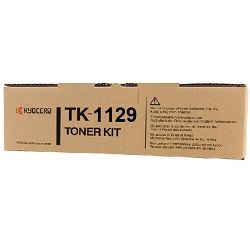
Your Kyocera FS-1325MFP uses the TK-1129 toner series, a dedicated monochrome printing setup built for high-volume document workflows. Keeping spare toner on hand prevents unexpected downtime during critical admin runs. As demonstrated by our 4.8 Google rating, we are committed to providing premium consumable cartridges. We have been supplying reliable consumables for this printer since Feb 2013.
Expected Page Output and Replacement Cycles
Mono laser printing relies on predictable coverage metrics to estimate longevity. Page yields for these cartridges are measured using ISO/IEC 19752 testing standards, based on standard 5% coverage on A4 paper. Heavy text documents or graphics will reduce real-world output.
| Cartridge Number | Type | Colour | Page Yield | Cost Per Page |
|---|---|---|---|---|
| TK-1129 | Standard | Black | 2,100 | $0.046 |
Cost Per Page = Total Cartridge Price ÷ Page Yield (at 5% coverage). Prices based on Genuine cartridges.
Choosing Between Genuine and Compatible Cartridges
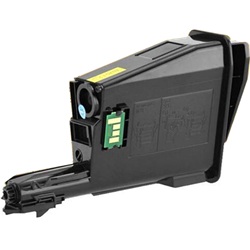
Opting for compatible TK-1129 cartridges delivers lower printing costs while maintaining crisp black text performance. Under Australian Consumer Law, using compatible cartridges does not void your printer warranty. Read our comprehensive genuine vs compatible cartridges guide to make the best choice for your setup.
Managing Your Cartridge Stock and Orders
If you print invoices, shipping labels, and general reports daily, holding a multipack bundle reduces your cost per print and ensures continuous operation. Compatible options carry a full money-back guarantee for complete peace of mind. Free delivery applies on all orders over $99, dispatched quickly from our nationwide warehouses in Perth, Brisbane, Sydney, Melbourne, and Adelaide. Browse our complete range of Kyocera toner cartridges today. All purchases are supported by our standard returns policy.
Pro Tip
Always keep the waste toner container area clean when swapping out the TK-1129 cartridge to avoid excess powder settling inside the housing and causing premature print streaking.
Frequently Asked Questions
Why does my printer show a low toner warning even when prints look fine?
Kyocera optical sensors track cartridge levels based on internal usage counters and toner movement. You can usually continue printing until print density visibly fades before swapping out the cartridge.
Can I mix a genuine cartridge with a compatible one in future replacements?
Yes. Each TK-1129 operates independently, so you can transition to a compatible unit whenever your existing genuine cartridge runs out without resetting or modifying the printer.
How does coverage affect the 2,100-page yield rating?
Yield ratings assume standard 5% page coverage, typical of short business letters. Printing dense bold text, tables, or PDF reports increases toner consumption, naturally reducing total page output per cartridge.


