
Kyocera FS-1061DN Toner Cartridges
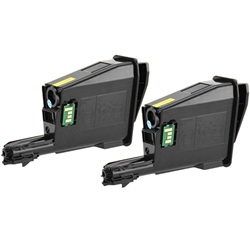
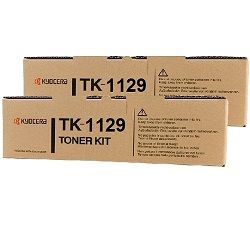
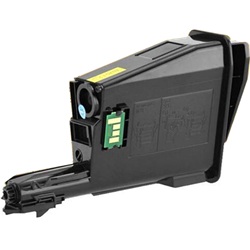
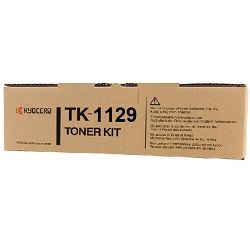
Your Kyocera FS-1061DN uses the TK-1129 toner series. Supplying dependable consumables for this printer since Feb 2013, we ensure fast access to single black cartridges and multi-packs. Our 4.8 Google Star rating shows that our customers consistently receive high-quality cartridges backed by reliable performance. Designed for high-volume office document printing, replacing the TK-1129 toner cartridge is a straightforward process that restores crisp, sharp text outputs with minimal downtime.

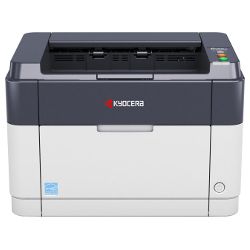
Expected Page Output and Replacement Cycles
Page yield for TK-1129 cartridges is rated at 2,100 pages based on standard ISO/IEC 19752 testing for monochrome laser printing. Real-world output depends heavily on text density and coverage per page.
| Cartridge Number | Type | Colour | Page Yield | Cost Per Page |
|---|---|---|---|---|
| TK-1129 | Standard | Black | 2,100 | $0.046 |
Cost Per Page = Total Cartridge Price ÷ Page Yield (at 5% coverage). Prices based on Genuine cartridges.
What to Know About Compatible Cartridges
Under Australian Consumer Law, using compatible cartridges does not void your printer warranty. Choosing compatible TK-1129 cartridges provides a cost-effective alternative for daily office printing without compromising clarity. Read our detailed genuine vs compatible guide to evaluate which option suits your workplace requirements.
Long-Term Maintenance and Components
Monochrome laser systems rely on long-life drum units alongside toner cartridges. Experience Tip: If your printer indicates a toner level error after installing a fresh TK-1129 unit, gently wipe the optical sensor area and ensure the cartridge locks securely into place to reset the internal counter.
Strategic Stocking and Fast Delivery
If you print mainly text, multi-packs offer the best value per unit while maintaining a ready spare. Compatible options include a money-back guarantee for complete peace of mind. Check our full returns policy for details. Free delivery applies on all orders over $99, dispatched quickly from our distribution network in Perth, Brisbane, Sydney, Melbourne, and Adelaide. Browse our full range of Kyocera toner cartridges today.
Pro Tip
Keep a spare TK-1129 cartridge on hand; monochrome laser printers give minimal advance notice once the toner powder drops below critical operating levels.
Frequently Asked Questions
Why does my FS-1061DN prompt for toner replacement even when prints still look dark?
Kyocera systems measure internal page counters alongside physical powder levels. Replacing the TK-1129 cartridge when prompted prevents uneven drum wear caused by running the unit dry.
Can I mix a compatible TK-1129 toner cartridge with genuine printer components?
Yes, third-party TK-1129 cartridges are designed to function seamlessly alongside the original built-in drum unit without requiring setting changes.
How does coverage affect the total page yield on the TK-1129?
The 2,100-page rating assumes 5% coverage per page. Printing heavy graphics, bold fonts, or dense legal contracts increases toner consumption, slightly reducing overall yield.


