
HP DesignJet T610 T620 Ink Cartridges
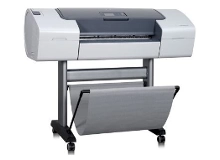
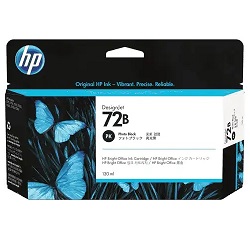
Shop ink cartridges for your HP DesignJet T610 and T620, which use the HP 72 and 72B ink cartridges series along with C9380A/C9383A-C9384A print heads. Ink Depot has supplied reliable consumables for these large-format technical printers since Aug 2012. Designed for CAD line drawings and GIS maps, routine vector printing quickly draws down Matte Black 72B (3WX06A) cartridges, while photographic renders utilise Photo Black 72B (3WX08A) and Cyan 72 (C9371A) inks. Our 4.8 Google rating reflects a long-standing track record of premium cartridge performance.




Expected Ink Output and Replacement Cycles
Large-format DesignJet plotters rely on precise ink droplet volume measured in millilitres rather than standard page counts. Ink consumption varies significantly between high-density GIS mapping, architectural line drawings, and glossy render prints. Maintaining full colour channels prevents printhead drying during automated cleaning cycles.
Printhead Assemblies and Maintenance Components
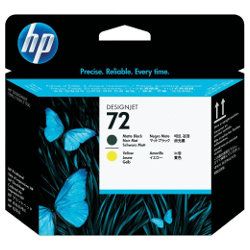
Your DesignJet plotter utilises modular C9380A/C9383A-C9384A print heads separate from the main ink supply. Experience Tip: Printhead assemblies are long-life components engineered to span multiple ink cartridge replacements before requiring renewal.
Choosing the Right Cartridge Setup
For high-volume architectural plotting, purchasing multi-pack bundle sets like the 3WX06A-08A/C9371A-C3A ensures continuous operation across all six colour channels without individual ink starvation. If your output consists primarily of monochrome line plans, stocking extra Matte Black 72B (3WX06A) cartridges keeps workflow moving. All genuine products are backed by our returns policy. Stock up on authentic HP ink cartridges directly from our distribution centres. Free delivery applies on all orders over $99, dispatched quickly from warehouses in Perth, Brisbane, Sydney, Melbourne and Adelaide.
Pro Tip
Matte Black 72B (3WX06A) ink is specifically formulated for bond and technical papers, whereas Photo Black 72B (3WX08A) is required for glossy media; ensure your print driver media settings match your loaded paper to prevent excessive ink bleeding or slow drying times.
Frequently Asked Questions
Do the HP DesignJet T610 and T620 plotters use the exact same ink cartridges?
Yes, both the T610 and T620 models share the exact same HP 72 and 72B cartridge system and printhead assemblies, allowing seamless inventory management across both plotter sizes.
What is the difference between Matte Black 72B and Photo Black 72B cartridges?
Matte Black 72B (3WX06A) uses pigment-based ink designed for crisp, durable line work on untreated absorbent paper, while Photo Black 72B (3WX08A) uses dye-based ink to achieve deep black tones on glossy photo papers.
Can I replace individual printhead channels separately from ink cartridges?
Yes, the C9380A/C9383A-C9384A printhead assemblies are independent replacement parts. You only need to change a printhead when prompted by internal diagnostic checks or after persistent nozzle dropouts.
Why does my plotter consume colour ink when printing monochrome CAD files?
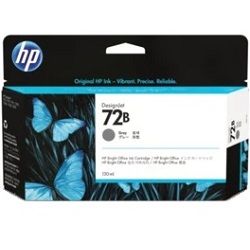
The 6-ink rendering system uses fine micro-drops of Grey 72B (3WX07A) and Photo Black 72B (3WX08A) alongside Matte Black to smooth out fine line angles and halftones, preserving crisp vector geometry.


