
Epson Stylus TX300F Ink Cartridges
Shop ink cartridges for your Epson Stylus TX300F, which uses the Epson 73N ink cartridges series. The Stylus TX300F is a desktop all-in-one built for daily document handling and faxing. Ink Depot has supplied reliable consumables for this printer since Jan 2009. Our 4.8 Google rating reflects a long-standing track record of premium cartridge performance. Opting for the T1051-4 four-pack bundle lowers overall printing costs compared to replacing individual T1051 black cartridges standardly.
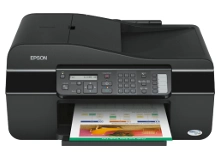
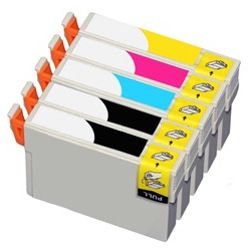



Expected Page Output and Replacement Cycles
Page yields for Epson 73N cartridges are calculated using standard ISO/IEC 24711 testing procedures under continuous printing conditions. Black T1051 cartridges output roughly 230 pages, while T1052, T1053, and T1054 colour cartridges deliver up to 310 pages, depending on coverage levels.
| Cartridge Number | Type | Colour | Page Yield | Cost Per Page |
|---|---|---|---|---|
| 73N | Standard | Black | 230 | $0.033 |
| 73N | Standard | Cyan | 310 | $0.024 |
| 73N | Standard | Magenta | 310 | $0.024 |
| 73N | Standard | Yellow | 310 | $0.024 |
Cost Per Page = Total Cartridge Price ÷ Page Yield (at 5% coverage). Prices based on Compatible cartridges.
Choosing Compatible 73N Cartridges
Compatible 73N cartridges offer a budget-friendly replacement option without compromising document text clarity. Under Australian Consumer Law, using compatible cartridges does not void your printer warranty. If you want to learn more about how non-OEM options compare to original cartridges, read our genuine vs compatible cartridges comparison guide.
Choosing the Right Cartridge Option
If you print mainly text documents, purchasing individual T1051 black cartridges keeps outlay low. If you print colour documents regularly, choosing the T1051-4 multipack ensures balanced ink levels across cyan, magenta, and yellow. All compatible cartridges come backed by a money-back guarantee under our returns policy if they do not perform as expected. Free delivery applies on all orders over $99. We dispatch quickly from warehouses in Perth, Brisbane, Sydney, Melbourne, and Adelaide for fast arrival. Explore our full selection of Epson ink cartridges to stock up today.
Pro Tip
Replace depleted colour cartridges promptly when ink levels drop; Epson four-colour inkjet systems freeze document printing tasks if any individual colour channel becomes completely empty, even when printing pure monochrome text.
Frequently Asked Questions
Can I replace just the T1051 black cartridge without replacing the colour cartridges?
Yes, each 73N ink cartridge operates independently within the printhead carrier, so you can swap out the black T1051 tank individually without disturbing the T1052, T1053, or T1054 colour tanks.
Why do colour 73N cartridges show higher page yields than the black cartridge?
Epson calculates colour cartridge yields based on ISO standard 5% coverage per colour page, whereas black text printing typically involves higher ink density across standard business documents, depleting the T1051 cartridge in fewer total pages.
Will installing compatible 73N cartridges trigger non-genuine pop-up warnings on screen?
Your computer screen may display a standard prompt noting that a non-genuine cartridge has been inserted. Simply acknowledging the prompt allows normal printing to continue with full ink monitoring functionality.


