
Epson T20 Ink Cartridges
Your Epson Stylus T20 uses the 73N cartridge series, a compact single-function inkjet printer designed for basic home document and colour printing. Our 4.8 Google rating reflects a long-standing track record of premium cartridge performance. Because black ink depletes faster during routine text printing, keeping a spare T1051 black cartridge or opting for a T1051-4 4-colour value pack prevents unexpected interruptions.

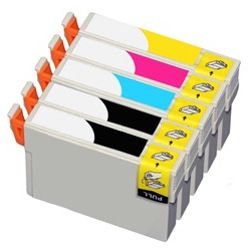



Expected Page Output and Replacement Cycles
Page yields for Epson 73N cartridges are calculated using the standard ISO/IEC 24711 pattern for inkjet printing. Actual page yield varies depending on document coverage, colour intensity, and print frequency, with colour cartridges (T1052, T1053, T1054) lasting longer during predominantly black text output.
| Cartridge Number | Type | Colour | Page Yield | Cost Per Page |
|---|---|---|---|---|
| 73N | Standard | Black | 230 | $0.033 |
| 73N | Standard | Cyan | 310 | $0.024 |
| 73N | Standard | Magenta | 310 | $0.024 |
| 73N | Standard | Yellow | 310 | $0.024 |
Cost Per Page = Total Cartridge Price ÷ Page Yield (at 5% coverage). Prices based on Compatible cartridges.
What to Know About Compatible 73N Cartridges
Using compatible 73N ink cartridges offers a cost-effective solution for everyday home printing without sacrificing clear text or vibrant colour. Under Australian Consumer Law, using compatible cartridges does not void your printer warranty. Read our genuine vs compatible cartridges guide to understand how compatible alternatives perform.
Choosing the Right 73N Cartridge Setup
If you print mainly text, buying individual T1051 black cartridges in bulk ensures you always have spare ink ready. If you print photos or colour graphics, purchasing a T1051-4 bundle pack supplies all four colours at a lower combined cost. Our compatible options are backed by a money-back guarantee for complete peace of mind, backed by our clear returns policy. Browse our complete range of Epson ink cartridges today. All orders ship fast from warehouses in Perth, Brisbane, Sydney, Melbourne, and Adelaide. Free delivery applies on all orders over $99.
Smart Buying Advice
Because four-colour inkjet systems lock print operations when any single cartridge registers empty, keep an extra T1051 black on hand-black ink is consumed faster than colour tanks during routine document printing.
Frequently Asked Questions
Why does the Stylus T20 stop printing in black if one of the colour 73N cartridges is empty?
Epson four-colour inkjet systems require active ink levels in all four slots (T1051, T1052, T1053, T1054) to maintain nozzle pressure and prevent printhead clogging. Even when printing monochrome documents, a small amount of colour ink is used during routine maintenance, so the printer halts printing until the empty colour cartridge is replaced.
Can I replace individual 73N colour cartridges separately as they run out?
Yes, each 73N ink cartridge operates independently. You only need to replace the specific colour (Cyan T1052, Magenta T1053, or Yellow T1054) that indicates low ink levels, rather than replacing the entire set at once.
What is the best strategy to prevent ink from drying out in 73N cartridges during low usage?
For occasional home printing, keeping the printer connected to power allows it to run periodic micro-maintenance cycles. Printing a single page containing all four colours every couple of weeks keeps the 73N ink nozzles clear and ready for use.


