
Epson Stylus CX9300F Ink Cartridges
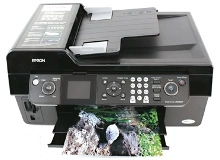
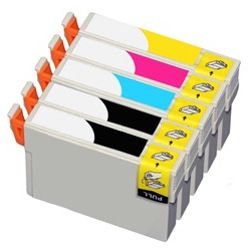
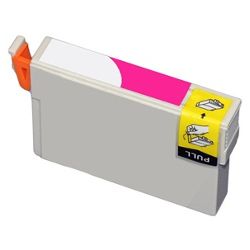
Shop ink cartridges for your Epson Stylus CX9300F, which uses the Epson 73N ink cartridges series. Ink Depot has been supplying reliable consumables for this printer since Jan 2008. Designed for home office multitasking, this all-in-one desktop printer runs on four individual ink channels. Replacing individual cartridges such as T1051 Black or T1052 Cyan only when empty reduces unnecessary ink replacement. Our 4.8 Google rating reflects a long-standing track record of premium cartridge performance.



Expected Page Output and Replacement Cycles
Epson 73N ink cartridges are rated according to ISO/IEC 24711 standards for inkjet printing. Standard T1051 Black cartridges yield approximately 230 pages, while T1052, T1053, and T1054 colour cartridges yield up to 310 pages. Actual output varies depending on page coverage and printing frequency.
| Cartridge Number | Type | Colour | Page Yield | Cost Per Page |
|---|---|---|---|---|
| 73N | Standard | Black | 230 | $0.033 |
| 73N | Standard | Cyan | 310 | $0.024 |
| 73N | Standard | Magenta | 310 | $0.024 |
| 73N | Standard | Yellow | 310 | $0.024 |
Cost Per Page = Total Cartridge Price ÷ Page Yield (at 5% coverage). Prices based on Compatible cartridges.
Choosing Compatible Cartridges for Your Printer
Under Australian Consumer Law, using compatible cartridges does not void your printer warranty. Compatible 73N cartridges offer a budget-friendly alternative for everyday home office printing without sacrificing operational reliability. For a detailed breakdown of quality standards and performance comparisons, read our guide comparing genuine and compatible cartridges.
Smart Buying Options and Nationwide Delivery
If you print mainly text documents, keeping extra T1051 Black cartridges on hand prevents downtime during high-volume jobs. If you regularly print colour graphics or photos, purchasing the T1051-4 multi-pack ensures all four slots remain filled for equal cost. All compatible cartridges come backed by a money-back guarantee if they do not perform as expected. View our returns policy for full terms. Orders are dispatched quickly from warehouses in Perth, Brisbane, Sydney, Melbourne and Adelaide. Free delivery applies on all orders over $99. Explore our complete range of Epson ink cartridges.
Pro Tip
When installing new 73N ink cartridges after a long period of regular printing, replace only the specific colour indicated as depleted by your status monitor rather than changing the entire set at once.
Frequently Asked Questions
Why does my Epson Stylus CX9300F report low ink in colour cartridges when I only print black text?
Even during mono printing, inkjet systems perform minor periodic maintenance cycles across all nozzles to prevent dry ink blockages in the printhead. This causes gradual depletion of T1052, T1053, and T1054 cartridges over time even if document jobs are set to black and white.
Can I replace just one T1051 Black or colour cartridge while keeping the remaining 73N cartridges installed?
Yes, individual ink channels allow single-cartridge replacement. You do not need to replace all four cartridges simultaneously; simply swap out whichever specific T1051, T1052, T1053, or T1054 cartridge has run out.
How should unopened 73N ink cartridges be stored to maximise shelf life?
Store spare 73N cartridges upright in their original sealed packaging in a cool, dark room away from direct sunlight and heat sources. Keeping them sealed preserves the internal liquid formulation and prevents air exposure prior to installation.


