
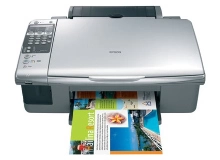
Epson Stylus CX6900F Ink Cartridges
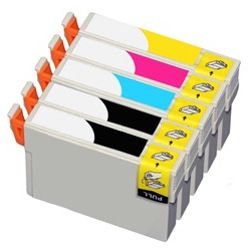
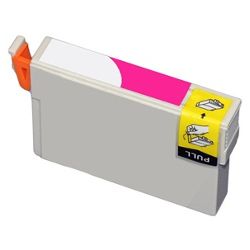
Shop ink cartridges for your Epson Stylus CX6900F, which uses the Epson 73N ink cartridges series. Ink Depot has been supplying consumables for this all-in-one home office printer since Aug 2026. Replacing individual T1051 black cartridges as needed maintains everyday document output, while ordering T1051-4 bundle packs avoids workflow interruptions when colour levels drop. Our 4.8 Google rating reflects a long-standing track record of premium cartridge performance.



Expected Output and Cartridge Yield
Page yields for 73N cartridges are calculated according to ISO/IEC 24711 testing standards under continuous printing conditions. Black cartridges typically deplete faster during text document printing, whereas cyan, magenta, and yellow ink usage varies based on image coverage and graphic density.
| Cartridge Number | Type | Colour | Page Yield | Cost Per Page |
|---|---|---|---|---|
| 73N | Standard | Black | 230 | $0.030 |
| 73N | Standard | Cyan | 310 | $0.022 |
| 73N | Standard | Magenta | 310 | $0.022 |
| 73N | Standard | Yellow | 310 | $0.022 |
Cost Per Page = Total Cartridge Price ÷ Page Yield (at 5% coverage). Prices based on Compatible cartridges.
Choosing Compatible 73N Ink Cartridges
Installing compatible cartridges is an economical way to keep your printer running without compromising output clarity. Under Australian Consumer Law, using compatible cartridges does not void your printer warranty. Read our detailed guide on genuine vs compatible cartridges to understand how compatible consumables provide reliable print performance.
Smart Buying Strategies and Delivery Details
If you print mainly text documents, purchasing individual T1051 black cartridges in multiples ensures uninterrupted document workflow. If you print photos or graphics, ordering a T1051-4 multi-pack keeps all four colours ready for replacement. All compatible cartridges come with a money back guarantee for peace of mind. Check our returns policy for complete coverage details. Stock up on Epson ink cartridges today with fast dispatch from warehouses in Perth, Brisbane, Sydney, Melbourne and Adelaide. Free delivery applies on all orders over $99.
Pro Tip for 73N Ink Management
Always keep a full set of replacement cartridges on hand because Epson micro-piezo printheads require ink in all four channels to complete print jobs, even when printing monochromatic text documents.
Frequently Asked Questions
Why does my Epson Stylus CX6900F stop printing in black when a colour cartridge is empty?
Epson printers use microscopic ink droplets to keep internal printhead nozzles primed and cool. When any single 73N colour cartridge reaches empty, the printer halts all operations to prevent thermal damage caused by firing empty ink chambers.
Can individual 73N ink cartridges be replaced independently?
Yes, each individual T1051 black, T1052 cyan, T1053 magenta, and T1054 yellow cartridge operates on an independent chip, allowing you to replace single depleted cartridges without disturbing the remaining active cartridges.
What is the best way to store unopened 73N compatible cartridges?
Store spare cartridges upright in a cool, dry place out of direct sunlight while remaining inside their original sealed vacuum packaging. Correct storage ensures optimal fluid viscosity and chip integrity for up to 24 months.


