
Epson Stylus CX3900 Ink Cartridges
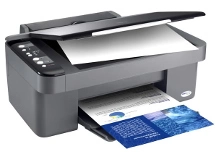
Shop ink cartridges for your Epson Stylus CX3900, which uses the Epson 73N ink cartridges series. The Stylus CX3900 is a compact all-in-one desktop printer designed for everyday home document printing. Ink Depot has been supplying reliable consumables for this printer since Jul 2007. Our 4.8 Google Star rating shows that our customers consistently receive high-quality cartridges backed by reliable performance. Replacing individual T1051 Black or T1052, T1053, and T1054 colour tanks as they deplete ensures you only buy the ink you need.



Expected page output and replacement cycles
Page yields for Epson 73N cartridges are measured using ISO/IEC standard test pages under typical household conditions. Standard black T1051 cartridges output approximately 230 pages, while T1052, T1053, and T1054 colour cartridges yield up to 310 pages depending on graphic density.
| Cartridge Number | Type | Colour | Page Yield | Cost Per Page |
|---|---|---|---|---|
| 73N | Standard | Black | 230 | $0.033 |
| 73N | Standard | Cyan | 310 | $0.024 |
| 73N | Standard | Magenta | 310 | $0.024 |
| 73N | Standard | Yellow | 310 | $0.024 |
Cost Per Page = Total Cartridge Price ÷ Page Yield (at 5% coverage). Prices based on Compatible cartridges.
Choosing compatible 73N cartridges
Choosing compatible 73N ink cartridges provides a cost-effective solution for everyday printing without compromising print clarity. Under Australian Consumer Law, using compatible cartridges does not void your printer warranty. Read our detailed guide on genuine vs compatible cartridges to learn more about how alternative cartridges perform.
Best way to stock these cartridges
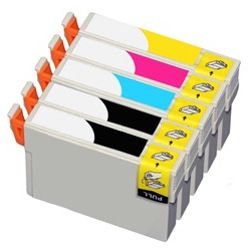
If your printing consists mostly of monochrome text documents, buying individual T1051 black units keeps costs low. For balanced colour printing, choosing the T1051-4 four-pack bundle offers superior convenience. Compatible cartridges come with a money-back guarantee for complete peace of mind. Free delivery applies on all orders over $99. Explore our complete range of Epson ink cartridges, dispatched quickly from our warehouses in Perth, Brisbane, Sydney, Melbourne, and Adelaide. Check our returns policy for details.
Pro Tip
When installing replacement 73N cartridges, replace only the specific colour indicated as empty by your printer status monitor so you maximise ink use across all four individual channels.
Frequently Asked Questions
Can I replace just one Epson 73N cartridge when it runs out?
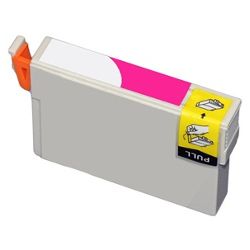
Yes. The Epson Stylus CX3900 uses individual ink tanks for Black (T1051), Cyan (T1052), Magenta (T1053), and Yellow (T1054), allowing you to replace only the empty colour without wasting remaining ink in the other tanks.
What should I do if my printer displays a low ink warning for one colour?
You can continue printing until the printer prompts that the cartridge is completely depleted. Having a spare T1051 Black or colour tank on hand ensures continuous workflow when the cartridge finally stops printing.
Why does my T1051 Black ink deplete faster than cyan, magenta, or yellow?
Everyday document printing, email drafts, and text pages rely predominantly on black ink, whereas colour inks are consumed primarily during graphics and photo printing.


