
Epson XP-15000 Ink Cartridges
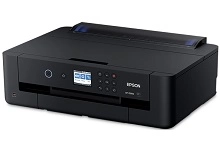
Your Epson Expression Photo HD XP-15000 uses the 312, 312XL and 314XL ink cartridge series along with T366100 maintenance kits. Ink Depot has been supplying reliable consumables for this printer since Jan 2018. Designed for A3+ photo printing, this 6-colour system includes specialty Red and Grey inks to broaden the colour gamut and refine grey tones. Ink depletion rates vary with subject matter, meaning Red and Grey 314XL cartridges often run low independently of standard CMYK tanks. Our 4.8 Google rating reflects a long-standing track record of premium cartridge performance.



Page Yield and Print Expectations
Page yields for the 312XL and 314XL high-yield inks are measured in accordance with ISO/IEC 24711 and ISO/IEC 24712 photo testing standards. Actual page output varies based on image density, paper type, and printing frequency, especially when outputting borderless A3+ photos.
| Cartridge Number | Type | Colour | Page Yield | Cost Per Page |
|---|---|---|---|---|
| 312XL | High Yield | Black | 500 | $0.075 |
| 312XL | High Yield | Cyan | 830 | $0.045 |
| 312XL | High Yield | Magenta | 830 | $0.045 |
| 312XL | High Yield | Yellow | 830 | $0.045 |
| 314XL | High Yield | Red | 830 | $0.044 |
| 314XL | High Yield | Gray | 830 | $0.044 |
Cost Per Page = Total Cartridge Price ÷ Page Yield (at 5% coverage). Prices based on Genuine cartridges.
Choosing Compatible Ink Options
Using third-party cartridges offers a cost-effective way to produce everyday prints and photo drafts. Under Australian Consumer Law, using compatible cartridges does not void your printer warranty. Read our guide comparing genuine and compatible cartridges to decide which option suits your printing requirements.
Epson Maintenance Components
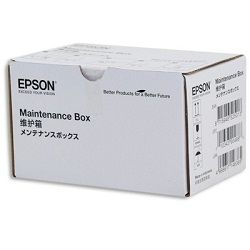
In addition to standard ink tanks, this printer uses a replaceable T366100 maintenance box. T366100 maintenance kits absorb excess ink during borderless photo printing and head cleaning routines to prevent internal ink overflow.
Selecting the Right Cartridges and Delivery
If you primarily output black-and-white documents, standard 312XL black cartridges handle regular paperwork efficiently. For high-volume photo printing, keeping spare 314XL Red and Grey tanks prevents unexpected mid-job pauses. Compatible cartridges provide economical printing and include a money-back guarantee. View our returns policy for details. Free delivery applies on all orders over $99. We dispatch quickly from warehouses in Perth, Brisbane, Sydney, Melbourne and Adelaide. Browse our full range of Epson ink cartridges today.
Pro Tip
Stocking up on individual 314XL Red and Grey cartridges alongside standard 312XL CMYK multi-packs ensures continuous A3+ photo printing without interrupting extensive print runs.
Frequently Asked Questions
Why does the Epson XP-15000 use six inks instead of standard CMYK?
The XP-15000 incorporates dedicated Red and Grey cartridges (314XL series) alongside standard CMYK inks (312XL series). Red ink expands the colour gamut for vibrant warm tones, while Grey provides smoother tonal transitions in black-and-white prints and reduces graininess in mid-tones.
Can I replace individual 312XL or 314XL ink cartridges as they run out?
Yes, each of the six colours operates independently, allowing you to replace only the specific cartridge that has depleted. Because photo printing depletes Red and Grey inks at different rates depending on image content, replacing single tanks as needed avoids ink wastage.
How does borderless A3+ photo printing impact cartridge and maintenance kit usage?
Borderless printing sprays slight overspray beyond the paper edges to ensure full bleed coverage. This excess ink is directed into the T366100 maintenance kit, meaning heavy borderless output consumes ink and fills the maintenance box faster than standard document printing.


