
Dell 2150cn Toner Cartridges
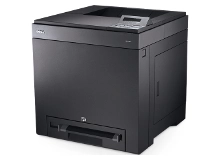
Shop toner cartridges for your Dell 2150cn, which uses the Dell D2150 toner cartridge series. The Dell 2150cn is a compact colour laser printer built for small business office workgroups requiring crisp document output. Our 4.8 Google rating proves it: we consistently supply premium cartridges backed by rock-solid reliability. Replacing the D2150B black toner alongside D2150C, D2150M, and D2150Y colour cartridges ensures smooth daily workflow.

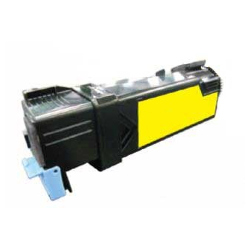
Expected page output and replacement cycles
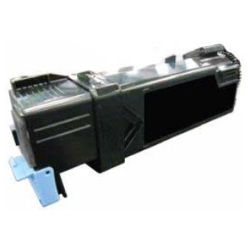
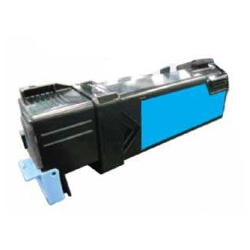
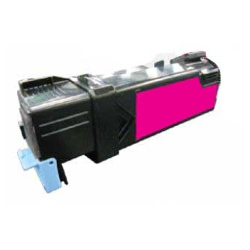
Dell D2150 toner cartridges are rated using ISO/IEC 19798 testing standards for colour laser printing. Black D2150B toners deliver up to 3,000 pages, while D2150C, D2150M, and D2150Y colour cartridges yield up to 2,500 pages based on 5% coverage.
| Cartridge Number | Type | Colour | Page Yield | Cost Per Page |
|---|---|---|---|---|
| D2150B | Standard | Black | 3,000 | $0.005 |
| D2150C | Standard | Cyan | 2,500 | $0.006 |
| D2150M | Standard | Magenta | 2,500 | $0.006 |
| D2150Y | Standard | Yellow | 2,500 | $0.006 |
Cost Per Page = Total Cartridge Price ÷ Page Yield (at 5% coverage). Prices based on Compatible cartridges.
Best way to stock Dell 2150cn toners
If you print mainly text invoices and correspondence, purchase high-yield D2150B black toners individually to manage everyday document costs. If you print marketing materials and full-colour reports, opting for a complete 4-colour bundle set ensures all channels remain balanced. Our premium compatible toners offer substantial savings and are backed by a money back guarantee under our Returns policy. Free delivery applies on all orders over $99, dispatched quickly from our warehouses in Perth, Brisbane, Sydney, Melbourne, and Adelaide. Browse our full range of Dell toner cartridges for reliable business printing.
Choosing compatible toner cartridges for your Dell laser
Selecting compatible D2150 series toner cartridges provides significant cost savings for high-volume office environments without sacrificing crisp text resolution. Under Australian Consumer Law, using compatible cartridges does not void your printer warranty. Read our detailed guide on genuine and compatible cartridges to learn more about performance standards and manufacturing quality.
Pro Tip for Dell 2150cn Consumables
Buying the full four-colour D2150 toner bundle set significantly lowers the per-cartridge acquisition cost compared to ordering individual colours separately as they run out.
Frequently Asked Questions
How do individual colour toners behave when printing mostly black text on the Dell 2150cn?
Even during monochrome print jobs, the Dell 2150cn performs periodic calibration cycles that draw small amounts of Cyan (D2150C), Magenta (D2150M), and Yellow (D2150Y) toner to maintain optical sensor alignment. Keeping spare colour cartridges on hand prevents unexpected lockouts during critical document runs.
Can I replace just the black D2150B toner without changing the colour cartridges?
Yes, each D2150 series toner operates independently. You can replace the high-yield D2150B black toner cartridge whenever it depletes while leaving active colour toners in place.
What should I do if a compatible D2150 toner cartridge is not recognized upon installation?
Ensure the printer is powered on during installation so the internal microchip registers the new unit. Wipe the microchip contacts with a clean, dry lint-free cloth before re-seating the cartridge firmly into its slot.


