
Dell D2150 Toner Cartridges
Dell D2150 toner cartridges keep your Dell 2150cn or 2155cdn printer operating at peak output. Available in individual Black, Cyan, Magenta, and Yellow options as well as cost-saving value bundles, these compatible toner cartridges deliver sharp text and graphics while reducing overall printing costs. Our 4.8 Google Star rating shows that our customers consistently receive high-quality cartridges backed by reliable performance.


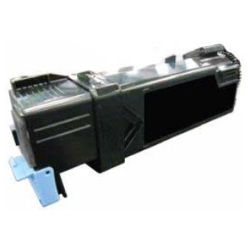
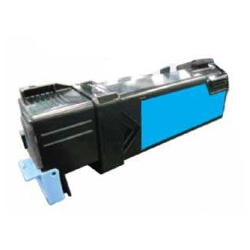
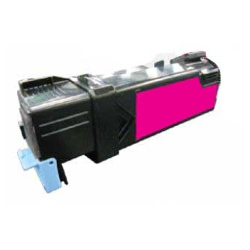
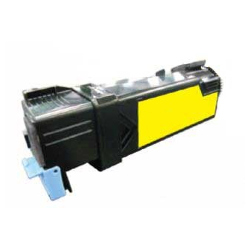
Expected page output for Dell D2150 toners
Dell D2150 Black cartridges yield up to 3,000 pages, while Cyan, Magenta, and Yellow cartridges provide up to 2,500 pages based on standard ISO/IEC 19798 coverage testing for colour laser printers. Actual yield varies depending on page coverage and visual density.
| Cartridge Number | Type | Colour | Page Yield | Cost Per Page |
|---|---|---|---|---|
| D2150B | Standard | Black | 3,000 | $0.005 |
| D2150C | Standard | Cyan | 2,500 | $0.006 |
| D2150M | Standard | Magenta | 2,500 | $0.006 |
| D2150Y | Standard | Yellow | 2,500 | $0.006 |
Cost Per Page = Total Cartridge Price ÷ Page Yield (at 5% coverage). Prices based on Compatible cartridges.
Understanding Dell D2150 compatible toners
Using compatible cartridges offers substantial savings without compromising document quality or printer lifespan. Under Australian Consumer Law, using compatible cartridges does not void your printer warranty. Learn more about performance standards in our guide comparing genuine vs compatible cartridges.
Ordering options and dispatch detail
If you print high volumes of office paperwork, purchasing a four-colour value pack reduces replacement frequency. Every compatible cartridge carries a money-back guarantee for complete confidence. Free delivery applies on all orders over $99. Orders are dispatched quickly from distribution centers across Perth, Brisbane, Sydney, Melbourne, and Adelaide. Browse our complete range of Dell toner cartridges for other models, and shop risk-free with our simple returns policy.
Pro tip for multi-colour laser printing
When installing a new Dell D2150 toner cartridge, gently rock the cartridge horizontally 5 to 6 times before removing the protective shield. This redistributes settled toner powder evenly across the internal hopper, preventing light prints or streaking during the initial print cycle.
Compare Dell D2150 Dell Toner Cartridges
Save with Compatible Cartridges
Watching the budget? Compatible cartridges cost less than genuine toner, with a single D2150B Black cartridge from $15.49 or a 5-pack D2150 for $73.57.
Frequently Asked Questions
Can I replace individual colour cartridges as they run out on the Dell 2150cn?
Yes. The Dell 2150cn and 2155cdn utilize separate toner cartridges for Black, Cyan, Magenta, and Yellow. You only need to replace the specific colour cartridge that is depleted, while the remaining cartridges stay in place until empty.
Why does the Black D2150 cartridge have a higher page yield than the colour cartridges?
Text documents form the bulk of office printing, consuming Black toner at a higher rate. Dell D2150B Black cartridges are engineered with a larger toner capacity (3,000 pages) to balance replacement intervals against Cyan, Magenta, and Yellow cartridges (2,500 pages each).
How should spare Dell D2150 toner cartridges be stored to maximize shelf life?
Keep spare toner cartridges sealed in their original protective packaging, stored flat in a cool, dark location away from direct sunlight and moisture. Toner powder does not dry out like ink, giving stored toners a shelf life of up to 24 months.
Is D2150B the same as D2150 Black?
Yes. The letter suffix indicates the cartridge colour: D2150B represents Black, D2150C represents Cyan, D2150M represents Magenta, and D2150Y represents Yellow. All belong to the Dell D2150 toner series.


