
Canon PIXMA MX726 Ink Cartridges
Shop ink cartridges for your Canon PIXMA MX726, which uses the Canon PGI-650 and CLI-651 ink cartridge series. Ink Depot has been supplying consumables for this printer since Nov 2013. Designed for home offices, this all-in-one printer uses a dual black cartridge configuration separating pigment text black from dye photo black. Switching to high-yield PGI-650XLB black cartridges reduces replacement frequency for document printing, while CLI-651XL colour tanks handle photo output smoothly. Our 4.8 Google rating reflects a long-standing track record of premium cartridge performance.


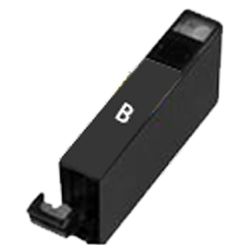

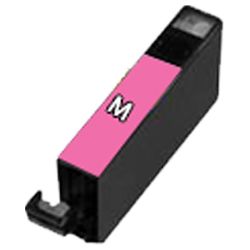


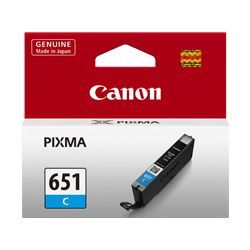
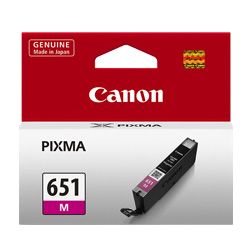


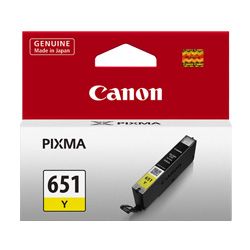

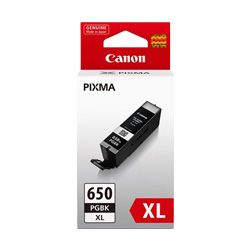
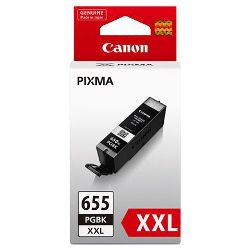

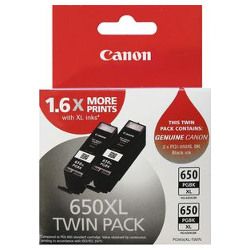
Expected Page Output and Cartridge Yield
Page yields for Canon PGI-650 and CLI-651 cartridges are measured using ISO/IEC 24711 standard testing methods with continuous printing on A4 plain paper. High-yield XL and extra high-yield PGI-655XXLB cartridges deliver significantly higher page counts, offering better cost per page for high-volume document printing.
| Cartridge Number | Type | Colour | Page Yield | Cost Per Page |
|---|---|---|---|---|
| CLI-651BK | Standard | Black | 1,795 | $0.012 |
| PGI-650BK | Standard | Black | 300 | $0.080 |
| CLI-651C | Standard | Cyan | 332 | $0.066 |
| CLI-651M | Standard | Magenta | 319 | $0.069 |
| CLI-651Y | Standard | Yellow | 344 | $0.064 |
| CLI-651XLB | High Yield | Black | 5,530 | $0.005 |
| PGI-650XLB | High Yield | Black | 500 | $0.063 |
| CLI-651XLC | High Yield | Cyan | 695 | $0.041 |
| CLI-651XLM | High Yield | Magenta | 680 | $0.042 |
| CLI-651XLY | High Yield | Yellow | 695 | $0.041 |
Cost Per Page = Total Cartridge Price ÷ Page Yield (at 5% coverage). Prices based on Genuine cartridges.
Choosing Between Genuine and Compatible Cartridges
Choosing compatible PGI-650XL and CLI-651XL cartridges provides an economical alternative to original Canon consumables without compromising output quality. Under Australian Consumer Law, using compatible cartridges does not void your printer warranty. Read our detailed genuine vs compatible cartridges guide to learn more about performance and guarantee standards.
Best Way to Stock These Cartridges
If you print mainly text, selecting PGI-650XLB or PGI-655XXLB pigment black cartridges provides maximum efficiency for document workloads. If you print photos, ordering CLI-651XL colour multi-packs ensures balanced ink replacement across cyan, magenta, and yellow channels. Compatible cartridges offer substantial savings and are backed by a money-back guarantee under our returns policy if they do not perform to expectations. We ship directly from warehouses in Perth, Brisbane, Sydney, Melbourne and Adelaide. Free delivery applies on all orders over $99. Explore our complete range of Canon ink cartridges today.
Pro Tip
The PIXMA MX726 uses two distinct black cartridges-PGI-650 pigment black for plain document text and CLI-651 dye black for graphics and photo paper. Ensure you order the correct black type based on your primary printing tasks, as they are not interchangeable.
Frequently Asked Questions
Why does the PIXMA MX726 require two different black cartridges?
The printer uses PGI-650 pigment black specifically for crisp, smudge-resistant text on plain paper, while CLI-651 dye black blends with cyan, magenta, and yellow to produce deep black tones and smooth gradients in photos and glossy media.
Can I install high-yield PGI-650XL or PGI-655XXL cartridges alongside standard CLI-651 tanks?
Yes, standard and high-yield cartridges share the exact physical outer dimensions and slot locking mechanism. You can mix standard CLI-651 colour cartridges with high-yield PGI-650XL or PGI-655XXL black cartridges without issue.
What happens if one colour cartridge runs out during a print job?
Canon individual ink printers track ink levels separately per channel. While printing can temporarily continue if a colour drops low, replacing the depleted CLI-651 tank promptly prevents incomplete print jobs and maintains proper colour balance.


