
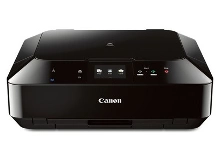
Canon PIXMA MG5560 Ink Cartridges
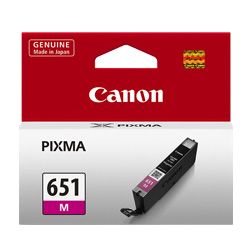
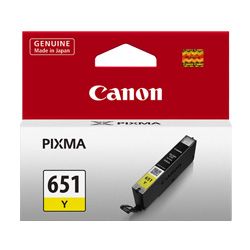
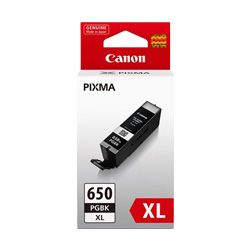
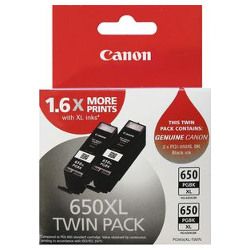
Shop ink cartridges for your Canon PIXMA MG5560, which uses the Canon PGI-650 and CLI-651 ink cartridge series. Ink Depot has supplied reliable consumables for this all-in-one home printer since Nov 2013. Our 4.8 Google rating reflects a long-standing track record of premium cartridge performance. Text printing draws from the PGI-650BK pigment black cartridge, while CLI-651 cartridges handle photos, making high-yield XL options ideal for heavy document runs.









Expected Page Output and Replacement Cycles
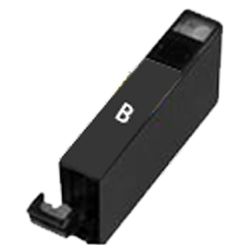
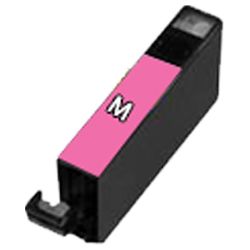
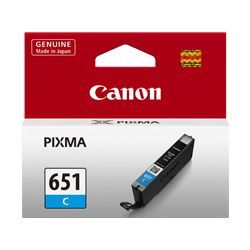
Page yields for PGI-650 and CLI-651 cartridges are measured in accordance with ISO/IEC standards based on 5% page coverage. High-yield PGI-650XLBK cartridges provide up to 500 pages for standard text documents, while CLI-651 photo colour cartridges deplete at rates dependent on image density and print frequency.
| Cartridge Number | Type | Colour | Page Yield | Cost Per Page |
|---|---|---|---|---|
| CLI-651BK | Standard | Black | 1,795 | $0.012 |
| PGI-650BK | Standard | Black | 300 | $0.080 |
| CLI-651C | Standard | Cyan | 332 | $0.066 |
| CLI-651M | Standard | Magenta | 319 | $0.069 |
| CLI-651Y | Standard | Yellow | 344 | $0.064 |
| CLI-651XLB | High Yield | Black | 5,530 | $0.005 |
| PGI-650XLB | High Yield | Black | 500 | $0.063 |
| CLI-651XLC | High Yield | Cyan | 695 | $0.041 |
| CLI-651XLM | High Yield | Magenta | 680 | $0.042 |
| CLI-651XLY | High Yield | Yellow | 695 | $0.041 |
Cost Per Page = Total Cartridge Price ÷ Page Yield (at 5% coverage). Prices based on Genuine cartridges.
Choosing Between Genuine and Compatible Options
Selecting compatible PGI-650XL and CLI-651XL cartridges significantly lowers your cost per page while maintaining crisp text clarity and vibrant photo output. Under Australian Consumer Law, using compatible cartridges does not void your printer warranty. Read our detailed genuine vs compatible cartridge guide to evaluate performance and savings for your setup.
Choosing the Right Cartridge Setup
If you print mainly plain text documents, prioritizing high-yield PGI-650XLBK black cartridges keeps your routine printing economical. If you print photos or graphics, ordering complete CLI-651XL colour sets maintains consistent photo quality. Choosing compatible options gives you full peace of mind with our money back guarantee supported by our returns policy. Free delivery applies on all orders over $99, dispatched quickly from our warehouses in Perth, Brisbane, Sydney, Melbourne and Adelaide. Order your replacement Canon ink cartridges today for fast delivery.
Cartridge Management Advice
Replacing individual depleted CLI-651 colour cartridges as needed preserves remaining ink in your other slots, while bundling XL multipacks provides the lowest overall cost per page across your entire printing setup.
Frequently Asked Questions
Can I use PGI-650XL and CLI-651XL cartridges if I previously used standard PGI-650 cartridges?
Yes, XL cartridges share identical external dimensions with standard cartridges and snap into the exact same slots inside your Canon PIXMA MG5560 printer. They simply contain more ink for extended print output.
Why does the Canon PIXMA MG5560 use two different black ink cartridges?
The printer uses a dual-black system where the larger PGI-650BK pigment black cartridge delivers sharp, smudge-resistant text on plain paper, while the CLI-651BK cartridge provides smooth dark tones during photo printing on glossy media.
Do I need to replace all colour cartridges at the same time?
No, individual colour slots allow you to replace only the specific CLI-651 cartridge that has run out, helping you avoid wasted ink and unnecessary replacement costs.


