
Canon PIXMA MG5460 Ink Cartridges
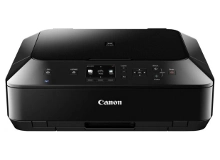
Your Canon PIXMA MG5460 printer uses the PGI-650 and CLI-651 ink cartridge series. Ink Depot has been supplying reliable consumables for this printer model since Feb 2013. Designed as a photo all-in-one, this printer separates pigment text black from dye photo inks to ensure sharp document printing and rich colour vibrancy. Our 4.8 Google rating reflects a long-standing track record of premium cartridge performance. Replacing individual CLI-651XL colour tanks only as they run dry keeps printing cost-effective.





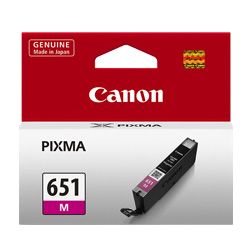


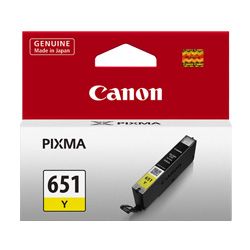

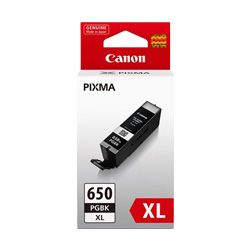

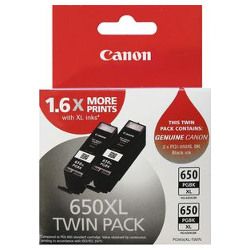
Cartridge Yield & Real-World Output
Page yield for the CLI-651 and PGI-650 series is measured using ISO/IEC standards under continuous print testing. Because photo printing utilises higher ink density across colour channels than standard text documents, actual yield varies based on coverage and colour balance across individual tanks.
| Cartridge Number | Type | Colour | Page Yield | Cost Per Page |
|---|---|---|---|---|
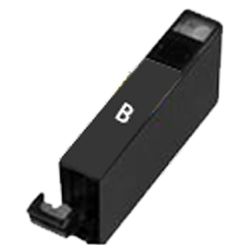
| CLI-651BK | Standard | Black | 1,795 | $0.012 |
| PGI-650BK | Standard | Black | 300 | $0.080 |
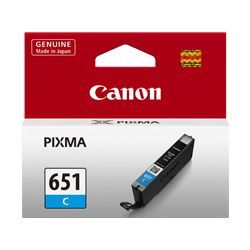
| CLI-651C | Standard | Cyan | 332 | $0.066 |
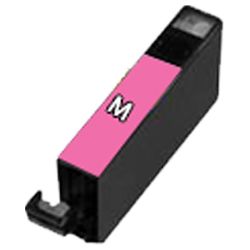
| CLI-651M | Standard | Magenta | 319 | $0.069 |
| CLI-651Y | Standard | Yellow | 344 | $0.064 |
| CLI-651XLB | High Yield | Black | 5,530 | $0.005 |
| PGI-650XLB | High Yield | Black | 500 | $0.063 |
| CLI-651XLC | High Yield | Cyan | 695 | $0.041 |
| CLI-651XLM | High Yield | Magenta | 680 | $0.042 |
| CLI-651XLY | High Yield | Yellow | 695 | $0.041 |
Cost Per Page = Total Cartridge Price ÷ Page Yield (at 5% coverage). Prices based on Genuine cartridges.
Choosing Between Genuine and Compatible Options
Switching to compatible cartridges offers significant savings for high-volume document and photo printing without sacrificing print clarity. Under Australian Consumer Law, using compatible cartridges does not void your printer warranty. Read our genuine vs compatible cartridges guide to learn how third-party options deliver dependable results across everyday tasks.
Cartridge Selection and Delivery Information
If you print mainly text, select high-yield PGI-650XL black cartridges to maximise page output. If you print photos, opt for high-yield CLI-651XL colour multipacks to maintain even ink distribution. Choosing compatible alternatives lowers per-page costs while being backed by our money back guarantee. Review our returns policy for complete peace of mind. We dispatch directly from fast warehouses in Perth, Brisbane, Sydney, Melbourne and Adelaide. Free delivery applies on all orders over $99 when ordering your replacement Canon ink cartridges.
Cartridge Buying Tip
Always keep a spare PGI-650XL pigment black cartridge on hand alongside your CLI-651 colour set, as document printing drains the pigment text tank independently of photo colour usage.
Frequently Asked Questions
Why does the PIXMA MG5460 require two separate black ink cartridges?
The printer uses PGI-650 pigment black specifically for crisp, smudge-resistant text on plain paper, while the CLI-651 photo black is a dye-based ink designed for smooth tonal shading on glossy photo media.
Can I install XL cartridges if my printer originally came with standard ones?
Yes, PGI-650XL and CLI-651XL cartridges share the exact physical dimensions and clip mechanism as standard cartridges; they simply contain higher ink capacity inside the tank.
What happens if one colour cartridge runs completely dry while printing photos?
Because Canon individual ink printers track ink levels per channel, the printer will pause print jobs until the depleted tank is replaced to prevent printhead damage and colour distortion.


