
Canon PIXMA MG2960 Ink Cartridges
Your Canon PIXMA MG2960 uses the PG-645 and CL-646 ink cartridge series. Ink Depot has supplied reliable printer consumables for this compact wireless home all-in-one printer since May 2016. Our 4.8 Google rating reflects a long-standing track record of premium cartridge performance. Opting for high-yield PG-645XL black and CL-646XL colour cartridges delivers more than double the prints of standard PG-645 tanks, keeping home and student printing smooth and economical.

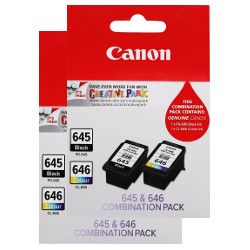


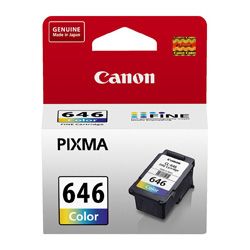
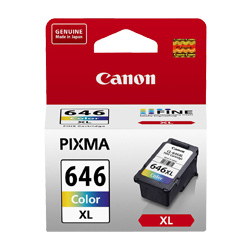


Expected Yield & Ink Output
Inkjet page yields are measured using the standard ISO/IEC 24711 pattern testing single-page documents. Standard PG-645 and CL-646 tanks suit light printing, while high-yield XL options provide up to 400 pages for routine school or home document workloads.
| Cartridge Number | Type | Colour | Page Yield | Cost Per Page |
|---|---|---|---|---|
| PG-645 | Standard | Black | 180 | $0.14 |
| CL-646 | Standard | Colour | 180 | $0.19 |
| PG-645XL | High Yield | Black | 400 | $0.11 |
| CL-646XL | High Yield | Colour | 400 | $0.11 |
Cost Per Page = Total Cartridge Price ÷ Page Yield (at 5% coverage). Prices based on Genuine cartridges.
Genuine vs Compatible Options
Under Australian Consumer Law, using compatible cartridges does not void your printer warranty. Compatible PG-645XL and CL-646XL cartridges provide a cost-effective alternative for general home printing. Learn more about performance and guarantee differences by reading our guide to genuine vs compatible cartridges.
Choosing the Right Replacement Setup
If you print mostly text documents, choosing PG-645XL black cartridges provides maximum efficiency. For colour printing, remember that the CL-646 tri-colour tank combines three colours into one unit. Compatible cartridges provide low-cost printing covered by our comprehensive returns policy and money back guarantee. Free delivery applies on all orders over $99 with fast dispatch from warehouses in Perth, Brisbane, Sydney, Melbourne and Adelaide. View our full range of Canon ink cartridges.
Pro Tip
When installing a new CL-646 or CL-646XL tri-colour cartridge, print a quick alignment check page to ensure all three ink nozzles are firing evenly before starting large print runs.
Frequently Asked Questions
Can I install a PG-645XL cartridge if my printer previously used a standard PG-645?
Yes. The PG-645XL cartridge shares the exact same physical dimensions and slot design as the standard PG-645, but contains more ink for higher page yields.
How does the integrated printhead in Canon PG-645 and CL-646 cartridges benefit print quality?
Unlike printers with fixed internal printheads, PG-645 and CL-646 cartridges feature integrated FINE printhead nozzles on each tank. Replacing the cartridge installs a fresh printhead mechanism, maintaining crisp text and vibrant colour prints.
What happens when one colour depletes in the CL-646 tri-colour cartridge?
Because cyan, magenta, and yellow inks share a single physical cartridge, the entire CL-646 unit must be replaced once any individual colour runs out. Users with heavy single-colour printing can balance ink consumption by printing in greyscale mode when full colour is unnecessary.


