
Canon PIXMA iX6860 Ink Cartridges
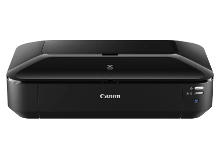
Shop ink cartridges for your Canon PIXMA iX6860, which uses the Canon PGI-650 and CLI-651 ink cartridge series. Ink Depot has supplied reliable consumables for this printer since Feb 2014. Designed for A3+ wide-format document and graphics output, this printer features a 5-ink system. Our 4.8 Google rating reflects a long-standing track record of premium cartridge performance. Upgrading to high-yield PGI-650XLB black and CLI-651XL colour cartridges reduces cost per page during large print runs.










Expected Page Output and Replacement Cycles
Page yields for Canon PGI-650 and CLI-651 cartridges are measured according to ISO/IEC 24711 testing standards using standard A4 text documents. Printing wide-format A3+ photo prints consumes significantly more ink per page than standard text documents, causing colour cartridges to deplete faster during creative projects.
| Cartridge Number | Type | Colour | Page Yield | Cost Per Page |
|---|---|---|---|---|
| CLI-651BK | Standard | Black | 1,795 | $0.012 |
| PGI-650BK | Standard | Black | 300 | $0.080 |
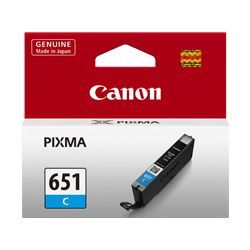
| CLI-651C | Standard | Cyan | 332 | $0.066 |
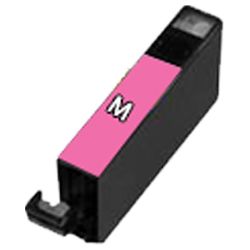
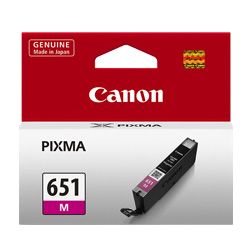
| CLI-651M | Standard | Magenta | 319 | $0.069 |
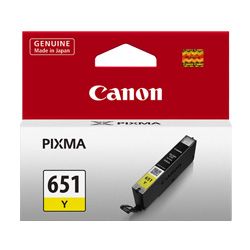
| CLI-651Y | Standard | Yellow | 344 | $0.064 |
| CLI-651XLB | High Yield | Black | 5,530 | $0.005 |
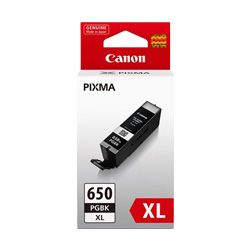
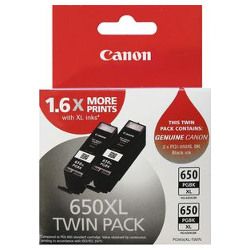
| PGI-650XLB | High Yield | Black | 500 | $0.063 |
| CLI-651XLC | High Yield | Cyan | 695 | $0.041 |
| CLI-651XLM | High Yield | Magenta | 680 | $0.042 |
| CLI-651XLY | High Yield | Yellow | 695 | $0.041 |
Cost Per Page = Total Cartridge Price ÷ Page Yield (at 5% coverage). Prices based on Genuine cartridges.
Choosing Between Genuine and Compatible Options
Ink Depot supplies both genuine Canon cartridges and high-quality compatible alternatives for the PIXMA iX6860. Under Australian Consumer Law, using compatible cartridges does not void your printer warranty. Compatible PGI-650XL and CLI-651XL cartridges offer substantial savings without sacrificing print clarity for everyday document and image output.
Choosing the Right Cartridge Setup
If you print mostly text documents, stock up on PGI-650XLB pigment black cartridges. If you regularly print wide-format photos and presentation graphics, multi-packs containing CLI-651XL cyan, magenta, and yellow cartridges offer maximum convenience. All compatible cartridges come with a money-back guarantee. View our returns policy for details. Free delivery applies on all orders over $99, dispatched quickly from our Australian warehouses in Perth, Brisbane, Sydney, Melbourne, and Adelaide. Browse our complete range of Canon ink cartridges today.
Pro Tip for iX6860 Ink Replacement
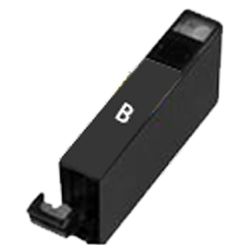
The PIXMA iX6860 features separate pigment black (PGI-650) and photo black (CLI-651) cartridges. Make sure you replace the correct black cartridge when prompted-the PGI cartridge feeds text documents on plain paper, whereas the CLI cartridge handles dark tones on photo media.
Frequently Asked Questions
Can I install PGI-650XL cartridges if my printer came with standard PGI-650?
Yes, PGI-650XL and CLI-651XL high-yield cartridges share the exact same external dimensions as standard cartridges and fit into the same printhead slots, but contain a larger volume of ink to produce more prints before replacement.
Why does the PIXMA iX6860 have two different black ink cartridges?
The PGI-650BK contains pigment-based black ink optimised for crisp, smudge-resistant text on plain paper. The CLI-651BK contains ink designed to bind with glossy photo papers for rich shadow detail in photo printing.
What happens if one colour cartridge runs out while printing wide-format documents?
The printer requires all five cartridge slots to have ink to operate. If any single CLI-651 colour cartridge becomes completely empty, printing will pause until a replacement cartridge is installed to prevent printhead damage.


