
Canon PIXMA iX5000 Ink Cartridges
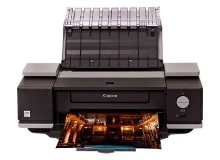
Your Canon PIXMA iX5000 printer uses the PGI-5 and CLI-8 ink cartridge series. Ink Depot has been supplying reliable printer consumables for this A3+ graphic printing printer since Jan 2006. Routine office documentation relies heavily on the pigment PGI-5BK black cartridge, whereas wide-format graphics deplete CLI-8 colour cartridges evenly. Our 4.8 Google rating reflects a long-standing track record of premium cartridge performance.




Expected page output and replacement cycles
Page yields for PGI-5 black and CLI-8 colour cartridges are calculated in accordance with ISO/IEC standard testing procedures. Actual page output varies based on print density, paper dimensions, and whether you produce standard text documents or full-coverage A3 graphics.
| Cartridge Number | Type | Colour | Page Yield | Cost Per Page |
|---|---|---|---|---|
| PGI-5BK | Standard | Black | 360 | $0.080 |
| CLI-8C | Standard | Cyan | 62 | $0.49 |
| CLI-8M | Standard | Magenta | 53 | $0.57 |
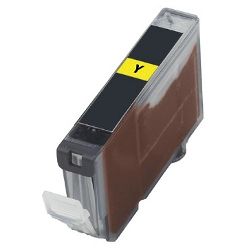
| CLI-8Y | Standard | Yellow | 40 | $0.34 |
Cost Per Page = Total Cartridge Price ÷ Page Yield (at 5% coverage). Prices based on Genuine cartridges.
Choosing between genuine and compatible CLI-8 and PGI-5 options
Replacing worn cartridges with premium compatible PGI-5BK and CLI-8 units lowers running costs for wide-format printing without sacrificing print clarity. Under Australian Consumer Law, using compatible cartridges does not void your printer warranty. Learn more about performance and build differences in our genuine vs compatible cartridge comparison guide.
Managing cartridge replacements efficiently
If you print mainly text documents, keeping an extra PGI-5BK black cartridge on hand prevents sudden workflow stops. If you produce graphics or photo prints, replacing CLI-8 colour cartridges together maintains consistent output balance across wide-format pages. Selecting compatible options backed by our money-back guarantee keeps printing costs manageable. Review our returns policy for details on product guarantees. We ship fast from warehouses in Perth, Brisbane, Sydney, Melbourne and Adelaide. Free delivery applies on all orders over $99. Explore our complete selection of Canon ink cartridges.
Cartridge Tip for A3 Media Printing
A3 graphic layouts consume ink rapidly across CLI-8 cyan, magenta, and yellow cartridges. Buying individual CLI-8 colour replacements ahead of major print runs prevents incomplete prints mid-page, as colour ink cartridges deplete faster when printing borderless media.
Frequently Asked Questions
Why does the PIXMA iX5000 use pigment black and colour inks together?
The PGI-5BK black cartridge uses pigment-based ink engineered for crisp, smudge-resistant text on plain paper. In contrast, the CLI-8 cyan, magenta, and yellow cartridges contain specialised liquid inks formulated for smooth blending and vibrant photographic tones on glossy media.
Can I replace individual CLI-8 ink cartridges separately as they run empty?
Yes, each CLI-8 colour cartridge functions independently with its own LED status light. You only need to swap the specific colour that has run dry, avoiding unnecessary replacement of remaining ink cartridges.
What happens if one CLI-8 colour cartridge runs out during an A3 print job?
The printer pauses printing when an individual ink cartridge reaches empty to prevent printhead damage from dry firing. Keeping spare CLI-8 cartridges ready prevents stalled jobs halfway through large A3 sheets.


