
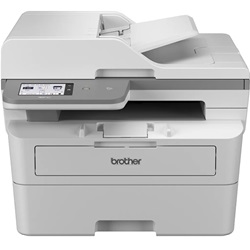
Brother MFC-L2920DW Toner Cartridges
Your Brother MFC-L2920DW uses the TN2530, TN2530XL, TN2530XXL cartridge series, operating on a high-capacity monochrome system with a separate drum assembly. As demonstrated by our 4.8 Google rating, we are committed to providing premium consumable cartridges. Ink Depot has been supplying corporate print workplaces with these components since Jan 2024. Procurement managers handling dense text administration regularly transition directly to high yield replacements to streamline supply intervals and control workplace operating expenses.




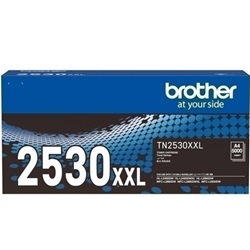

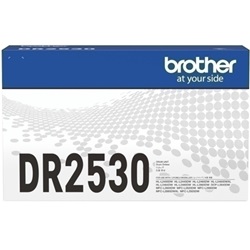
Expected page output and replacement cycles
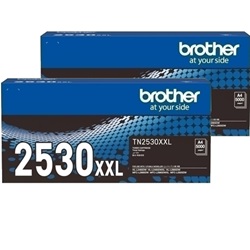
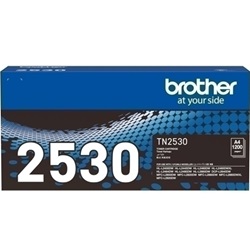
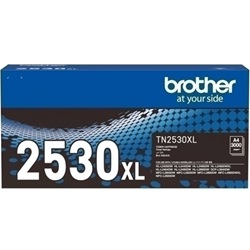
Page capacity benchmarks are established via the standardised international ISO/IEC 19752 metric for monochrome laser testing. The standard TN2530 cartridge delivers roughly 1200 pages, the high yield TN2530XL generates 3000 pages, and the extra high yield TN2530XXL yields approximately 5000 pages before replacement is necessary.
| Cartridge Number | Type | Colour | Page Yield | Cost Per Page |
|---|---|---|---|---|
| TN2530 | Standard | Black | 1,200 | $0.090 |
| TN2530XL | High Yield | Black | 3,000 | $0.055 |
| TN2530XXL | Extra High Yield | Black | 5,000 | $0.043 |
Cost Per Page = Total Cartridge Price ÷ Page Yield (at 5% coverage). Prices based on Genuine cartridges.
Choosing between genuine and compatible options
Under Australian Consumer Law, using compatible cartridges does not void your printer warranty. Office operations often switch to third-party alternative toners to achieve lower administrative costs without sacrificing text readability. To see a detailed independent comparison of original vs alternative printing options, view our expert guide at genuine vs compatible cartridges.
Drum lifecycle and maintenance
The separate DR2530 drum unit handles the physical image placement and operates on a longer lifecycle than standard toners, lasting up to 15000 pages before running down. Experience Tip: When swapping out the imaging drum, you must manually reset the counter via the printer control menu to stop the replacement alert light from flashing.
Managing replacements and stock
If you print mainly text documents, keeping an extra high yield cartridge in reserve prevents unexpected downtime during critical business operations. Selecting alternative options remains entirely risk-free for companies because our products carry a solid money-back guarantee, which you can read about in our comprehensive Returns policy. Free delivery applies on all orders over $99. We fulfil orders from distribution hubs located across Perth, Brisbane, Sydney, Melbourne, and Adelaide to secure immediate dispatch. You can explore the entire manufacturer range by browsing our dedicated Brother toner cartridges catalogue.
Pro Tip
When light streaks occur across text blocks despite ink remaining, cleaning the primary corona wire inside the drum unit using the built-in green plastic slider quickly removes baked-on toner dust to restore crisp line detail.
Frequently Asked Questions
Can I run a high capacity TN2530XXL cartridge in my printer if it originally came with a standard starter toner?
Yes, the physical frame size across the TN2530, TN2530XL, and TN2530XXL cartridges is identical; the high yield variations simply contain a larger volume of toner powder inside the internal reservoir.
Why does my printer display a toner life end message immediately after sliding in a new TN2530XL cartridge?
The mechanical reset trigger on the side of the cartridge housing sometimes slips during transit; removing the toner and rotating the plastic gear forward resets the internal microswitch sensor upon reinsertion.
How do I differentiate between a worn-out toner cartridge and a failing DR2530 drum assembly?
An empty toner cartridge results in evenly faded, pale text across the entire page, while a damaged drum unit manifests as distinct repeating black marks, vertical scratches, or uniform grey background fogging.


