
Brother MFC-L2880DW Toner Cartridges
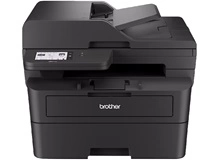
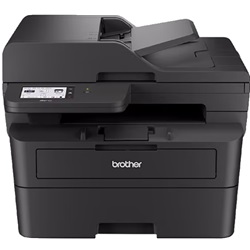
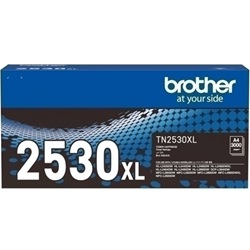
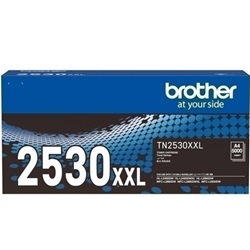
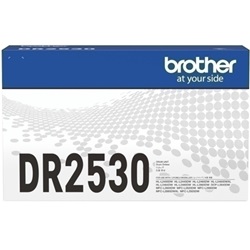
Shop toner cartridges for your Brother MFC-L2880DW, which uses the Brother TN2530, TN2530XL and TN2530XXL toner cartridge series along with DR2530 drum units. Ink Depot has been supplying reliable consumables for this printer since Jan 2024. Upgrading from the standard TN2530 cartridge to the high-capacity TN2530XXL significantly reduces the frequency of replacements during high-volume document runs. Our 4.8 Google rating reflects a long-standing track record of premium cartridge performance.




Expected Page Output and Replacement Cycles
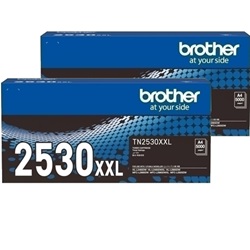
Page yields for Brother monochrome toner cartridges are measured in accordance with the ISO/IEC 19752 testing standard. Higher capacity options like the TN2530XXL deliver up to 5,000 pages, providing substantial cost efficiency for office environments with heavy daily text printing output.
| Cartridge Number | Type | Colour | Page Yield | Cost Per Page |
|---|---|---|---|---|
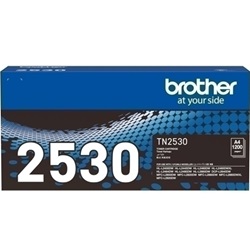
| TN2530 | Standard | Black | 1,200 | $0.090 |
| TN2530XL | High Yield | Black | 3,000 | $0.055 |
| TN2530XXL | Extra High Yield | Black | 5,000 | $0.043 |
Cost Per Page = Total Cartridge Price ÷ Page Yield (at 5% coverage). Prices based on Genuine cartridges.
Choosing Between Genuine and Compatible Options
Selecting between genuine Brother toner and compatible alternatives depends on your budget and printing volume. Compatible cartridges offer an economical alternative for routine office documentation without compromising print quality. Learn more about genuine vs compatible cartridges in our detailed guide. Under Australian Consumer Law, using compatible cartridges does not void your printer warranty.
Drum Units and Component Lifecycle
The Brother MFC-L2880DW uses a two-piece consumable system comprising a toner cartridge and a separate drum unit. Experience Tip: The DR2530 drum unit is rated for approximately 15,000 pages and operates independently from the toner cartridge, outlasting multiple toner replacements.
Cartridge Selection and Delivery Options
For high-volume text printing, choosing TN2530XXL extra high yield cartridges lowers the cost per page compared to standard capacity options. If you opt for compatible cartridges to manage printing expenses, all compatible stock is backed by a complete money-back guarantee. View our returns policy for full coverage details. Free delivery applies on all orders over $99. Orders are dispatched quickly from central distribution centres located in Perth, Brisbane, Sydney, Melbourne, and Adelaide. Browse our full range of Brother toner cartridges to maintain consistent print readiness.
Pro Tip
The drum unit and toner cartridge are separate components; when the printer alerts you to low toner, replace only the TN2530 series cartridge and keep the DR2530 drum unit in place until a specific drum replacement message appears.
Frequently Asked Questions
How do I know whether I need a new TN2530 toner cartridge or a DR2530 drum unit?
Your printer displays distinct alert messages for each part. A 'Toner Low' or 'Replace Toner' message indicates it is time to fit a new TN2530, TN2530XL, or TN2530XXL cartridge. A 'Replace Drum' warning signifies that the DR2530 drum unit has reached the end of its 15,000-page lifespan and requires replacement.
Can I install a high-yield TN2530XXL toner cartridge if my printer originally came with a standard TN2530?
Yes, the TN2530, TN2530XL, and TN2530XXL cartridges share the exact physical outer dimensions and fit into the same slot inside the DR2530 drum assembly. The XXL variant simply contains a higher volume of toner powder to yield up to 5,000 pages.
Will using compatible TN2530XL cartridges affect page yield performance compared to genuine Brother toner?
Quality compatible TN2530XL cartridges are manufactured to match the page output specifications of genuine Brother cartridges, delivering approximately 3,000 pages under standard ISO testing conditions while reducing overall cost per page.


